28
push-button switches which are tapped or held to select among
parameters to adjust.
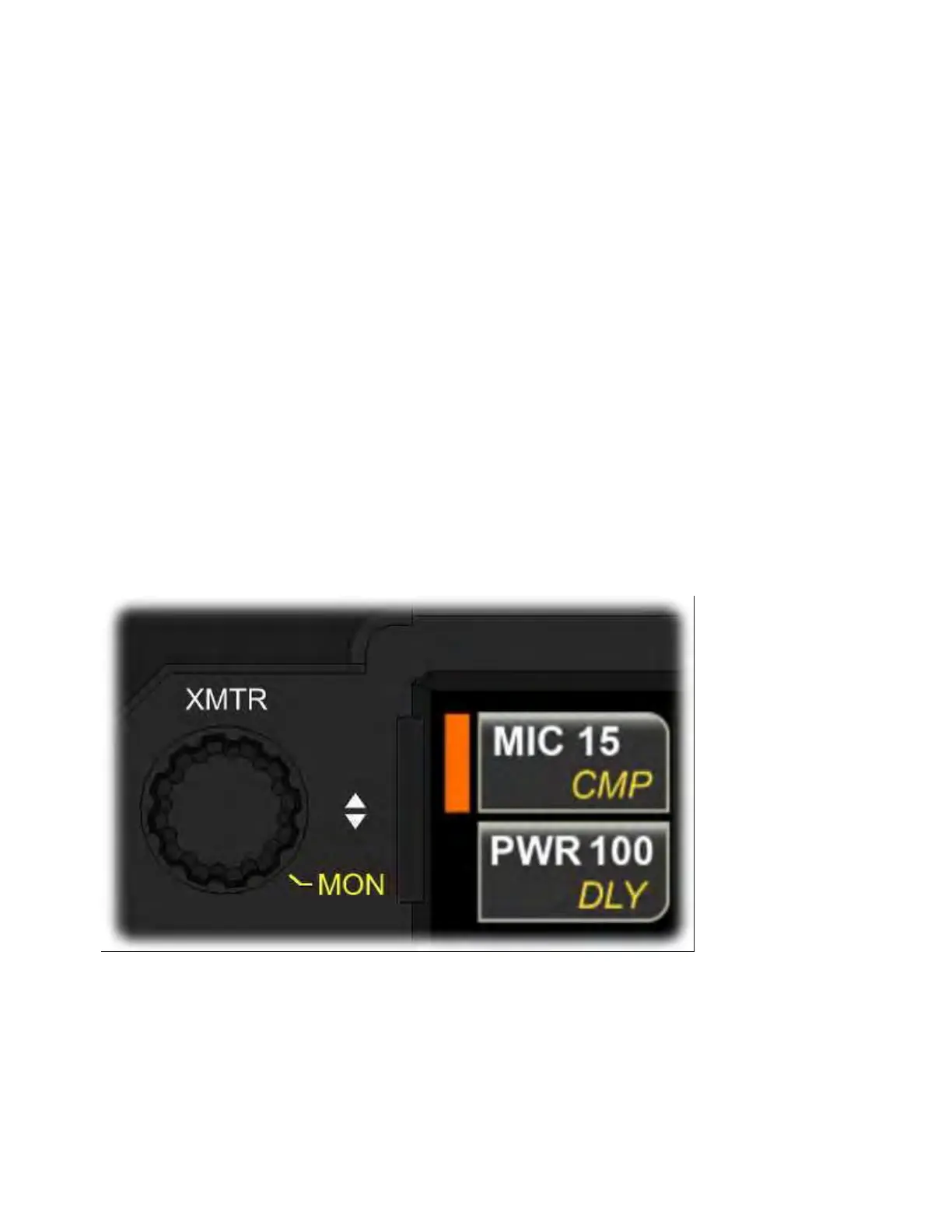
Each knob is accompanied by two buttons on the LCD. These buttons
each have two labels, one of which is currently available for
adjustment. The button in each pair that is selected is highlighted by a
colored rectangular indicator: orange for XMTR, blue or green for
FILTER, blue or green for RF/SQL. (Blue pertains to VFO A/main RX and
green to VFO B/sub RX).
Below the three multi-function controls is a concentric knob that
controls main or sub AF gain.
These four controls are further described in the sections that follow.
XMTR Knob
Rotate {XMTR} to adjust often-used transmit functions.
In all operating modes, tapping the lower LCD button adjacent to this
knob selects <PWR> output or VOX <DLY> for adjustment. Tapping the
upper LCD button selects either <MIC> and <CMP> (in speech modes)
or <WPM> and <PITCH> (in CW, FSK, and PSK modes, which can all be



 To Next Page