29
used with a CW keyer paddle). Tap a button a second time to alternate
between its two functions.
{XMTR} <PWR> normally sets the power in watts. If MENU:XVTR Out
Test is in effect, or an external transverter band is in use, the value will
be in milliwatts (mW).
Tapping the {XMTR} knob is an alternate way to change the LCD
button selection. Holding the knob allows adjustment
of [MON] (speech or sidetone monitor level). LINE OUT level for
transmit monitoring is set independently using MENU:TX Monitor
Level, Line Out.
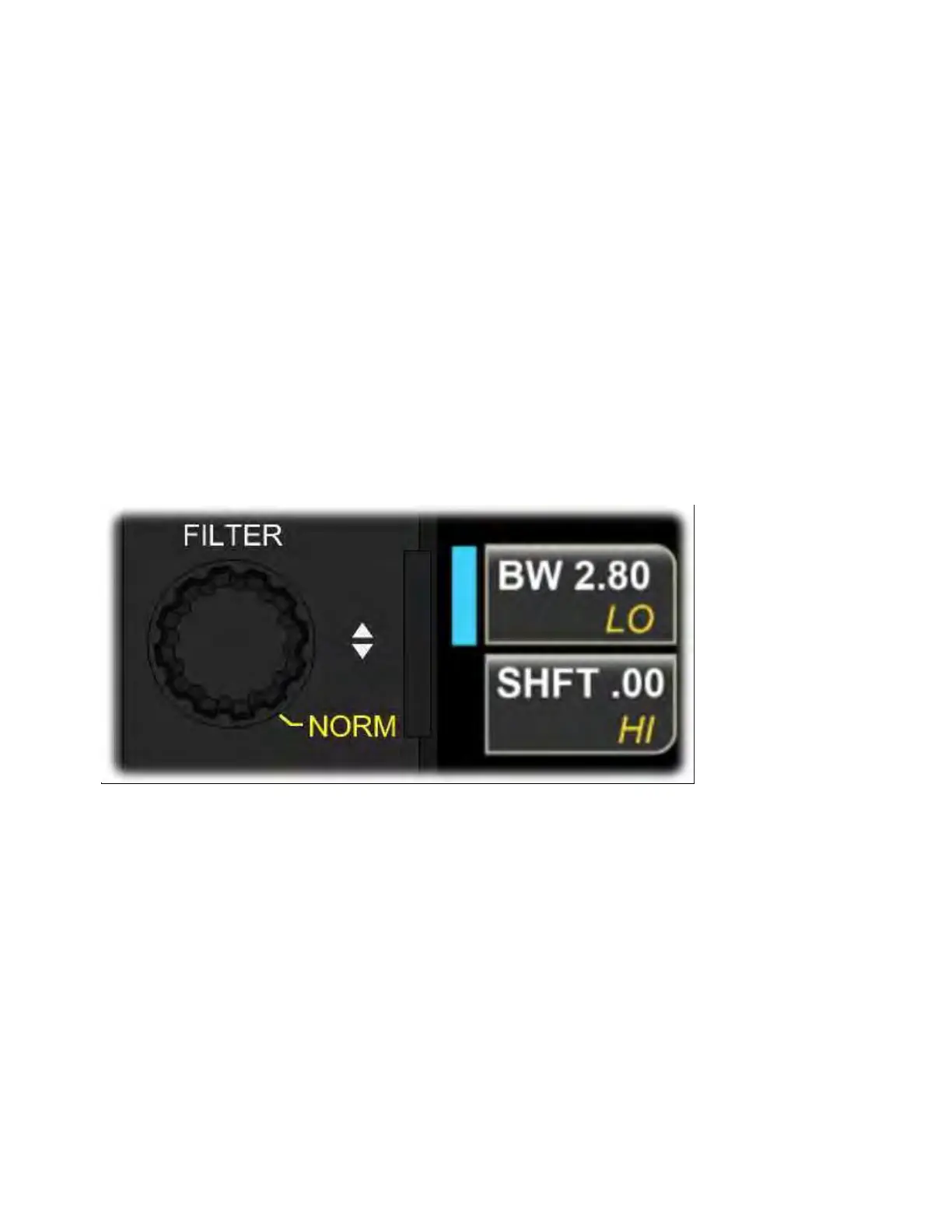
FILTER Knob
Rotate {FILTER} to adjust receiver filter bandwidth and shift, or hi-cut
and lo-cut.
If the button selector color is blue, the main receiver's passband will
be adjusted. If the selector is green, the sub receiver's passband will
be adjusted. To select the sub RX for passband adjustment, either tap
[B SET] (near the VFO B knob) or tap the <SUB RX> primary function
button. Both illuminate the B SET icon.
Tapping the {FILTER} knob's lower LCD button selects either <SHFT> or
<LO-CUT>, while the upper button selects <BW> (bandwidth) or <HI-



 To Next Page