73
automatically adjusting the VFO frequency. In FSK and AFSK modes,
the mini-pan cursor identifies the mark tone, while a dotted line
shows the space tone.
Mouse Icons
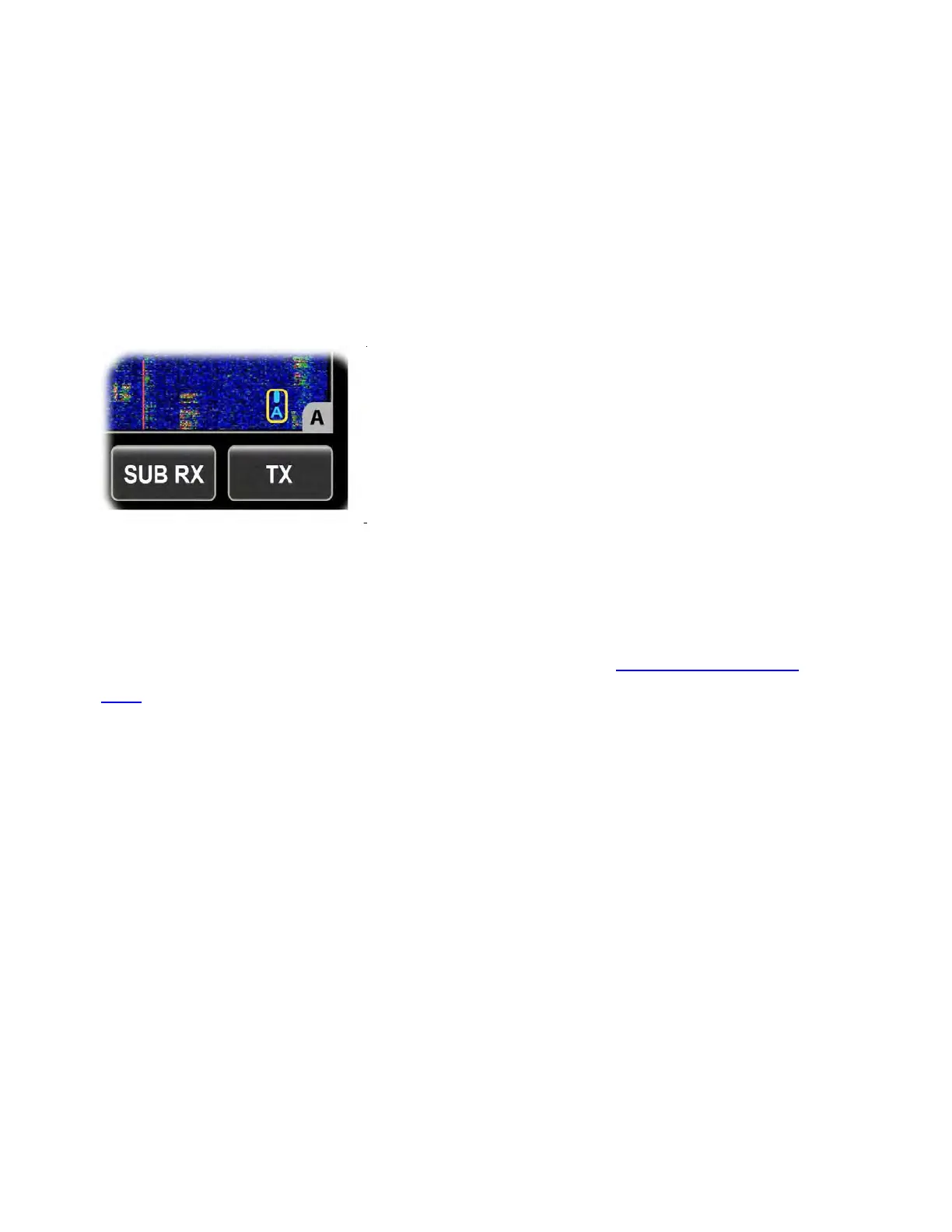
A mouse icon will appear in each panadapter window whenever a
mouse is plugged in. See image below, which shows the VFO A
panadapter window. The mouse icon has a yellow border.
This icon includes a letter to show the current target for mouse-wheel
tuning: A=VFO A, B=VFO B, R=RIT/XIT offset. The icon is also color-
coded: blue for VFO A, green for VFO B, and white for RIT/XIT.
Mouse left and right buttons are configurable (see Mouse L/R Button
QSY). Clicking a mouse button moves the targeted VFO to the
frequency marked by the mouse arrow.
Tapping the mouse thumbwheel alternates between VFO A and RIT
adjustment, or between VFO B and RIT, depending on whether the left
or right mouse button was the one last clicked.
Left- or right-clicking on the mouse icon itself changes the VFO A/B
mouse assignment without causing a QSY.
Different size options may be available for the Mouse curser; refer to
Menu: Mouse Cursor Size
Using Panadapter Controls
To change panadapter settings:



 To Next Page