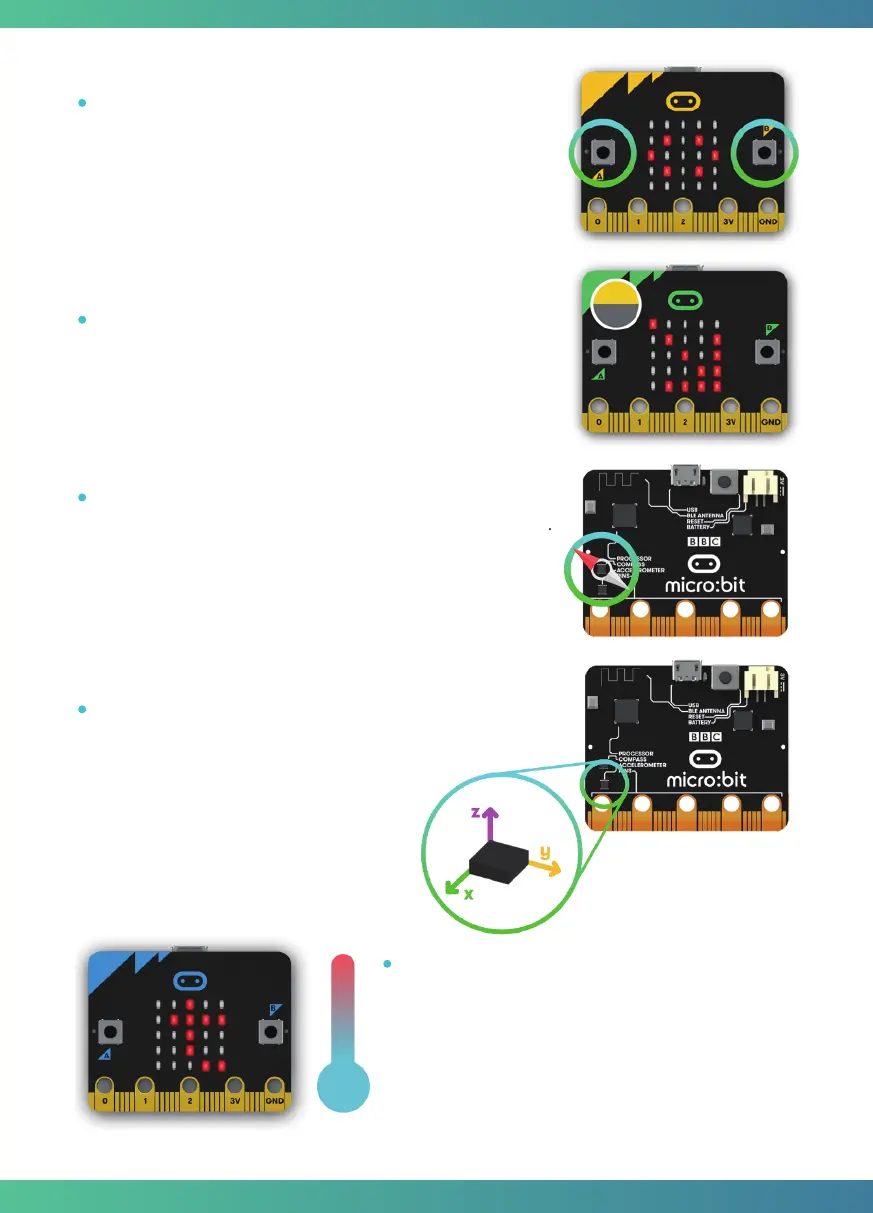
A/B Buttons: There are two buttons on the front of the
micro:bit - button A and button B, you can detect when these
buttons are pressed, allowing you to trigger code on the
device. You can detect events such as a single press, a double
press, and a long press by programming.
Light Sensor: The LED screen works as a basic light sensor by
reversing the LEDs of the screen to become an input which
allows you to detect the ambient light.
5
Temperature Sensor: The Microcontroller doubles
as a temperature sensor! The temperature sensor
transforms the temperature in the ambient
environment into digital signals that can be read by
the micro:bit for calculating the current tempera-
ture of the device.
Compass: The compass detects the earth’ s magnetic field,
allowing you to detect which direction the micro:bit is facing.
The compass has to be calibrated before it can be used.
Calibrating the compass ensures the compass results are
accurate.
Accelerometer: The accelerometer measures
the acceleration of your micro:bit, it can track
motions like tilt, free fall and shake.
3



 To Next Page