8
MAC
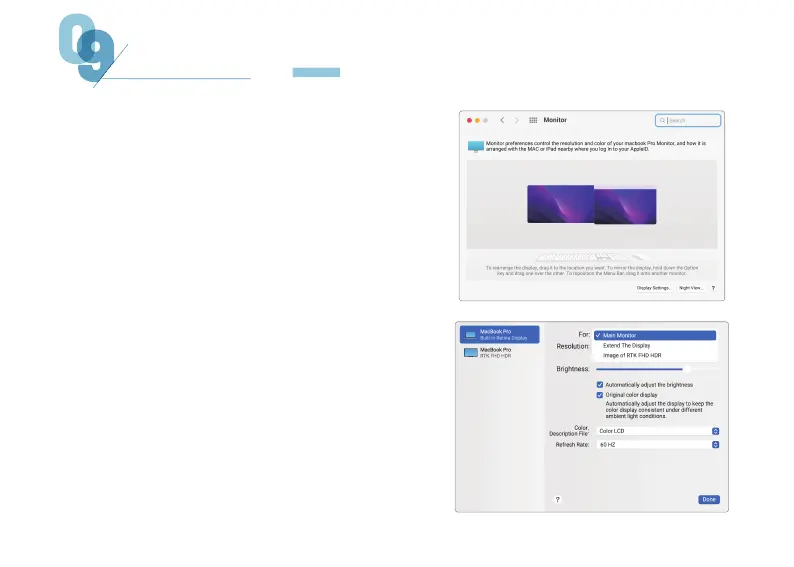
1. Open System Preferences.
3. Click the screen to drag to adjust the position.
4. Click the screen, enter the monitor settings
page, select "Main Display", the selected screen
is used as the main display, and the unselected
screen is used as the extended display; Select
"Extended Display", the selected screen is used
as the extended monitor, and the screen is not
selected as the primary display; Select
"Mirroring of RTK FHD HD" to display both
screens on the same screen.
2. Select "Display" in the menu bar.
PC SETTINGS


 To Next Page