2
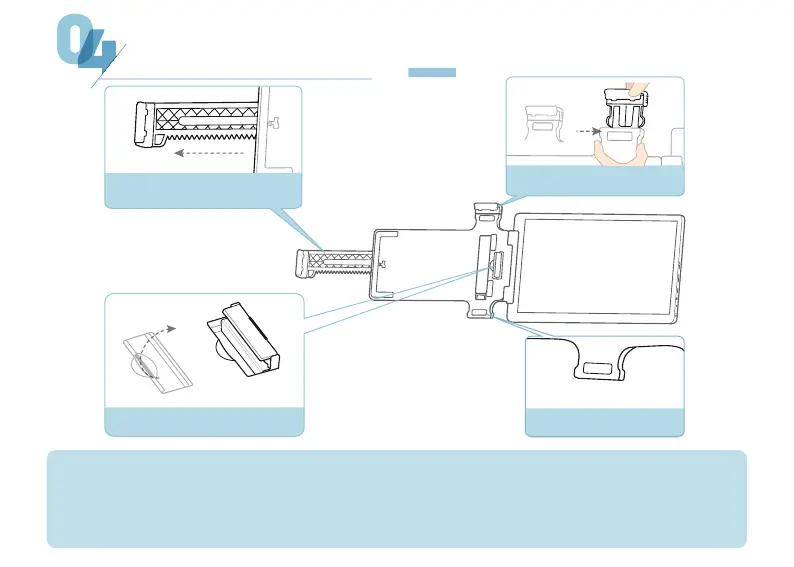
PARTS DESCRIPTION
Lower Buckle
Clamp Clasp
Detachable Clip
Telescopic Snap
①
①
②
②
③
③
④
④
The telescopic snap can flexibly adjust the clamping width.
To disassemble the clip, press the left and right buckles and pull out. When installing, make sure to
push it firmly into place.
The right clamp clasp needs to be turned up when in use and inward when not in use.
Attach the clip to the lower buckle to position the screen on the left side of the computer.


 To Next Page