4
DISPLAY SETTING
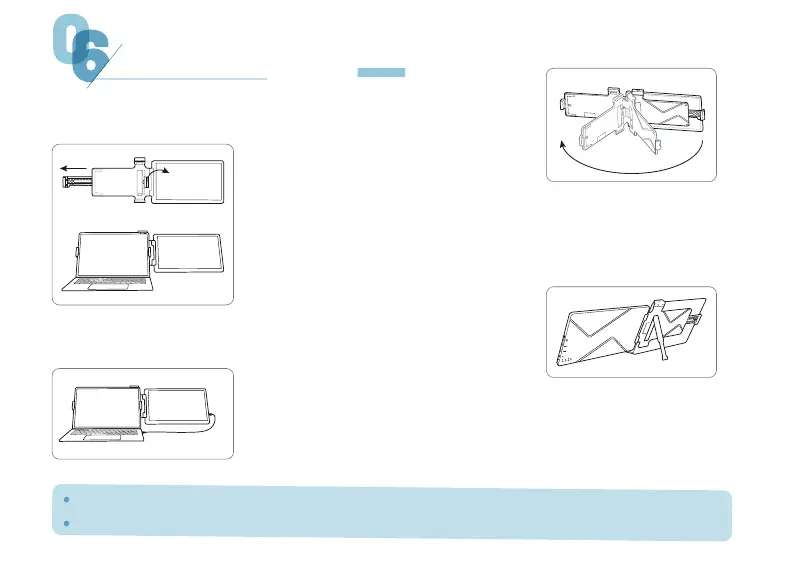
Please take out the Elecrow product and unfold it.
Press the support feet button to extend and stabilize.
( For specific connection, please see the next page
"Connection Method".)
After assembly, please adjust the alignment of the screens on both sides.
Laptops larger than 8mm thick may cause clip damage.
01
03
04
02
Lift up the right clamp clasp, adjust the telescopic snap
to the appropriate size, and clip it onto the notebook.
Use a suitable cable to connect CrowView to your laptop.


 To Next Page