7
WINDOWS
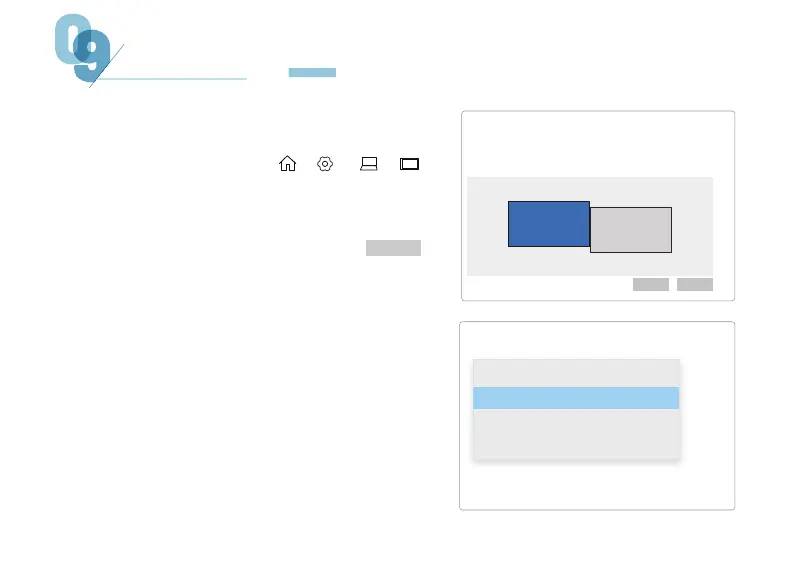
1. Enter the display settings ( > > > )
4. If the screen is inverted, click the screen,
find "Display Orientation" in "Zoom & Local",
and adjust it in the drop-down menu. To
enlarge the screen, adjust it from the drop-down
menu in the "Change the size of text, apps, etc."
option.
2. You can drag the screen to rearrange it alone.
Screen
1
2
Rearrange displays
Identifying Detection
Select one of the displays below to change its settings. Long press (or select) a monitor, and
then rearrange it by dragging.
Multi-Display
Copy these displays
Expand these displays
Display only on 1
Display only on 2
Connect to wireless display
Advanced Display Settings
PC SETTINGS
3. If you need to set different display modes for
multiple screens, please click 1/2 (click " "
at the bottom of the screen to recognize the
corresponding screen) After selecting the
corresponding monitor, go to the "Multi-display
Settings" menu to set accordingly. (Copy: same
screen display; Extension: Extended Display)
Identifying


 To Next Page