23
• *6. Add New Category
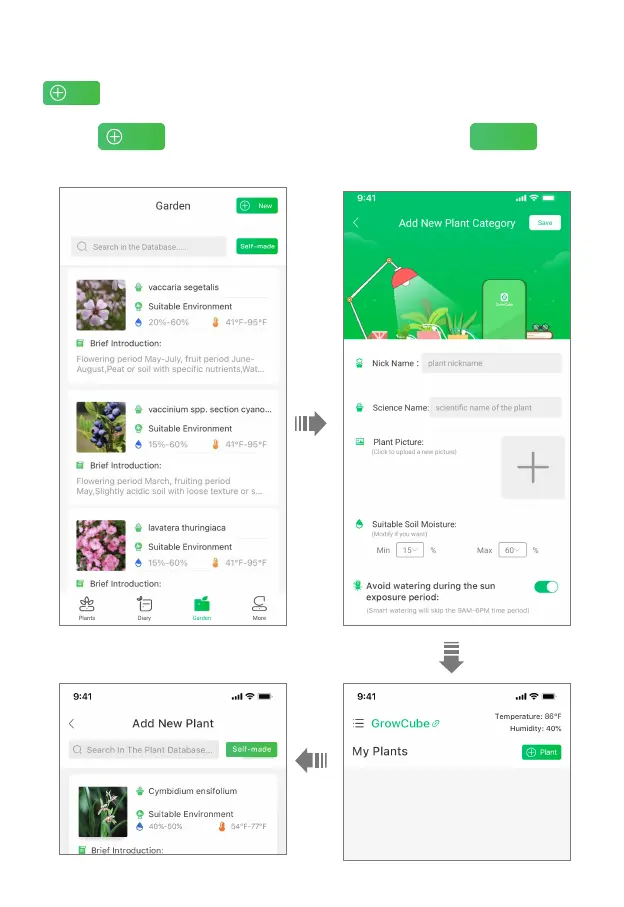
If the plant is not found in the plant database, please go to the Garden first, and then click to
add a new plant category. Enter the plant nickname, scientifific name and take a photo
of the plant. After customizing the suitable humidity range, click "Save". Go back to the Plants page
and click to enter Add Plant page. You can find the plant in the list.
After selecting it, click "Save" to add the plant successfully.



 To Next Page