EasyManua.ls Logo

Elecrow GrowCube - Chapter 2. Get Started; 2.1 Installation; 2.1.1 Steps To Use GrowCube

Default Icon
50 pages
Print Icon
To Next Page IconTo Next Page
To Previous Page IconTo Previous Page
Loading...
• 1.3.2 Accessories
Chapter 2
Get Started
2.1 Installation
• 2.1.1 Steps To Use GrowCube
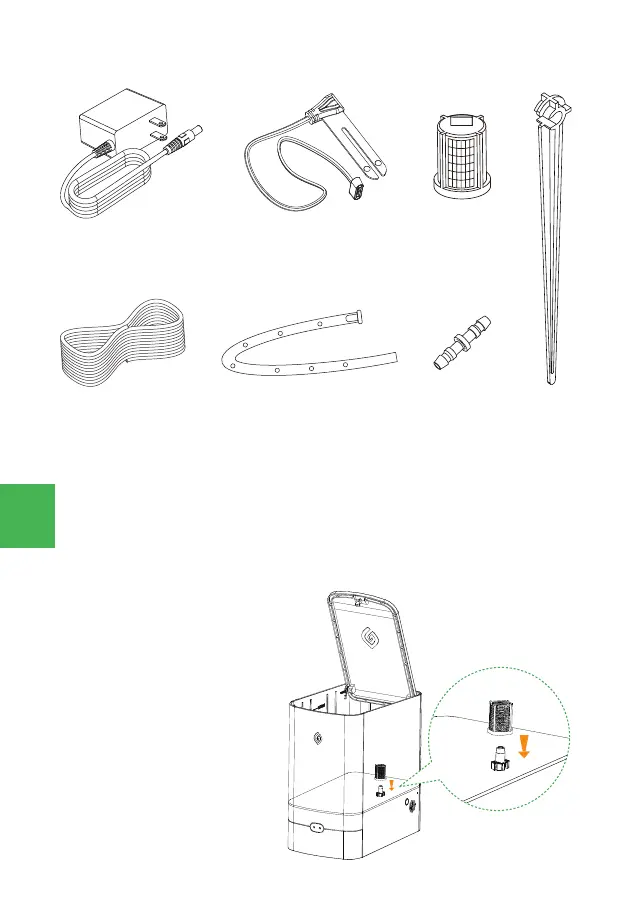
• 1. Install the filter, install the filter at the
water inlet of the water tank, and insert it
vertically as shown in the figure right.


 
 
04
