EasyManua.ls Logo

ElectrIQ eiQ-9WMINV-V3 - User Manual

ElectrIQ eiQ-9WMINV-V3
27 pages
Print Icon
To Next Page IconTo Next Page
Loading...
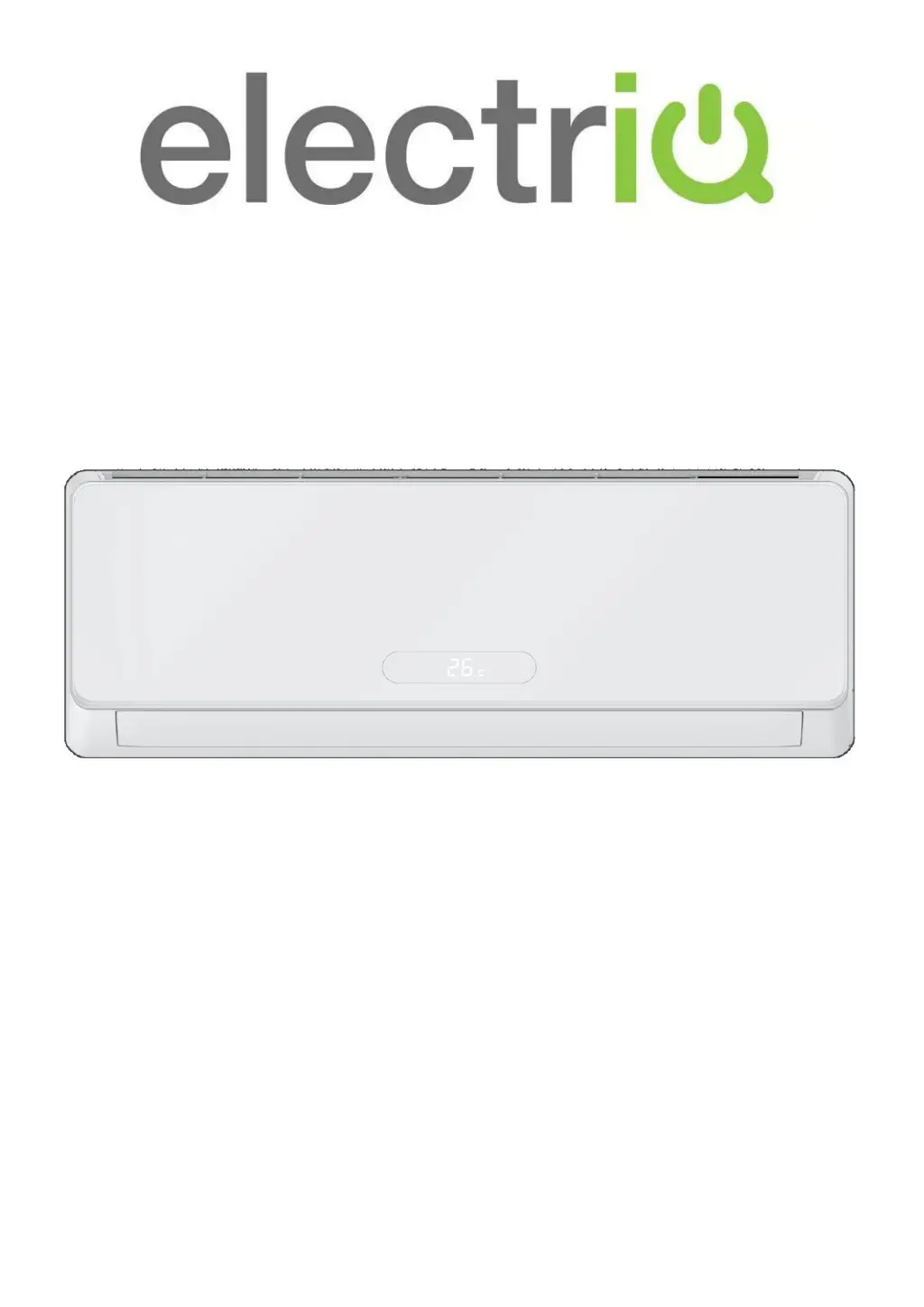
USER MANUAL
eiQ-9WMINV-V3
9,000 BTU
eiQ-12WMINV-V3
12,000 BTU
ENVIRONMENTALLY FRIENDLY
SMART WIFI CONTROLLED WALL MOUNTED
INVERTER SPLIT AIR CONDITIONER WITH HEAT PUMP
Thank you for choosing an electriQ Air Conditioner
Please read this manual before installing this innovative
Air Conditioner and keep it safe for future reference.

Questions and Answers

  • C
    Crystal ThomasAug 3, 2025
    What to do if my ElectrIQ eiQ-9WMINV-V3 Air Conditioner does not respond to commands?
    • J
      Jennifer McconnellAug 4, 2025
      If your ElectrIQ Air Conditioner is not responding to commands, it could be due to several reasons: * The remote control might be too far from the unit. * The remote's batteries may be dead. * There might be an obstruction between the remote and the signal receiver on the unit.
  • E
    edward21Aug 8, 2025
    Why is my ElectrIQ eiQ-9WMINV-V3 airflow insufficient?
    • X
      xsaundersAug 8, 2025
      If your ElectrIQ Air Conditioner isn't providing sufficient airflow, whether hot or cold, several factors could be at play: * The temperature setting might be inappropriate. * The air inlet or outlet of the indoor or outdoor unit could be blocked. * The air filter might be blocked. * The fan speed may be set too low. * There could be other heat sources in the room. * The unit might be low on refrigerant.
  • J
    jonathan15Aug 13, 2025
    What to do if my mobile device can’t find ElectrIQ eiQ-9WMINV-V3 Air Conditioner?
    • E
      emily94Aug 13, 2025
      If your mobile device displays "Air conditioner offline" and can’t find the ElectrIQ AC, consider the following: 1. The AC may have been reconfigured. 2. The AC might not be receiving power. 3. The router could be off. 4. The AC might be unable to connect to the router. 5. The AC might be unable to connect to the network through the router. 6. The mobile device might be unable to connect to the router. 7. The mobile device might be unable to connect to a network (when being used remotely).
  • Z
    Zachary CrawfordAug 18, 2025
    Why my mobile device can’t control the ElectrIQ eiQ-9WMINV-V3 Air Conditioner?
    • L
      Lisa CampbellAug 18, 2025
      If your mobile device displays "Identification failed" and can’t control the ElectrIQ air conditioner, it means the AC has been reset and the mobile device has lost contact with it. Reconnect the device following the instructions. If that doesn't work, delete the AC from your devices list and start the installation process again.
  • B
    brenda46Aug 23, 2025
    Why is the display off on my ElectrIQ eiQ-9WMINV-V3 Air Conditioner?
    • D
      David SmithAug 23, 2025
      If the display on your ElectrIQ Air Conditioner is off, it could be due to: * The LED function being active. * A power failure.
  • R
    ronalddavisAug 28, 2025
    Why my ElectrIQ Air Conditioner does not operate?
    • J
      Jacob RichardsonAug 28, 2025
      If your ElectrIQ Air Conditioner does not operate, possible causes include: * Power failure. * Damaged indoor/outdoor unit fan motor. * Faulty compressor thermomagnetic circuit breaker. * Faulty protective device or fuses. * Loose connections. * Self protection in adverse conditions. * Voltage higher / lower than the voltage range. * Active TIMER-ON function. * Damaged electronic control board.

Summary

Safety Information

General Instructions and Protection

Key safety guidelines, general instructions, and unit protection tips.

Energy Saving Tips

Recommendations for energy-efficient operation and protecting the unit.

Product Overview

System Diagram

Illustrates the components and connections of the air conditioner system.

How It Works

Explains the operational modes like Cooling, Heat Pump, and Dehumidifying.

Parts Diagrams

Details the indoor and outdoor unit components with numbered labels.

Operating the Air Conditioner

Operating Functions

Details the main operating modes: Cool, Heat, Fan, Dehumidify, and Auto.

Timers and Special Modes

Explains setting timers, sleep mode, turbo, and swing functions.

Display and Control Features

Covers unit display, child lock, and quiet operation settings.

Important Operational Information

Provides details on heating mode preheat, auto restart, thermostat range, and heat pump function.

Customising Your Air Conditioner

Optional Panels

Information on available optional front panels to customize the indoor unit's appearance.

How to Change the Panel

Step-by-step instructions for replacing the indoor unit's front panel.

Setting Up the WiFi App

Before You Start

Prerequisites and advice for setting up the Wi-Fi app connection.

Download the App

Instructions on where and how to download the TUYA SMART app.

Connection Methods

Explains the Quick Connection and AP modes for setting up the Wi-Fi.

Register the App

Step-by-step guide for registering a user account within the TUYA SMART app.

Setting Up Your Home

Guide on creating rooms and setting up the home environment in the app.

Connecting via Quick Connection

Detailed steps for connecting the air conditioner using the Quick Connection method.

Connecting via AP Mode

Detailed steps for connecting the air conditioner using the AP Mode.

Using the WiFi App

The Home Screen

Overview of the main app home screen and its features.

The Device Screen

Details the controls and functions available on the device-specific screen.

Smart Scenes

How to create custom scenes for intelligent automation of the air conditioner.

Automation

How to set up automatic actions based on various triggers and conditions.

Profile Tab

Options for managing user details, device settings, and integration.

Troubleshooting

Common Malfunctions

Lists common issues the appliance may encounter and their possible causes.

Wi-Fi Troubleshooting

Addresses problems with Wi-Fi configuration and mobile device control.

Technical Specification

Fault Codes

Displays error codes generated by the indoor unit and their failure reasons.

Technical Specifications

Provides detailed technical data for both models of the air conditioner.

Warranty and Support

Warranty Information

Outlines the terms and conditions of the electriQ guarantee.

ElectriQ UK Support

Contact details and service information for customer support.

ElectrIQ eiQ-9WMINV-V3 Specifications

General IconGeneral
Cooling Capacity9000 BTU
Heating Capacity9000 BTU
RefrigerantR32
Heating Seasonal Performance Factor (HSPF)4.0
Power Supply220-240V, 50Hz
Wi-Fi ConnectivityYes
Remote ControlYes
Timer FunctionYes
Sleep ModeYes
Auto RestartYes
Self-Cleaning FunctionYes
Smart ControlYes

Related product manuals