EasyManua.ls Logo

Electro-Harmonix BIG MUFF - Page 10

Electro-Harmonix BIG MUFF
16 pages
Print Icon
To Next Page IconTo Next Page
To Previous Page IconTo Previous Page
Loading...
2. Preset Menu Navigation Buttons 
through all of the presets.
3. A/B Section



4. Save Preset Button

5. Preset Transfer Button
-
tionality, go to the Transferring Presets section on page 12.
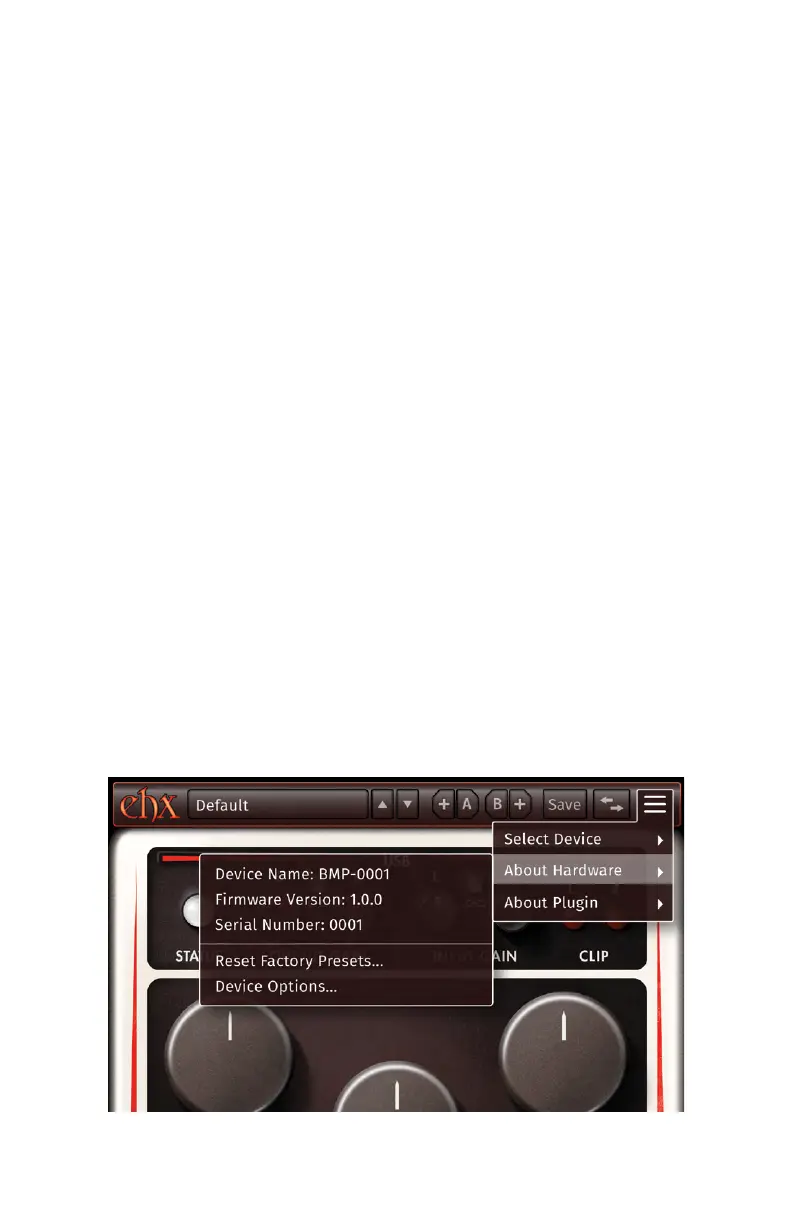
6. Settings Menu Button Opens a dropdown with the following options:
Select Device 
out if another plugin instance is currently using said device. User has option of

Audio Mode: Select this to use the Hardware Plugin functionality of the

Control Mode: 


About Hardware

Reset Factory Presets: 
Device Options:
.
About Plugin
- 10 -
Settings Menu, and the About Hardware 
Related product manuals