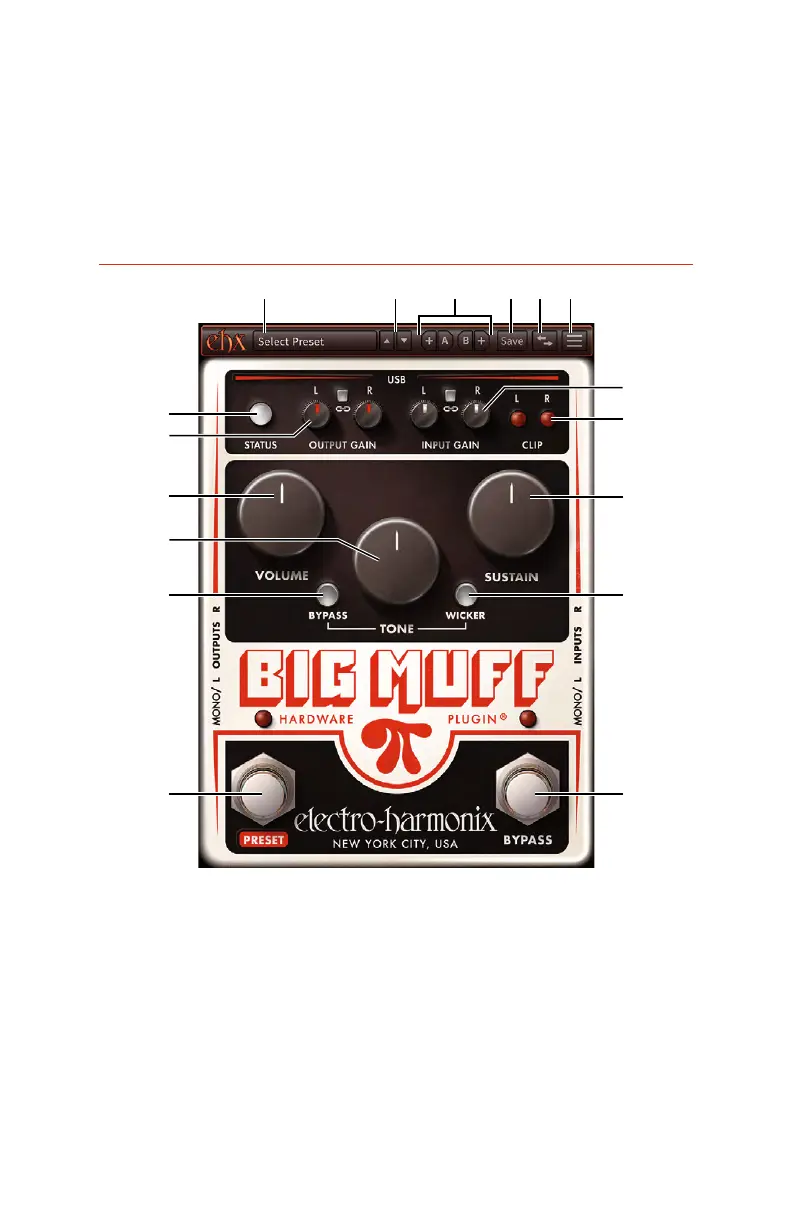
1. Preset Menu
Hardware:
Electro-Harmonix:
User:
Show in FinderShow in Folder
User presets are stored, so you can rename, delete, or manage your presets
Rescan Presets: re-scans the User preset folder, updating the User preset
list with any changes made in the folder.
Software Overview
1 2 4 5 6
7
17
9
16
10
12
15
11
14
13
8
3
controls on the software plugin to tailor the effect.
* Due to the nature of Windows and its USB Audio drivers, only one BMπHP can be
used per session. It is possible to use multiple devices and plugin instances on Mac.







 To Next Page