EasyManua.ls Logo

Electro-Harmonix BIG MUFF - Transferring Presets; Transferring from Computer to BMnhP; Transferring from BMnhP to Computer

Electro-Harmonix BIG MUFF
16 pages
Print Icon
To Next Page IconTo Next Page
To Previous Page IconTo Previous Page
Loading...
Transferring Presets


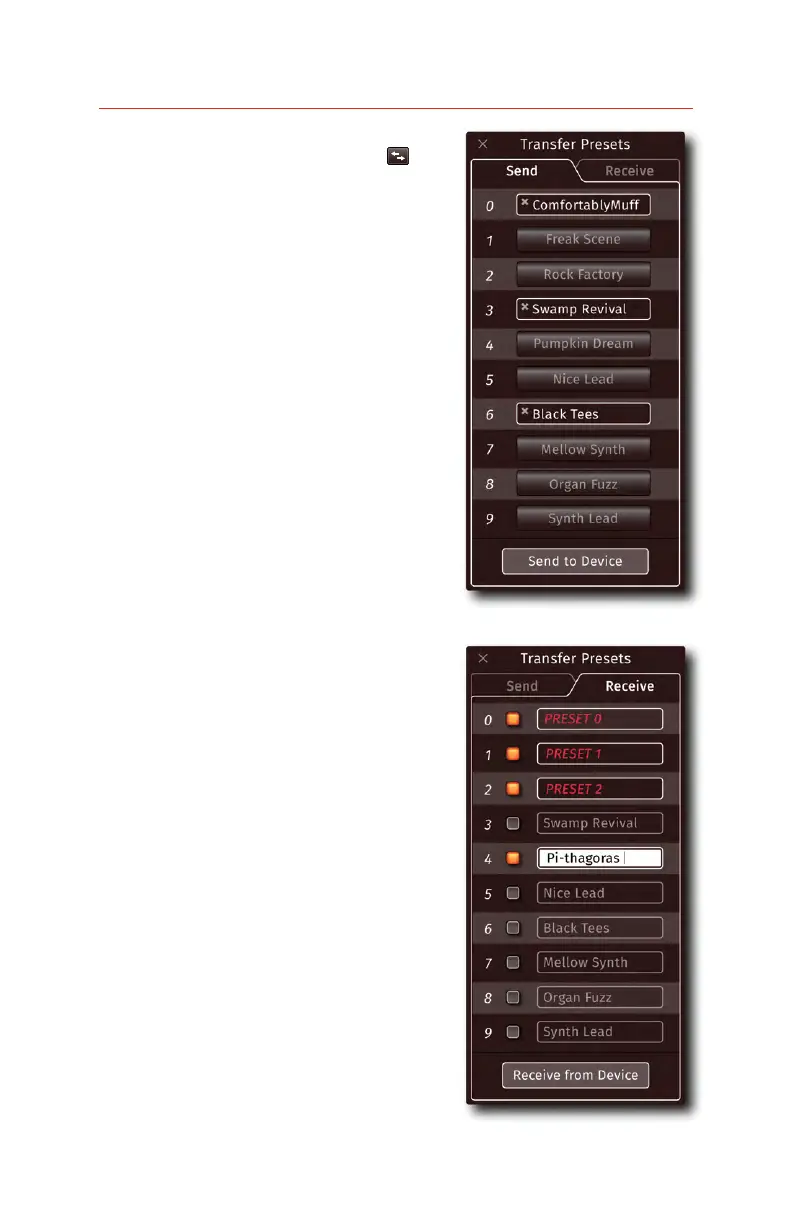
Transferring from Computer to BMπHP
SEND
presets in any of the slots to prepare them

the Send to Device
 ‘r’ to indicate
the presets are successfully transferring to

Transferring from BMπHP to Computer
   RECEIVE   

-
 

press the Receive from Device


folder for future use.
Renaming BMπHP Hardware Presets
RECEIVE-

rename these hardware presets, enter in a
-
-

Receive
from Device-


-
ture use.
- 12 -
Receive panel.
Send panel.

Related product manuals