- 4 -
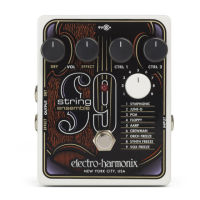
Preset Descriptions
1. SYMPHONIC An emulation of a large symphonic orchestra. The bottom guitar
strings produce a lower octave for a full sound.
CTRL 1 is a tone control. As you turn CTRL 1 CW, the effect gets brighter. As you
turn CTRL 1 CCW, the effect goes darker.
CTRL 2 adjusts sustain/release time. Sustain/release is the time it takes for
the effect to fade out after stopping your notes. As CTRL 2 is turned CW, the
fade-out time increases. The sustain/release effect is similar to reverb, but it
controls fade-out volume instead of a reverb tail.
2. JUNE-O A string sound inspired by the classic polyphonic analog synths of the
early 80s.
CTRL 1 is a tone control.
CTRL 2 is an octave switch, selecting between 5 octaves.
3. PCM A smaller studio string section, as heard on vintage digital keyboards.
CTRL 1 is a tone control.
CTRL 2 adjusts vibrato depth. As you turn CTRL 2 clockwise, the vibrato depth
increases. Turn CTRL 2 fully CCW to bypass vibrato.
4. FLOPPY Emulation of the 1960's and 70's mechanical string machines like the
Mellotron® and Orchestron®. Orchestron® used optical oppy discs.
CTRL 1 is a tone control.
CTRL 2 is sustain/release time.
5. AARP Emulation of the much-loved Arp® Solina string synthesizer.
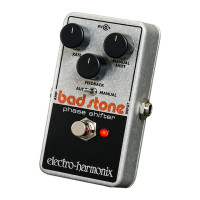
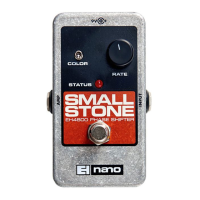
CTRL 1 adjusts Small Stone Phase Shifter speed. As you turn CTRL 1 clockwise,
modulation speed increases. Turn CTRL 1 fully CCW to bypass the phase shifter.
CTRL 2 is sustain/release time.
6. CREWMAN Emulation of the classic Crumar® Performer analog string and
brass synthesizer.
CTRL 1 sets lter envelope sweep time and direction. When CTRL 1 is set within
its counterclockwise range, it will adjust the attack time of the lter sweep; when
set clockwise, beyond “noon,” it controls the decay time of the lter sweep. For
either section of CTRL 1, sweep time gets faster as the knob is turned clockwise.
CTRL 2 is sustain/release time.
7. ORCH FREEZE An orchestra sound with Freeze effect.
CTRL 1 is a tone control.
CTRL 2 selects between Auto Freeze and Manual Freeze modes. Set CTRL 2 any-
where in its counterclockwise half to select Auto Freeze. Set CTRL 2 anywhere in
its clockwise half to select Manual Freeze.
8. SYNTH FREEZE A string synthesizer with Freeze effect.
CTRL 1 is a tone control.
CTRL 2 selects between Auto Freeze and Manual Freeze modes.
9. VOX FREEZE Mellotron® choir and strings with Freeze effect.
CTRL 1 adjusts the speed of the Small Stone Phase Shifter effect.
CTRL 2 selects between Auto Freeze and Manual Freeze modes.



 To Next Page