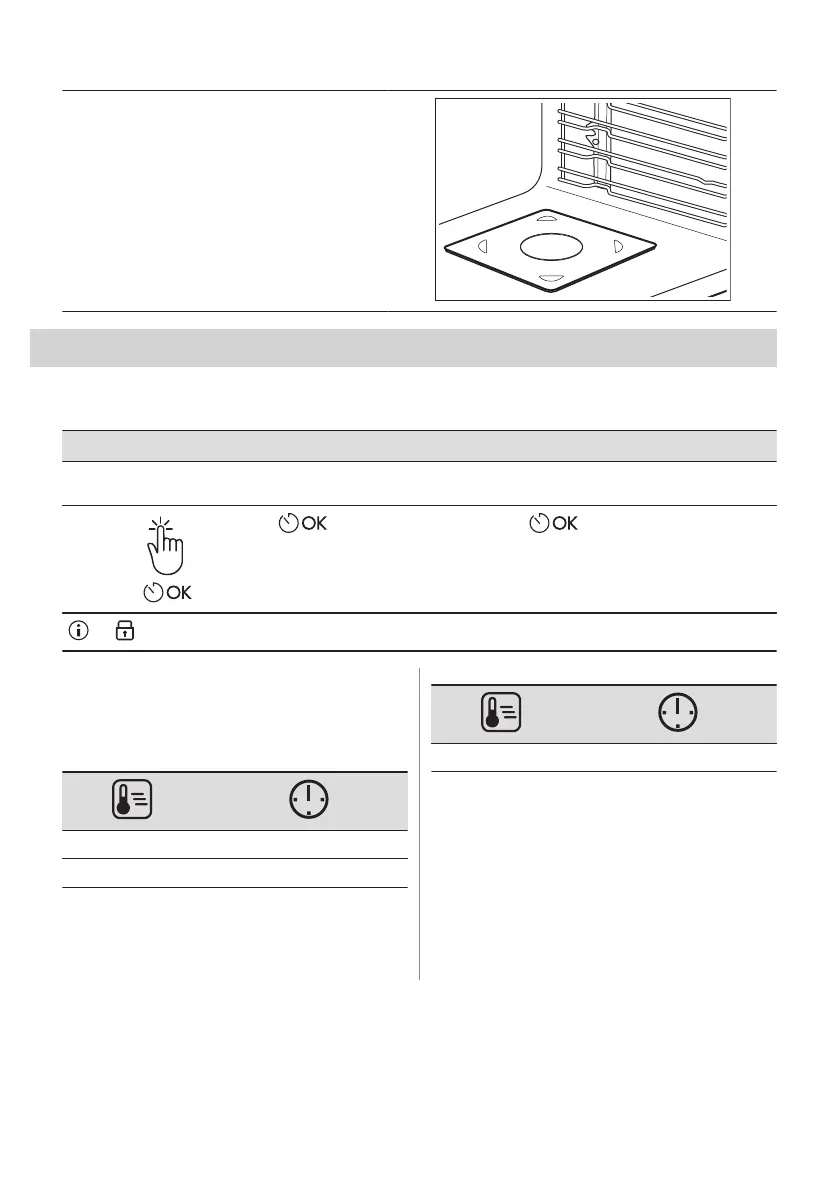
Microwave bottom glass plate:
Use the microwave bottom glass plate only with
microwave function. It is not suitable for combined
microwave function (e.g. microwave grilling).
Put the accessory on the bottom of the cavity.
You can put the food directly on the microwave
bottom glass plate.
9. ADDITIONAL FUNCTIONS
9.1 Lock
This function prevents an accidental change of the appliance function.
Turn it on when the appliance works - the set cooking continues, the control panel is locked.
Turn it on when the appliance is off - it cannot be turned on, the control panel is locked.
- press and hold to turn on the
function.
A signal sounds.
- press and hold to turn it off.
3 x - flashes when the lock is turned on.
9.2 Automatic switch-off
For safety reasons the appliance turns off
after some time, if a heating function works
and you do not change any settings.
(°C) (h)
30 - 115 12.5
120 - 195 8.5
(°C) (h)
200 - 230 5.5
The Automatic switch-off does not work with
the functions: Light, Time Delay.
9.3 Cooling fan
When the appliance operates, the cooling fan
turns on automatically to keep the surfaces of
the appliance cool. If you turn off the
appliance, the cooling fan can continue to
operate until the appliance cools down.
ENGLISH 19







 To Next Page