4.3 Notes on: Moist Fan Baking
This function was used to comply with the energy efficiency class and ecodesign requirements
according to EU 65/2014 and EU 66/2014. Tests according to EN 60350-1.
The oven door should be closed during cooking so that the function is not interrupted and the
oven operates with the highest energy efficiency possible.
When you use this function the lamp automatically turns off after 30 sec.
For general energy saving recommendations refer to "Energy Efficiency" chapter, Energy
Saving.
This function is designed to save energy during cooking. When you use this function, the
temperature in the cavity may differ from the set temperature. The heating power may be
reduced.
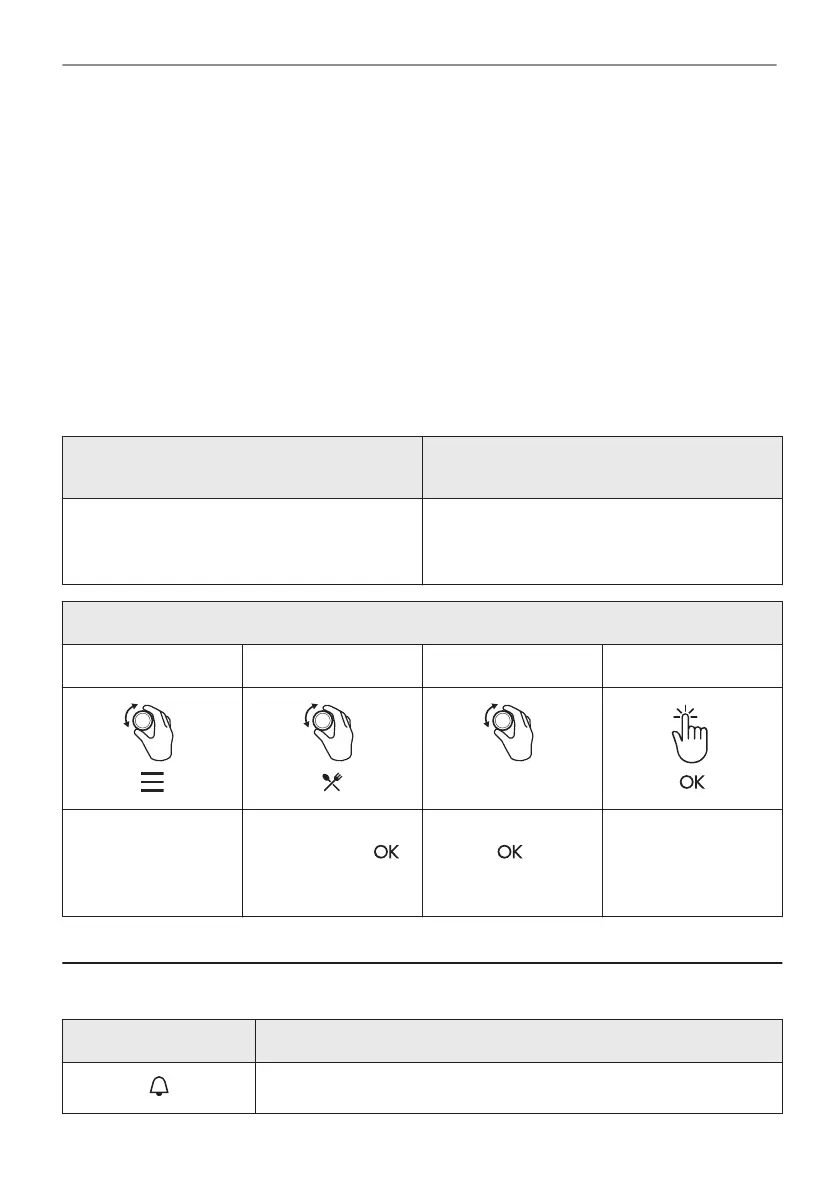
4.4 How to set: Assisted Cooking
Every dish in this submenu has a recommended function and temperature. You can adjust the
time and the temperature during cooking.
For some of the dishes you can also cook
with:
The degree to which a dish is cooked:
• Food Sensor • Rare
• Medium
• Well done
Assisted Cooking - use it to prepare a dish quickly with default settings:
Step 1 Step 2 Step 3 Step 4
1 - 45
Enter the menu. Select Assisted
Cooking. Press .
Select the dish. Press
.
Refer to "Menu struc‐
ture" chapter.
Insert the dish to the
oven. Confirm setting.
5. CLOCK FUNCTIONS
5.1 Clock functions
Clock Function Application
Minute minder. When the timer ends, the signal sounds.
7/20
CLOCK FUNCTIONS




 To Next Page