Before you replace the lamp:
Step 1 Step 2 Step 3
Turn off the oven. Wait until
the oven is cold.
Disconnect the oven from the
mains.
Put a cloth on the bottom of
the cavity.
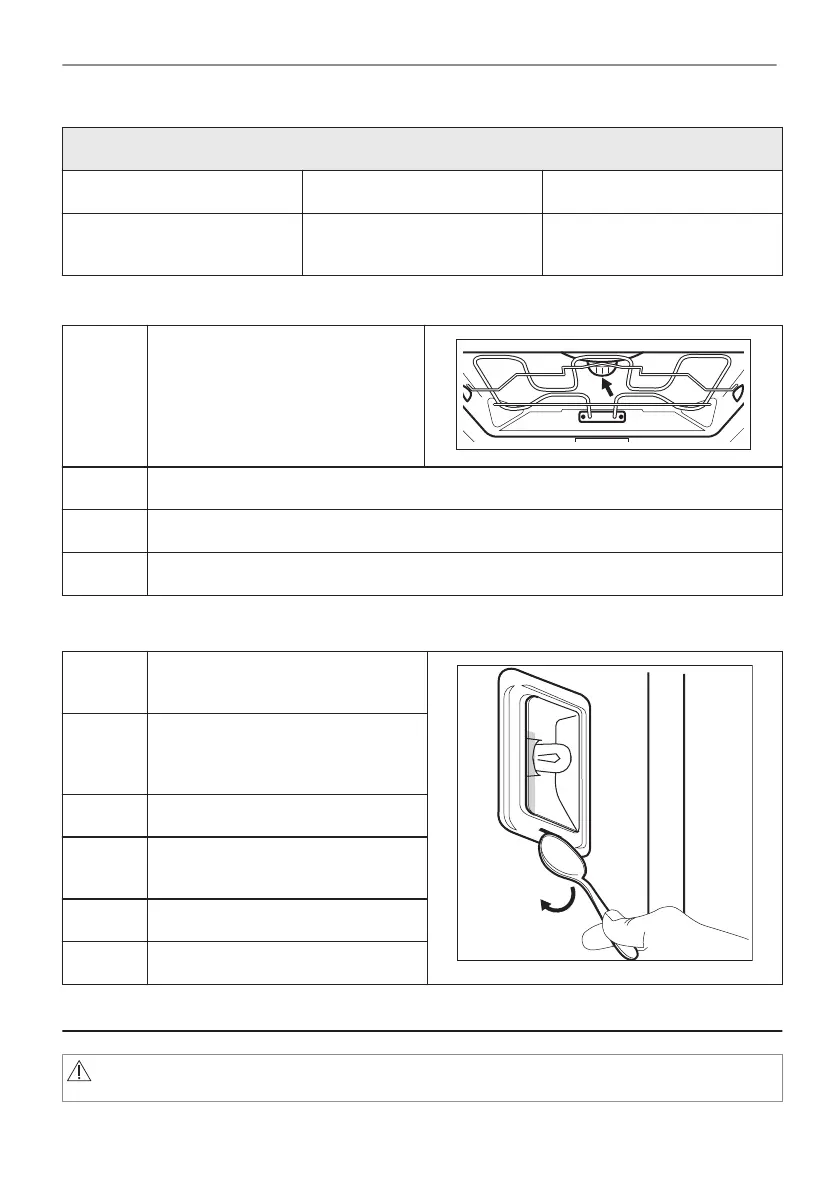
Top lamp
Step 1 Turn the glass cover to remove it.
Step 2 Clean the glass cover.
Step 3 Replace the lamp with a suitable 300 °C heat-resistant lamp.
Step 4 Install the glass cover.
Side lamp
Step 1 Remove the left shelf support to get
access to the lamp.
Step 2 Use a narrow, blunt object (e.g. a
teaspoon) to remove the glass cov‐
er.
Step 3 Clean the glass cover.
Step 4 Replace the lamp with a suitable
300 °C heat-resistant lamp.
Step 5 Install the glass cover.
Step 6 Install the left shelf support.
12. TROUBLESHOOTING
WARNING!
Refer to Safety chapters.
77/208
TROUBLESHOOTING




 To Next Page