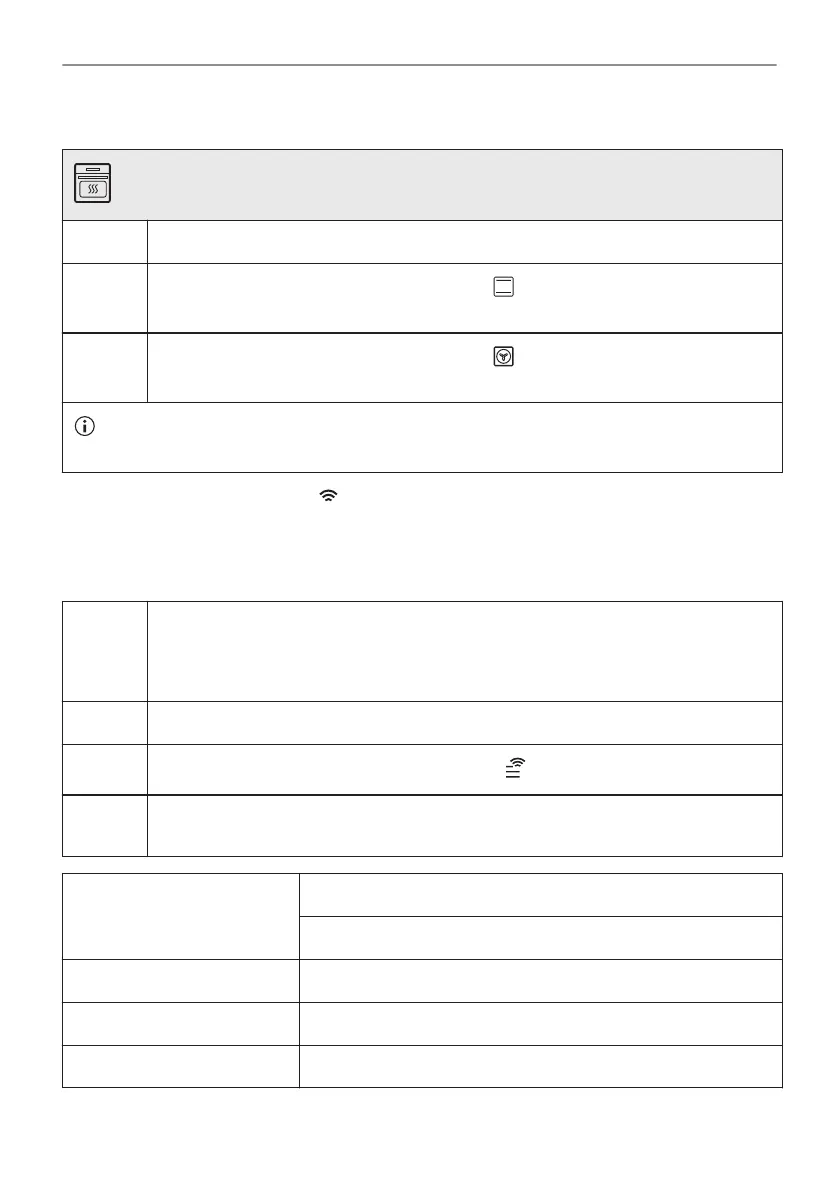
5.2 Initial preheating
Preheat the empty oven before the first use.
Step 1 Remove all accessories and removable shelf supports from the oven.
Step 2
Set the maximum temperature for the function: .
Let the oven operate for 1 h.
Step 3
Set the maximum temperature for the function: .
Let the oven operate for 15 min.
The oven can emit an odour and smoke during preheating. Make sure that the room is ventila‐
ted.
5.3 Wireless connection
To connect the appliance you need:
• Wireless network with the Internet connection.
• Mobile device connected to the same wireless network.
Step 1 To download My Electrolux Kitchen app: Scan the QR code on the rating plate with
the camera on your mobile device to be redirected to Electrolux Homepage. The rat‐
ing plate is on the front frame of the appliance cavity. You can also download the app
directly from the app store.
Step 2 Follow the app onboarding instructions.
Step 3
Turn the knob for the heating functions to select: .
Step 4 Turn the control knob to select: Settings. Turn on Wi-Fi. Refer to "Menu Structure"
chapter.
Frequency 2.4 GHz WLAN
2400 - 2483.5 MHz
Protocol IEEE 802.11b DSSS, 802.11g/n OFDM
Max Power EIRP < 20 dBm (100 mW)
Wi-Fi module NIUS-50
13/44
BEFORE FIRST USE






 To Next Page