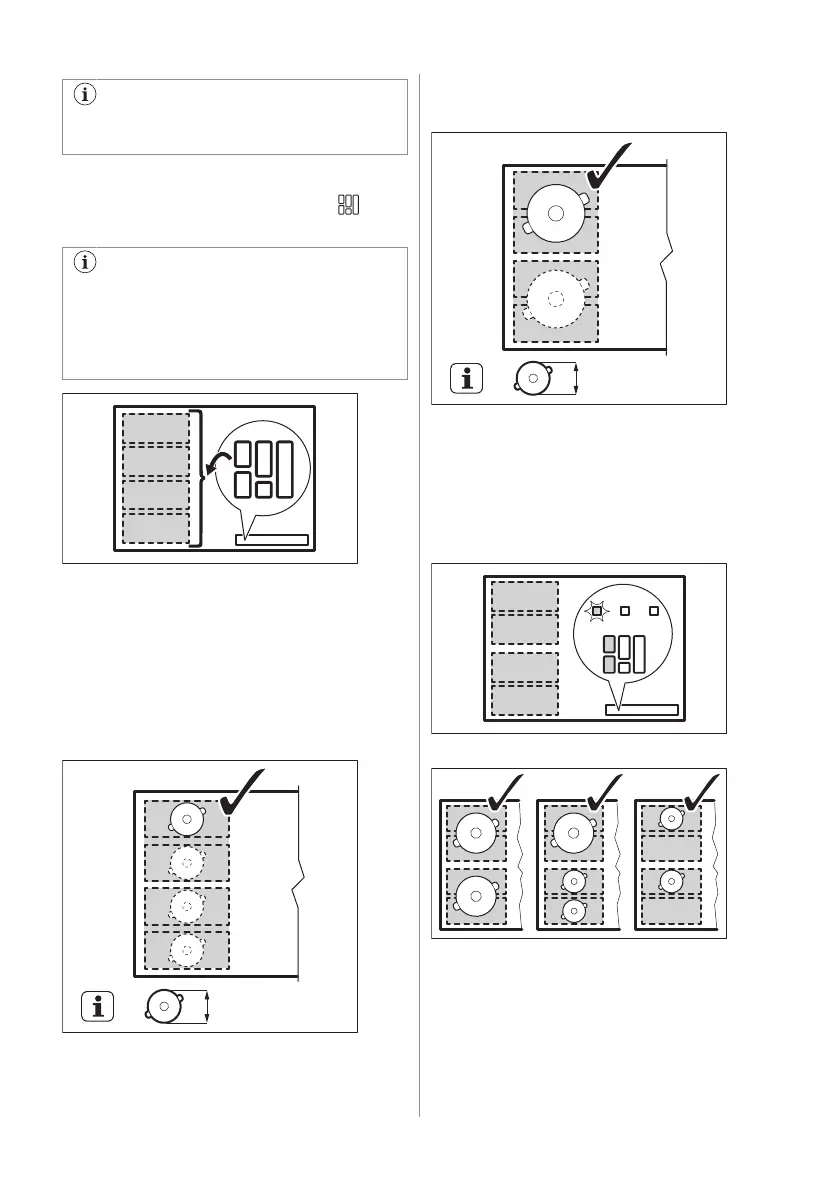
To set the heat setting use the two
control bars on the left side.
Switching between the modes
To switch between the modes press . The
heat setting levels will be kept.
In some models there are two flexible
cooking areas, left and right. To operate
the flexible cooking area on the right
side, use the symbols and the control
bars on the right side of the hob.
Diameter and position of the cookware
Choose the mode applicable to the size and
the shape of the cookware. The cookware
should cover the selected area as much as
possible.
Place the cookware with the bottom diameter
smaller than 160 mm centrally on a single
section. You can use a roaster pan for the Big
Bridge and the Max Bridge modes.
Place the cookware with the bottom diameter
larger than 160 mm centrally between two
sections.
FlexiBridge Standard mode
This mode is activated by default when you
activate the function. It connects the sections
into two separate cooking areas. You can set
the heat setting for each area separately. Use
the two control bars on the left side.
Correct cookware position:
Incorrect cookware position:
ENGLISH 19




 To Next Page