16
TURNING THE COOLING SYSTEM ON AND OFF
You can disable the cooling system in your
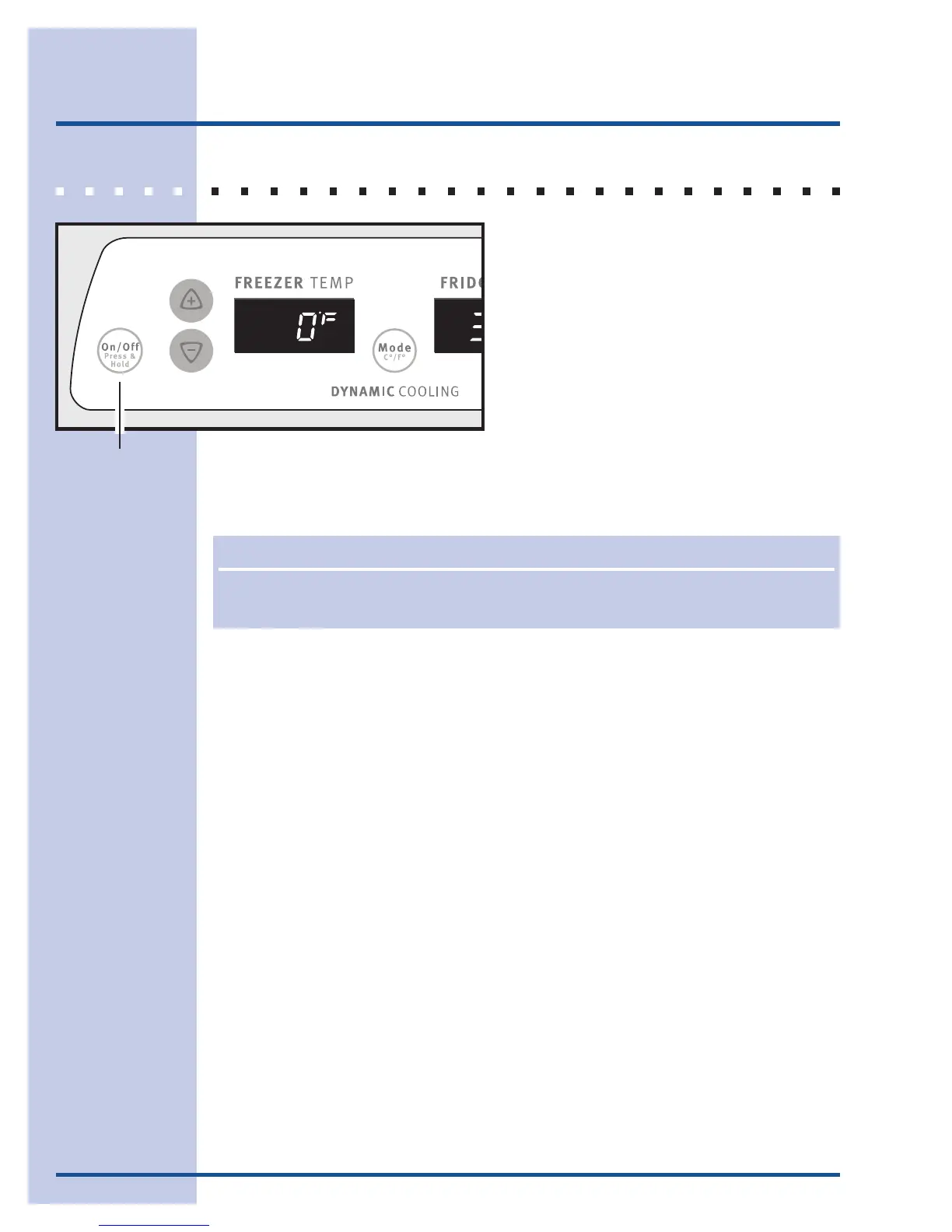
refrigerator by pressing the On/Off button
located on the left side of the temperature
control panel.
To ensure that you do not accidentally turn
off the cooling system, the button does not
work unless you press and hold it for three
seconds.
Once you disable the cooling system, all
refrigeration to the freezer and fresh food
compartments stops.
To turn the cooling system back on, you must again press and hold the On/Off
button for three more seconds.
Cooling System On/Off Button
IMPORIMPOR
IMPORIMPOR
IMPOR
TT
TT
T
ANTANT
ANTANT
ANT
The On/Off button only controls your refrigerator’s cooling system. Power to lights and
other electrical components continues unless you unplug the power cord.
Controls & Settings




 To Next Page