Cooking instructions
To set the oven for ConvectionBake and temperature to 350°F:
1. Arrange interioroven racks and place food inoven.
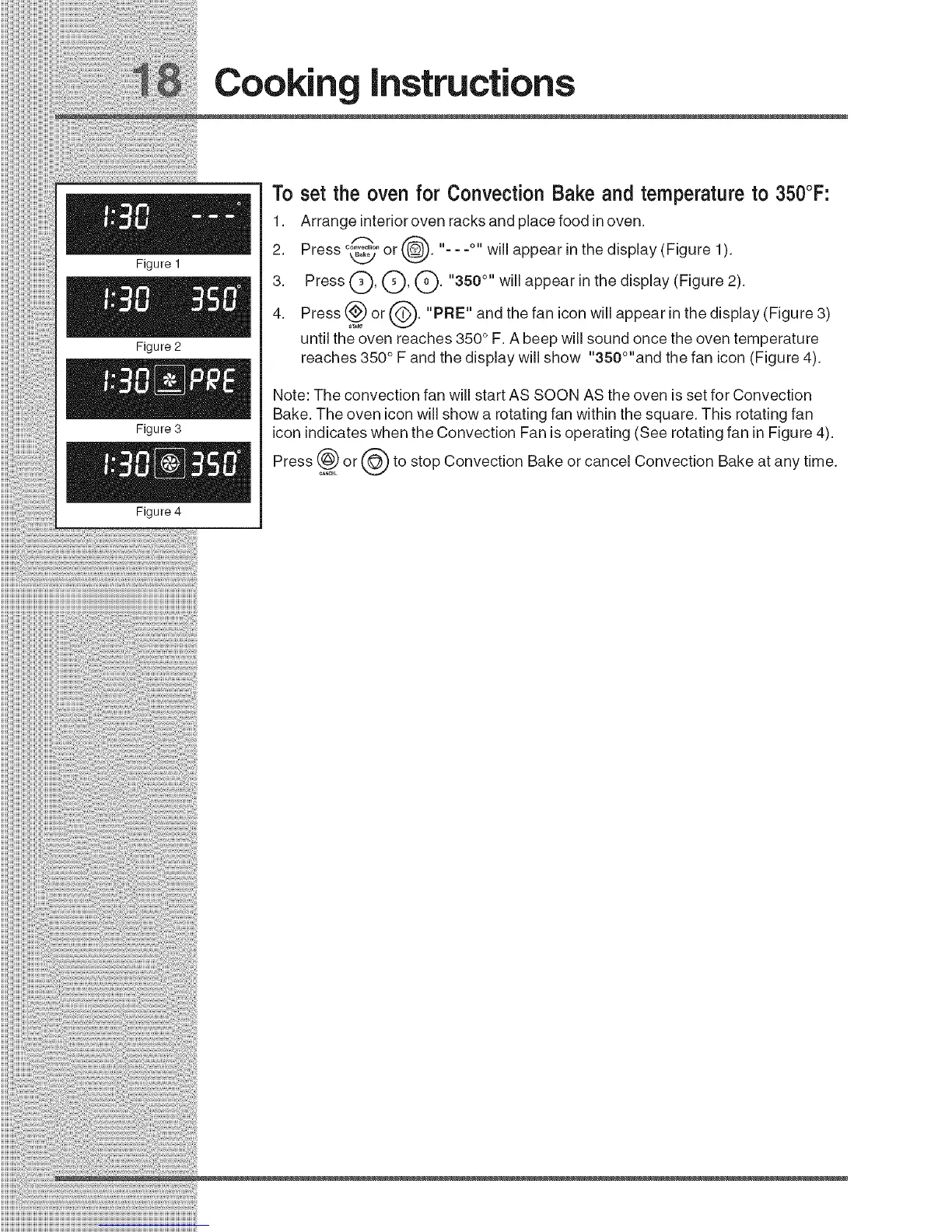
2. Press°_7or(_. "- - -°" will appear in the display (Figure l ).
_22 _
3. Press Q, Q, Q. "350 °" will appear in the display (Figure 2).
4. Press (_ or ('_-"). "PRE" and the fan icon will appear in the display (Figure 3)
STAB
until the oven reaches 350 ° F. A beep will sound once the oven temperature
reaches 350 ° F and the display will show "350°"and the fan icon (Figure 4).
Note: The convection fan will start AS SOON AS the oven is set for Convection
Bake. The oven icon will show a rotating fan within the square. This rotating fan
icon indicates when the Convection Fan is operating (See rotating fan in Figure 4).
Press _) or (_ to stop Convection Bake or cancel Convection Bake at any time.







 To Next Page