Setting Oven Controls
SETTINGCONT(NUOUSBAKEOR 12HOUR
ENERGYSAVING
Figure 1
Figure 2
Figure 3
Figure 4
The 8 or _ and G or (_ pads control the Continuous Bake or 12 Hour Energy
Saving features. The oven control has a factory preset built-in 12 Hour Energy Saving feature
that will shut off the oven if the oven control is left on for more than 11 hours and 59 minutes.
The oven can be programmed to override this feature for Continuous Baking.
To set the control for Continuous Bake or 12 HourEnergy
Saving
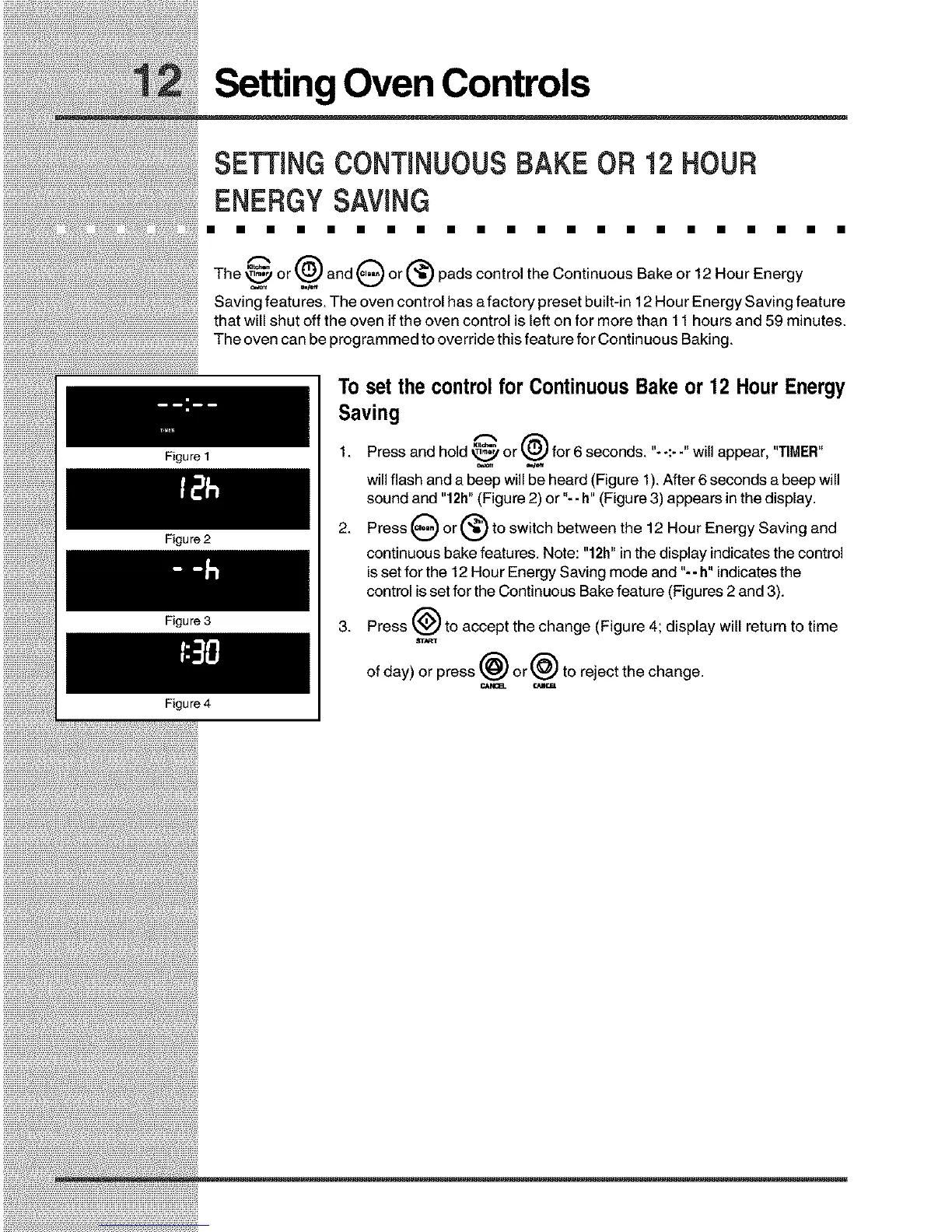
1. Press and hold _ or _ for 6 seconds. "--:- -" will appear, "TIMER"
will flash and a beep will be heard (Figure 1).After 6 seconds a beep will
sound and "12h" (Figure 2) or "-- h" (Figure 3) appears in the display.
2. Press G or (_ to switch between the 12 Hour Energy Saving and
continuous bake features. Note: "12h" in the display indicatesthe control
isset for the 12 Hour Energy Saving mode and "-- h"indicatesthe
control isset for the Continuous Bake feature (Figures 2 and 3).
3. Press _ to accept the change (Figure 4; display will return to time
aTART
of day) or press @ or @ to reject the change.
¢,Ak__ rJmrm.







 To Next Page