mmmmmmmmmmmmmmmmmmmmmm
The %,,_or (_ pad is used to automatically convert a standard baking recipe to convection
baking. When set properly, this feature is designed to display the actual converted (reduced)
temperature in display.
Convection Convert may ONLY be used with a Bake, Timed Bake or a Delay Start (De-
layed Timed Bake) setting. When used with a Timed Bake or a Delayed Timed Bake setting,
the Convection Convert feature will display a "OF" for check food when the bake time is
approximately 75% complete. At this time the oven control will sound 3 long beeps at regular
intervals (if the cook time is programmed to a duration greater than 19 minutes) until baking
is finished. When the bake time has completely finished the control will display "End" and
will sound 3 long beeps every 30 seconds until the _) or @ pad is pressed.
CA_ U_JL
To Set a Convection Convert (Bake) feature to
automaticallyadjust oven temperature(example: setting
oven for 350°F):
1. Arrange interior oven racks and place food in oven.
2. Press _ or _. (Note: To use the lower oven instead of the upper
oven, press Q or _ at this time).
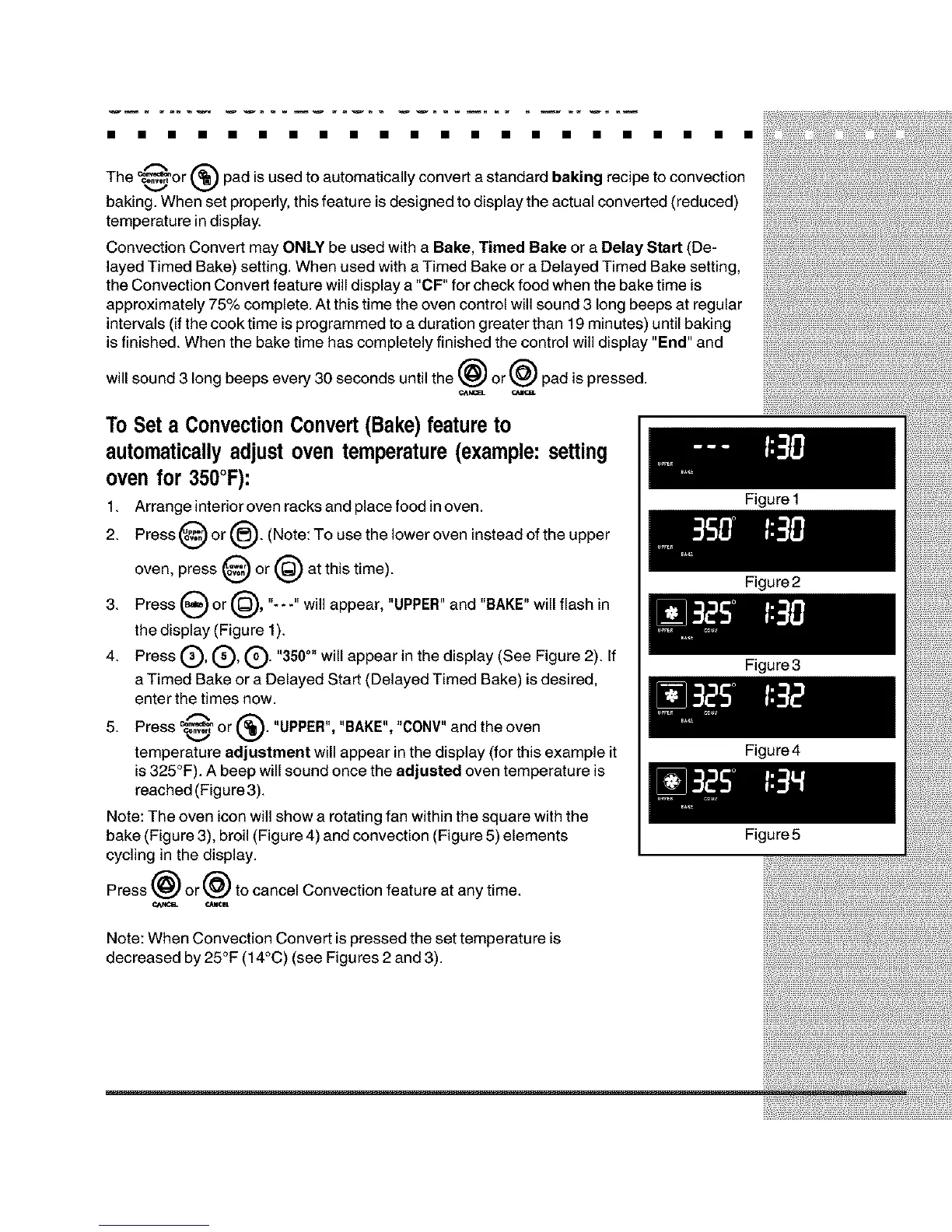
3. Press _ or _, "-- -" will appear, "UPPER" and "BAKE" will flash in
the display (Figure 1).
4. Press (_), (_, (_). "350°" will appear in the display (See Figure 2). If
a Timed Bake or a Delayed Start (Delayed Timed Bake) is desired,
enter the times now.
5. Press _ or (_). "UPPER", "BAKE", "CONV"and the oven
temperature adjustment will appear in the display (for this example it
is 325°F). A beep will sound once the adjusted oven temperature is
reached (Figure 3).
Note: The oven icon will show a rotating fan within the square with the
bake (Figure 3), broil (Figure 4) and convection (Figure 5) elements
cycling in the display.
Press _) or _ to cancel Convection feature at any time.
A
_NC_ CANCIL
Note: When Convection Convert is pressed the set temperature is
decreased by 25°F (14°C) (see Figures 2 and 3).
Figure 1
Figure2
Figure3
Figure4
Figure5







 To Next Page