SETTINGTEMPERATURED(SPLAY- FAHRENHEIT
ORCELSIUS:
The Q or @ and 0 or_ pads control the Fahrenheit or Gelsius temperature display
modes. The oven control can be programmed to display temperatures in Fahrenheit or
Celsius. The oven has been preset at the factory to display in Fahrenheit.
Note: Both ovens will be changed at the same time.
To changedisplay from Fahrenheitto Celsius or Celsius
to Fahrenheit:
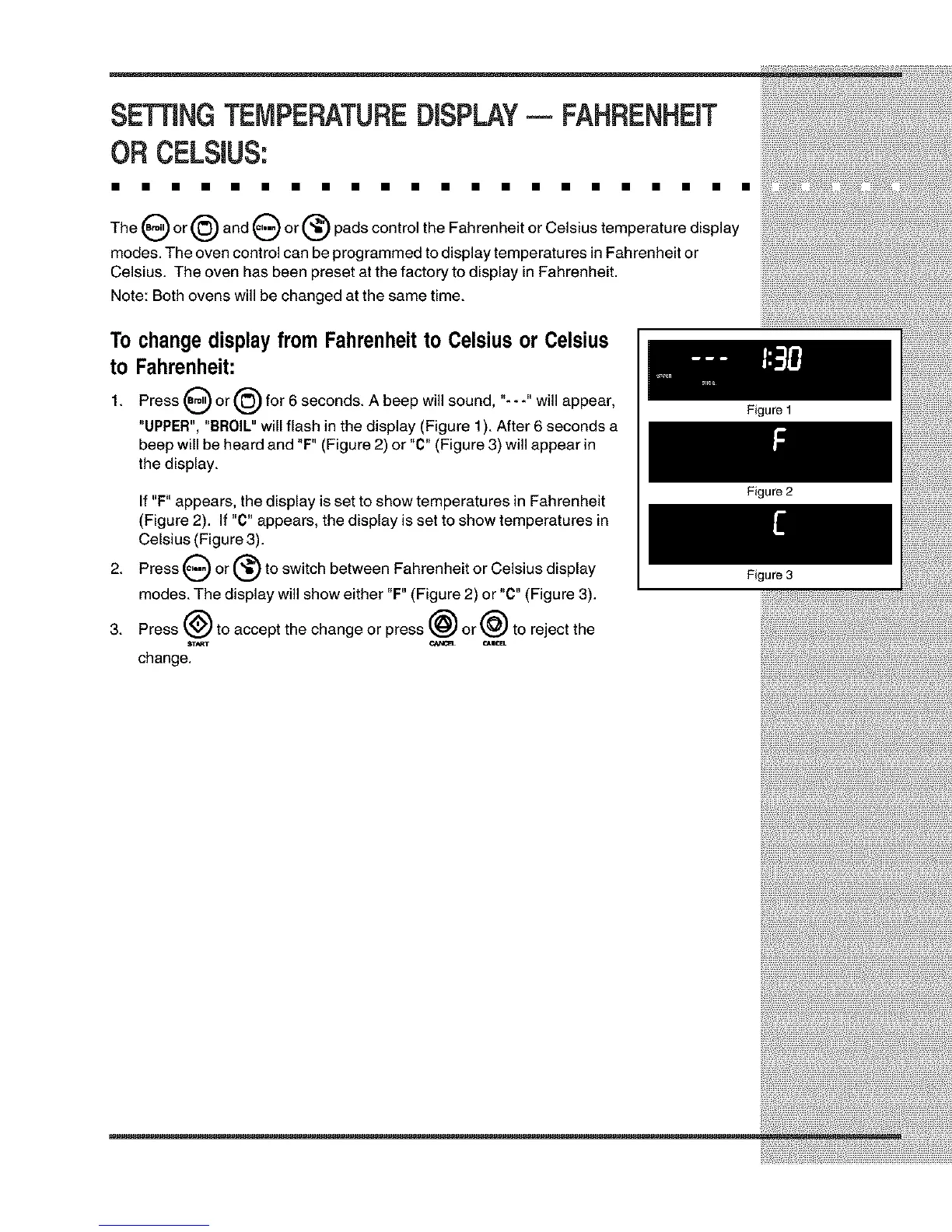
1. Press _) or @ for 6 seconds. A beep will sound, "---" will appear,
"UPPER", "BROIL" will flash in the display (Figure 1). After 6 seconds a
beep will be heard and "F" (Figure 2) or "C" (Figure 3) will appear in
the display.
2.
3.
If "F" appears, the display is set to show temperatures in Fahrenheit
(Figure 2). If "C" appears, the display is set to show temperatures in
Celsius (Figure 3).
Press 0 or (_ to switch between Fahrenheit or Celsius display
modes. The display will show either "F" (Figure 2) or "C" (Figure 3).
Press @ to accept the change or press @ or @ to reject the
change.
Figure 1
Figure 2
Figure 3







 To Next Page