f_N
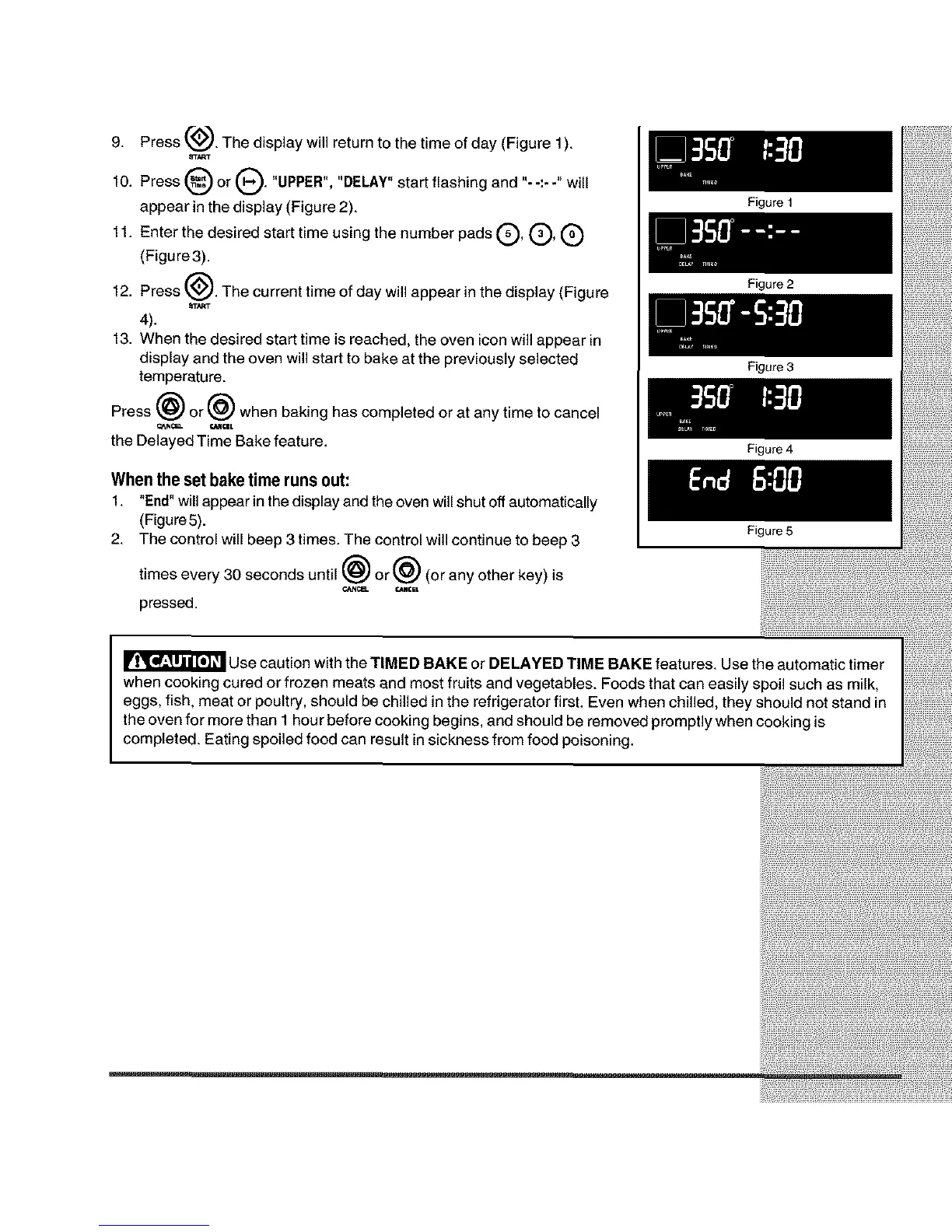
9. Press _. The display will return to the time of day (Figure 1).
_TART
Q or Q. "UPPER", "DELAY" start flashing and "- -:- -" will
10. Press
appear in the display (Figure 2).
11. Enter the desired start time using the number pads (_, (_, (_)
(Figure3).
12. Press C_. The current time of day will appear in the display (Figure
4).
13. When the desired start time is reached, the oven icon will appear in
display and the oven will start to bake at the previously selected
temperature.
Press _) or @ when baking has completed or at any time to cancel
the Delayed Time Bake feature.
When the setbake time runsout:
1. "End" willappear in the displayand the oven willshut offautomatically
(Figure5).
2. The control will beep 3 times. The control will continue to beep 3
times every 30 seconds until _) or@ (or any other key)is
pressed.
Figure 1
Figure 2
Figure 3
Figure 4
Figure 5
Use caution with the TIMED BAKE or DELAYED TIME BAKE features. Use the automatic timer
when cooking cured or frozen meats end most fruits and vegetables. Foods that can easily spoil such as milk,
eggs, fish, meat or poultry, should be chilled in the refrigerator first. Even when chilled, they should not stand in
the oven for more than 1 hour before cooking begins, and should be removed promptly when cooking is
completed. Eating spoiled food can result in sickness from food poisoning.







 To Next Page