20
N.B.!
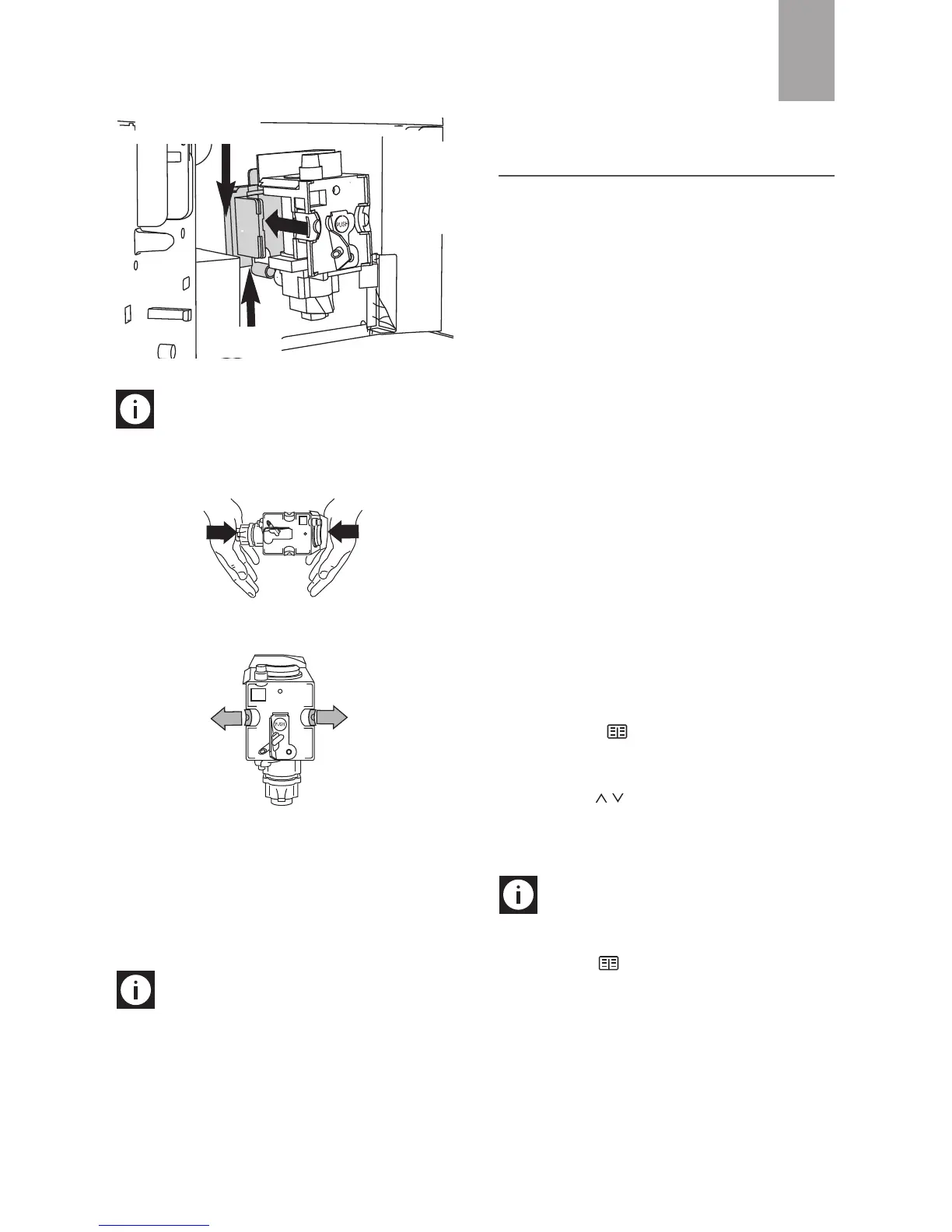
If the brewing unit is difficult to in-
sert, you must first adapt it to the right dimen-
sions by pressing it forcefully from the bottom
and top as shown in the figure.
7. Once inserted, make sure the two red buttons
have snapped out.
8. Replace the drip tray and waste coffee con-
tainer.
9. Close the service door.
Cleaning the coffee jug
Clean the jug with a damp cloth and mild washing
up liquid.
N.B.!
To avoid damaging the appearance
of the jug, do not wash in a dishwasher.
CHANGING AND SETTING
MENU PARAMETERS
When the appliance is ready, you can use the in-
ternal menu to modify the following parameters
and functions:
• Choose language
• Rinsing
• Shut-off time
• Set clock
• Start time
• Auto-start
• Temperature
• Water hardness
• Program coffee
• Program jug
• Program water
• Descale
• Reset to default
• Statistics
• Install filter
• Reset filter
• Buzzer
• Contrast
Setting the language
To change the language on the display, proceed
as follows:
• Press the icon (B2) to enter the menu.
"CHOOSE LANGUAGE" is displayed.
• Press the OK icon (B9).
• Press the icons (B7) and (B8) until the
required language is displayed.
• Press the OK icon (B9) to confirm.
• Press the ESC icon (B6) to exit the menu.
N.B.!
If you choose the wrong language,
you can access the menu directly to modify the pa-
rameter.
• Press the icon button (B2) for at least 7
seconds until the appliance displays the va-
rious languages.
• Choose the required language as described
in the section "Using the appliance for the
first time".
GB
Pin
Support







 To Next Page