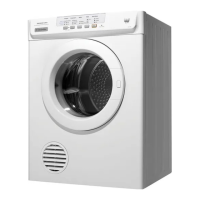
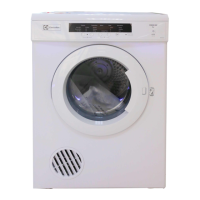
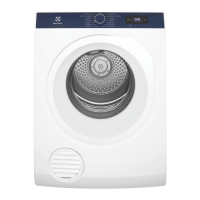
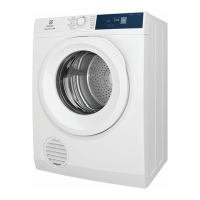
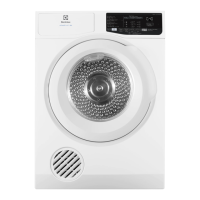
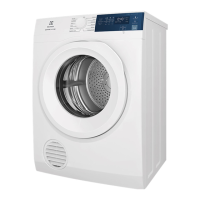
This document is a user manual for the Electrolux EDV5552 and EDV6552 Tumble Dryers, designed to provide comprehensive information on their operation, safety, and maintenance.
Function Description
The Electrolux EDV5552 and EDV6552 are tumble dryers designed for domestic use, specifically for drying clothes, towels, and linen. They feature a drum that rotates in both clockwise and anti-clockwise directions to reduce tangling and ensure more even drying in a shorter time. The dryers offer various drying programs and options to cater to different fabric types and desired dryness levels. A key safety feature is the door safety switch, which prevents the dryer from operating unless the door is fully pressed in. The appliance also includes a cooling cycle at the end of each drying program to dissipate heat and prevent creasing.
Usage Features
The control panel of the tumble dryer is intuitive, featuring a Program button, Delay button, Option button, Start/Pause button, On/Off button, and various indicator lights.
Program Selection:
Users can select from several dryness programs or set a timed drying duration using the Program buttons.
- Dryness Programs:
- Extra Dry: Ideal for towels and similar heavy cotton/linen items.
- Normal Dry: Suitable for everyday fabrics, including cottons, linens, and sheets.
- Iron Dry: Designed for items that require ironing, such as cotton and linen.
- Fast 40: For quickly drying everyday fabrics, cotton, or blended fabrics.
- Delicate: For drying delicate clothing and synthetics at a lower temperature.
- Refresh: A short cycle with warm temperature for refreshing items that have been in storage.
- Timed Drying Programs: Users can set drying durations of 90 min, 60 min, or 30 min for most fabrics, including cotton.
Delay Start:
The Delay button allows users to postpone the start of the drying cycle by a defined number of hours (6 or 9 hours). This feature is useful for scheduling drying to suit personal convenience or off-peak electricity times. To abort a delayed start, the Start/Pause button can be pressed to pause the machine, allowing modification or cancellation of the delay time.
Option Settings:
The Option button provides additional settings to customize the drying process:
- Boost: Increases the temperature during the drying cycle for faster drying of most fabrics.
- Low Heat: Reduces the temperature during the drying cycle, ideal for delicates and synthetics, ensuring maximum care for fabrics. This setting causes the heater to cycle on for shorter periods than the Boost setting.
- Airing: Circulates air without heating, primarily used to shake out dust and refresh clothes. This option is not available in Drying programs.
Start/Pause Functionality:
The Start/Pause button initiates or pauses the drying cycle. It also allows users to check the contents or add more clothes during a cycle. If further drying is needed after pausing, the door should be closed, the door safety switch button pressed, and then the Start/Pause button pressed again.
Anti Crease Feature:
This feature helps prevent creases from forming in clothes after the normal drying cycle. When activated, the drum rotates for approximately 5 seconds every minute for a duration of 3 hours after the main cycle ends. It is not activated by default and must be manually selected for each cycle by pressing and holding the Program "up" and "down" buttons simultaneously until the Anti Crease LED turns on. To deactivate, the same buttons are pressed until the LED turns off.
Child Lock:
The Child Lock feature disables the options and start/pause buttons to prevent accidental changes to settings. It is activated by pressing and holding the "Delay" and "Option" buttons simultaneously until the corresponding LED and the "Clean Filter" LED turn on. To deactivate, the same buttons are pressed until the LEDs turn off.
Buzzer:
The buzzer provides an audible reminder when the dry cycle has ended. It sounds once at the end of the cycle and again after approximately fifteen minutes. The buzzer can be activated or deactivated by pressing and holding the Program "up" and "Delay" buttons simultaneously. A long beep indicates activation, while a short beep indicates deactivation.
Progress Indicators:
Indicator lights on the control panel show the current phase of the drying cycle: Drying, Cooling, or End.
Last Memory Setting:
The dryer remembers the last Program, Temperature, and Option settings used, making it ready for the next use without needing to reconfigure settings unless desired.
Loading Guidelines:
For optimal performance, the dryer should be loaded loosely, no more than two-thirds full, to allow clothes to tumble freely. Overloading can reduce efficiency, increase drying time, and lead to more creasing. Items that are dripping wet or contain sand/grit should not be loaded into the dryer.
Maintenance Features
Lint Filter Cleaning:
A critical maintenance feature is the lint filter, located at the bottom of the door opening. The manual emphasizes that the lint filter must be cleaned after every load to reduce drying time, save energy, prevent overheating, and avoid potential fire hazards. A "Clean Filter Reminder" LED turns on and blinks at the end of each dry cycle to prompt users to clean the filter.
- Cleaning Process: To clean, open the door, press the two pads of the filter together, pull it out of its pocket, open it apart, and wipe or peel off the lint. The filter "clicks" when correctly replaced.
- Important Notes: The dryer should never be operated without the lint filter. Lint accumulation around the dryer should be avoided. A torn or damaged lint filter must be replaced immediately. Overloading can increase lint build-up due to reduced airflow.
Professional Cleaning Recommendation:
To prevent potential fire hazards, it is recommended to have a qualified service technician periodically clean the dryer. This is especially important when changing the mounting from upright to inverted or vice versa.
General Care:
- Electrical Cord: If the electrical cord is damaged, it must be replaced by the manufacturer, an authorized service agent, or a similarly qualified person to avoid hazards.
- Ventilation: Proper ventilation is crucial for efficient operation and to prevent overheating. Inlet and outlet points require clear airflow. If a venting kit is used to discharge exhaust air out of the room, adequate ventilation must be maintained to prevent backflow of gases from other fuel-burning appliances. Exhaust air must not be discharged into a flue used for other fumes.
- Fabric Softeners: Fabric softeners or similar products should only be used in a tumble dryer if specifically recommended by the manufacturer. The manual strongly advises against sheet-type fabric conditioners as they can lead to rapid blockage of the lint filter and inefficient dryer operation.
Troubleshooting:
The manual provides a troubleshooting guide for common issues such as the dryer not starting (e.g., plug not firmly in socket, blown fuse, door not closed) and clothes remaining wet (e.g., insufficient drying time, room temperature too low, blocked lint filter). It advises users to check these points before contacting customer service. Service calls resulting from restricted ventilation are not covered by warranty and will be charged to the customer.

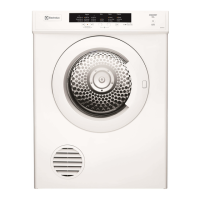

 To Next Page
 General