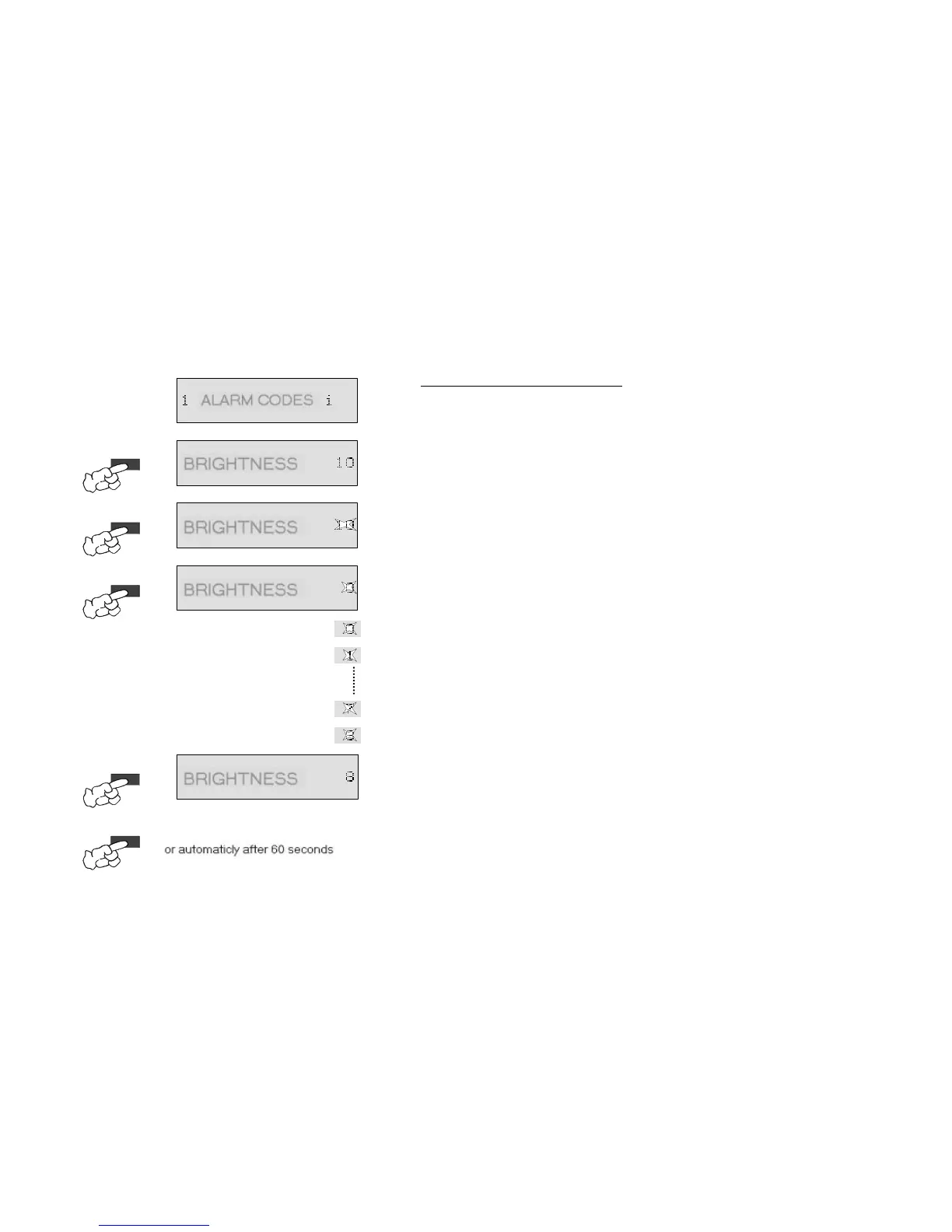
8.4.7. Service menu / Brightness
w
The brightness value 10 is set ex-works.
w
Setting values of 0 (dark display) to 10 (light display) possible.
2.
Ä
Scroll through to the brightness service option with the option button.
Ä
Service option is shown in the text line of the display.
Ä
(Example "
")
3.
Ä
The brightness selection is activated by pressing the Ok/Start button.
Ä
The currently set value appears in the text line of the display
Ä
The text part "BRIGHTNESS" is illuminated, the brightness setting flashes.
4.
Ä
The brightness can be changed with each push of the Option button.
Ä
However, in the service menu this is only possible in one direc
Ä
Sequence: ... - 10 - 0 - 1 - 2 - 3 - 4 - 5 - 6 - 7 - 8 - 9 - 10 - 0 - ...
Ä
The text part "BRIGHTNESS" is illuminated, the brightness setting flashes.
5.
Ä
The new brightness setting is taken over by pressing the Ok/Start button.
Ä
The new brilliance setting is shown in the text line of the display.
(Example "
After the button has been pushed for the last time, the service menu can be quitted as follows.
w
w
w
...by pressing the Reset button, the function is quitted and "SELECT
PROGRAM" appears in the text field of the display
or this occurs should no button be pressed within 60 seconds
or the dishwasher is deactived with the On/Off button.
1.
3.
2.
OK / START
OPTION
OPTION
6.
RESET
oder automatisch nach 60sek.
5.
OK / START
4.



 To Next Page