ARESI1006
Copyright 2018 ELECTROLUX HOME PRODUCTS PTY LTD Technical Services
Diagnostic Mode (Service Mode):
How to enter and use the Diagnostic Mode:
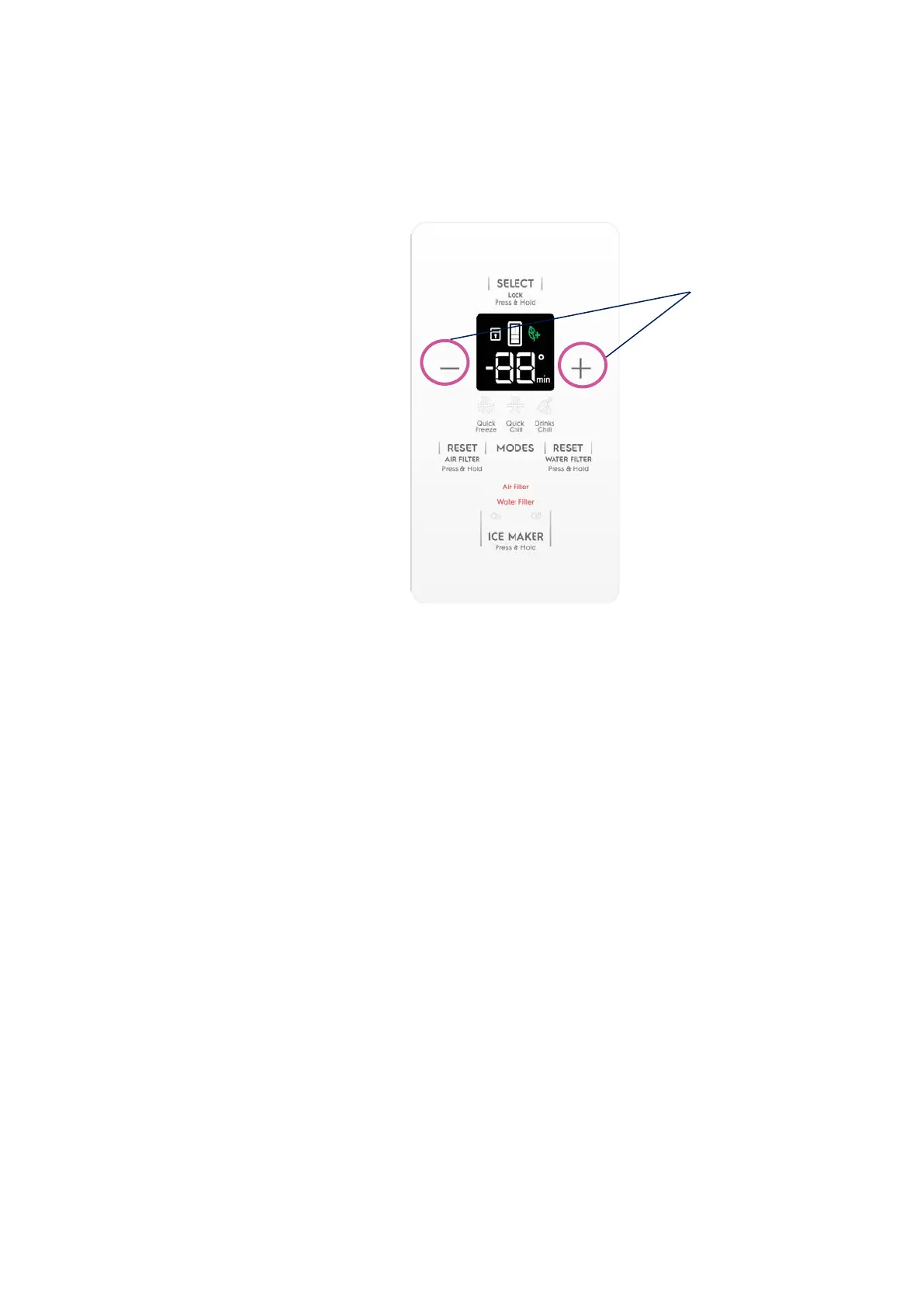
1. Press and hold
“+” and “–“buttons for 10 seconds.
*On detection of the 10-sec-holding of above buttons
*All the Display LED’s of the Internal UI, External I&W UI and the VCZ UI will illuminate.
2. Press + button to progress through the different Functions.
3. Press – button to come back to previous Function.
4. Press (MODES) button to change the status of the Function.
5. Each Function is associated with a number indicated in the Display and the Function status
is displayed with intermittent time duration. See Service mode table below for details.
Note: When there is the request to visualize some extra information more than the status of
the Function (ex: freezer defrost heater state and freezer defrost evaporator temperature),
the visualization is performed in this way:
• Display: N° item, status of the item, N° item, status/value of the extra info, N° item,
status of the item….




 To Next Page