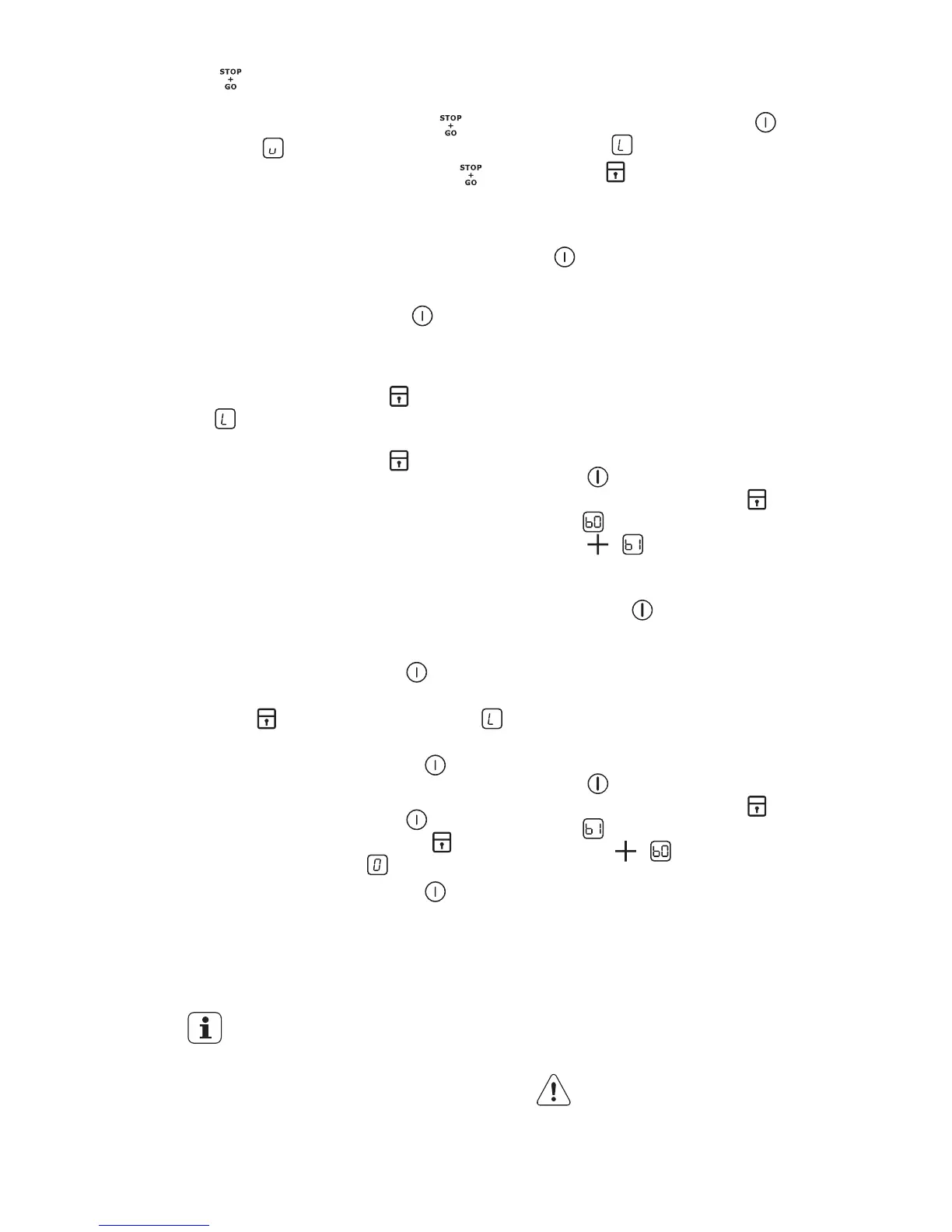
The function does not stop the timer
function.
•
To activate this function touch
. The
symbol
comes on.
•
To deactivate this function touch .
The heat setting that you set before
comes on.
3.10 Lock
When the cooking zones operate, you can
lock the control panel, but not
. It pre-
vents an accidental change of the heat set-
ting.
First set the heat setting.
To start this function touch
. The sym-
bol
comes on for 4 seconds.
The Timer stays on.
To stop this function touch
. The heat
setting that you set before comes on.
When you stop the appliance, you also
stop this function.
3.11 The child safety device
This function prevents an accidental opera-
tion of the appliance.
To activate the child safety device
•
Activate the appliance with
. Do not
set the heat settings.
•
Touch
for 4 seconds. The symbol
comes on.
•
Deactivate the appliance with
.
To deactivate the child safety device
•
Activate the appliance with
. Do not
set the heat settings. Touch
for 4
seconds. The symbol
comes on.
•
Deactivate the appliance with .
To override the child safety device for
only one cooking time
•
Activate the appliance with
. The
symbol
comes on.
•
Touch
for 4 seconds. Set the heat
setting in 10 seconds. You can oper-
ate the appliance.
• When you deactivate the appliance with
, the child safety device operates
again.
3.12 OffSound Control
(Deactivation and activation of
the sounds)
Deactivation of the sounds
Deactivate the appliance.
Touch
for 3 seconds. The displays
come on and go out. Touch
for 3 sec-
onds.
comes on, the sound is on.
Touch
, comes on, the sound is off.
When this function operates, you can hear
the sounds only when:
•
you touch
• the Minute Minder comes down
• the Count Down Timer comes down
• you put something on the control panel.
Activation of the sounds
Deactivate the appliance.
Touch
for 3 seconds. The displays
come on and go out. Touch
for 3 sec-
onds.
comes on, because the sound is
off. Touch
, comes on. The sound is
on.
4. HELPFUL HINTS AND TIPS
INDUCTION COOKING ZONES
For induction cooking zones a strong elec-
tro-magnetic field creates the heat in the
cookware very quickly.
4.1 Cookware for induction
cooking zones
Use the induction cooking zones
with correct cookware.
ENGLISH 9



 To Next Page