3 Power indicator
4 Temperature indicator
5 Control knob for temperature
6 Heating element
7 Oven lamp
8 Fan
9 Bottom heat
10 Oven shelf runners, removable
11 Shelf positions
Oven accessories
•
Oven shelf
For cookware, cake tins, roasts.
• Flat baking tray
For cakes and biscuits.
DAILY USE
Warning! Refer to "Safety information"
chapter.
Initial Cleaning
• Remove all parts from the appliance.
• Clean the appliance before first use.
Important! Refer to chapter "Care and
Cleaning".
Switching the Oven On and Off
1. Turn the oven functions control knob to
an oven function.
2. Turn the temperature control knob to a
temperature.
The power indicator comes on while
the oven is in operation.
The temperature indicator comes on
while the oven temperature increases.
3. To switch off the oven, turn the oven
functions control knob and the temper-
ature control knob to the Off position.
Cooling fan
When the appliance operates, the cooling
fan switches on automatically. If you switch
off the appliance, the cooling fan continues
to operate until the appliance cools down.
Oven Functions
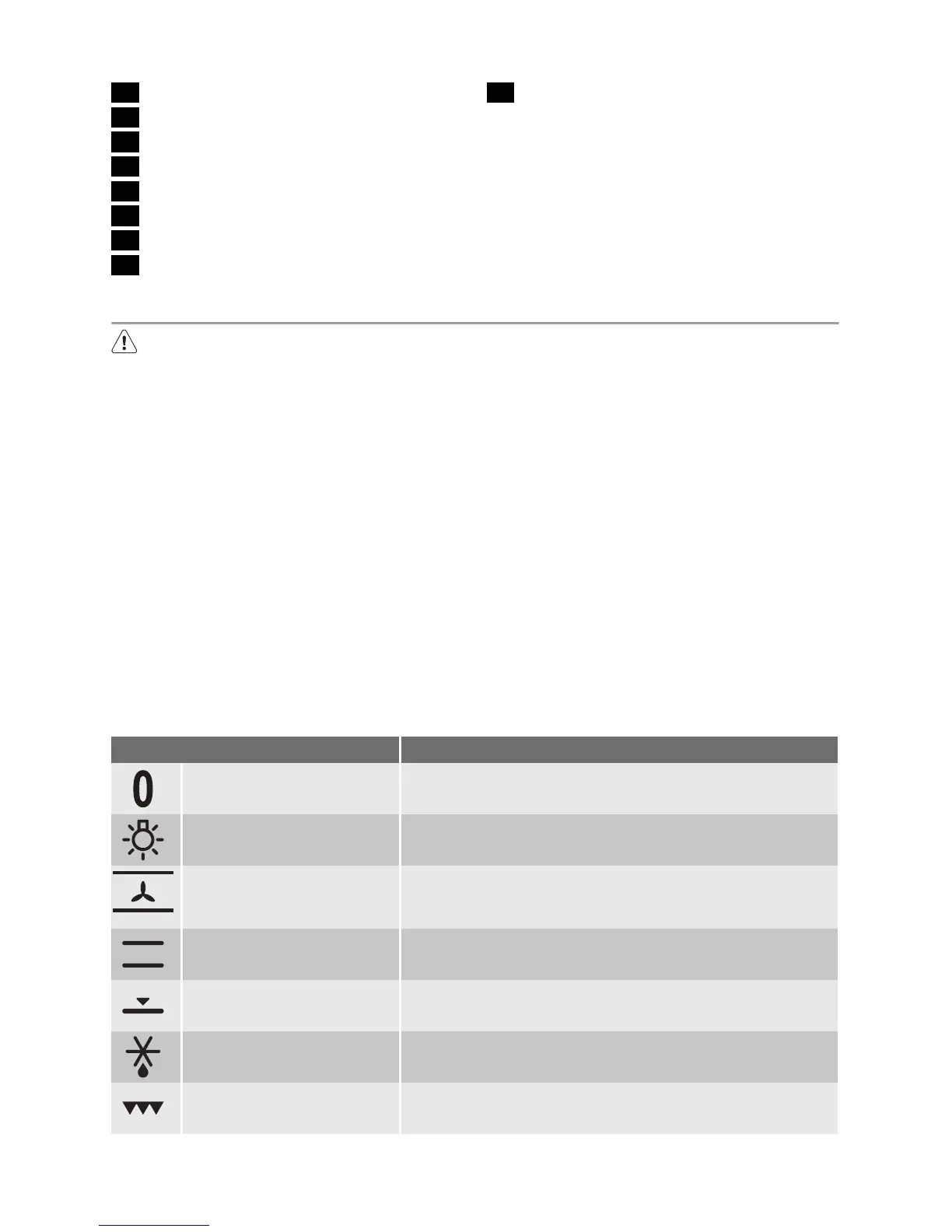
Oven function Application
OFF position The appliance is OFF.
LIGHT Use this function to light up the oven interior.
FAN-ASSISTED CIRCULA-
TION
To bake on a maximum of two oven levels at the same
time. Set the oven temperatures (20-40°C) lower than for
Conventional. To dry food.
CONVENTIONAL To bake and roast on one oven level.
BASE HEAT To bake cakes with crispy or crusty bases and to preserve
food.
DEFROST To defrost frozen food.
SINGLE GRILL To grill flat food items in the middle of the grill and to toast.
electrolux 5




 To Next Page