11
Operating the Oven
Switching the Oven On and Off
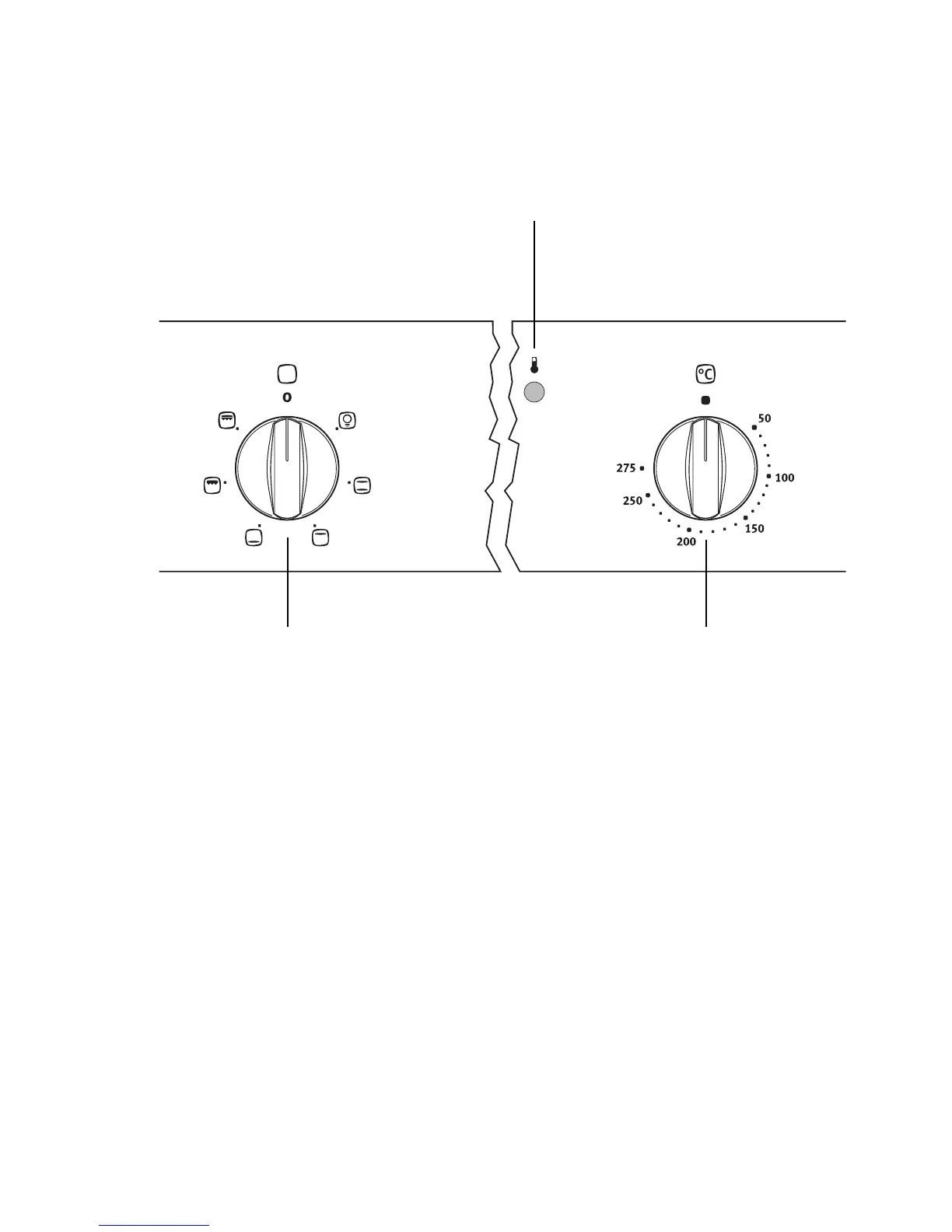
1.Turn the “oven functions” switch to the required function.
2.Turn the “temperature selection” switch to the required temperature.
The red temperature pilot light is only illuminated whilst the oven is heating
up.
3.To switch off the oven, turn the “oven functions” switch and the “tempera-
ture selection” switch to the zero position.
3 Cooling fan
When the oven is switched on, the fan comes on automatically to keep the
surfaces of the appliance cool. When the oven is switched off, the fan con-
tinues to operate to cool the appliance down, then switches itself off.
Temperature Pilot Light
Oven Functions
Temperature Selection



 To Next Page