10.3 Cleaning the door gasket
• Regularly do a check of the door
gasket. The door gasket is around the
frame of the oven cavity. Do not use
the appliance if the door gasket is
damaged. Contact an Authorised
Service Centre.
• To clean the door gasket, refer to the
general information about cleaning.
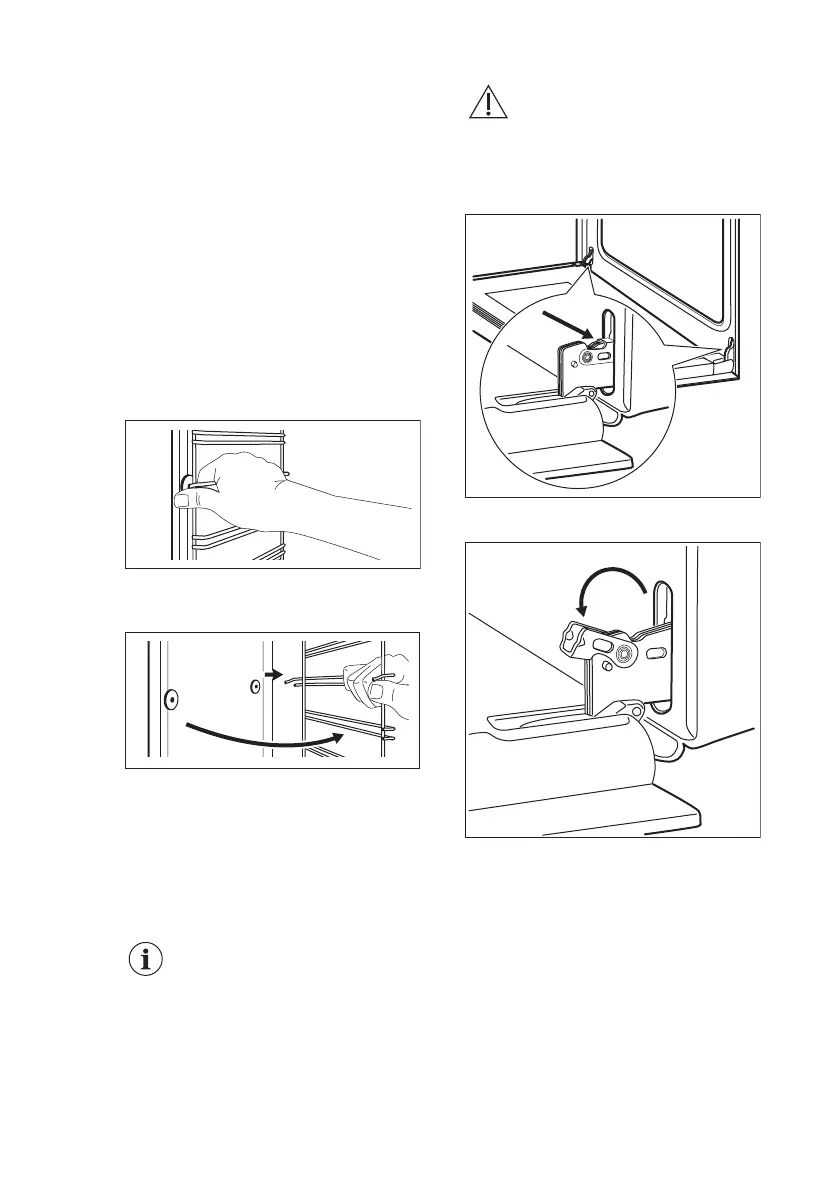
10.4 Removing the shelf
supports
To clean the oven, remove the shelf
supports.
1. Pull the front of the shelf support
away from the side wall.
2. Pull the rear end of the shelf support
away from the side wall and remove
it.
Install the shelf supports in the opposite
sequence.
10.5 Cleaning the oven door
The oven door has two glass panels.
You can remove the oven door and the
internal glass panel to clean it.
The oven door can close if
you try to remove the
internal glass panel before
you remove the oven door.
CAUTION!
Do not use the appliance
without the internal glass
panel.
1. Open the door fully and hold the two
door hinges.
2. Lift and turn the levers on the two
hinges.
3. Close the oven door halfway to the
first opening position. Then pull
forward and remove the door from its
seat.
www.electrolux.com20



 To Next Page