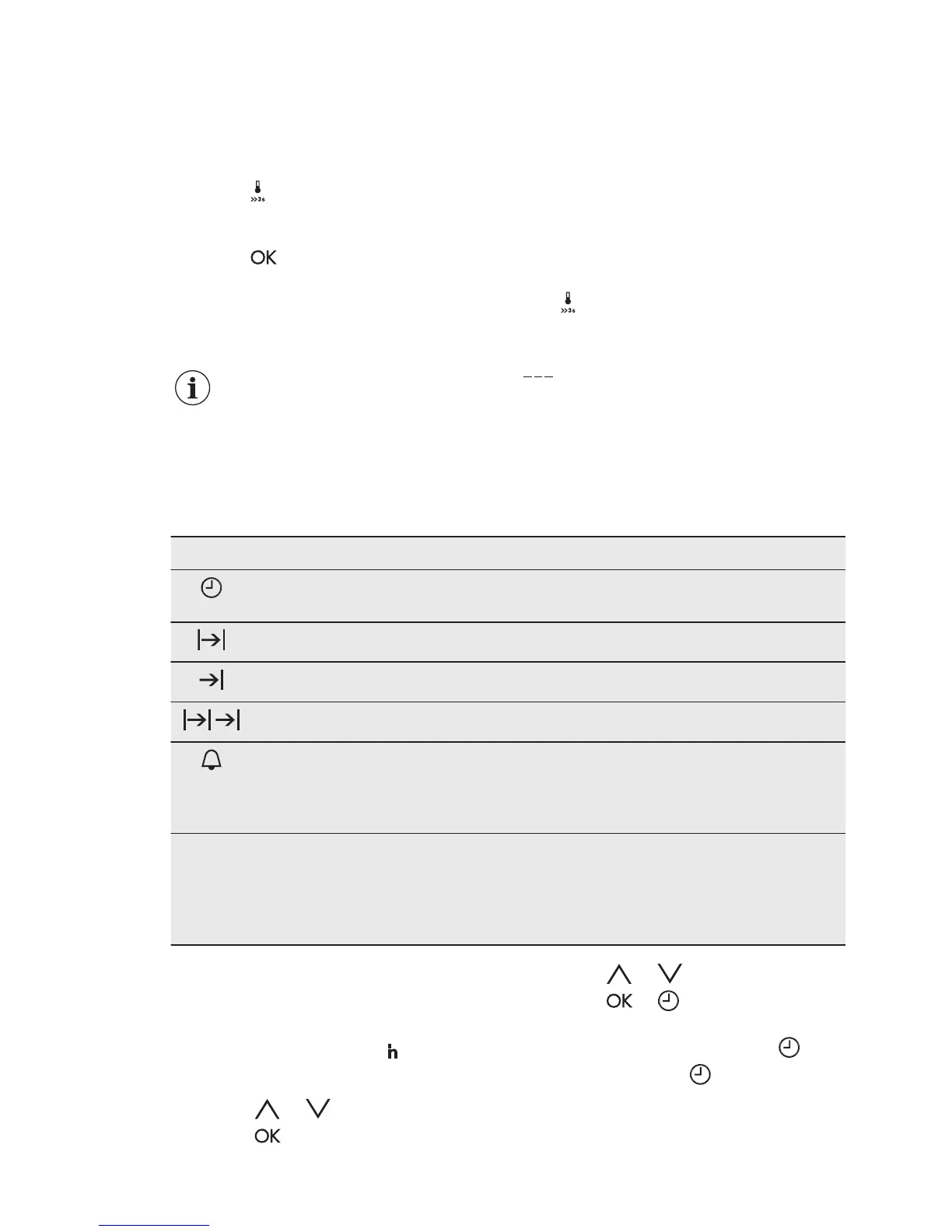
6.4 Checking the temperature
You can check the current temperature
in the oven when the function or
programme works.
1. Press
.
The display shows the temperature in the
oven.
2. Press or the display shows again
the set temperature automatically
after 5 seconds.
6.5 Fast heat up
Do not put food in the oven
when the Fast heat up
operates.
The Fast heat up is available only for
some oven functions. If Faulty tone is
turned on in the settings menu, the signal
sounds if the Fast heat up is not
available for the set function. Refer to
"Additional functions" chapter, Using the
settings menu.
The Fast heat up decreases the heat up
time.
To turn on the Fast heat up press and
hold for more than 3 seconds.
If the Fast heat up is turned on the
display shows: flashing horizontal bars
.
7. CLOCK FUNCTIONS
7.1 Clock functions table
Clock function Application
TIME OF DAY To show or change the time of day. You can change
the time of day only when the oven is on.
DURATION To set how long the oven works.
END To set when the oven turns off.
TIME DELAY To combine DURATION and END function.
MINUTE MINDER To set a countdown time. This function has no effect
on the operation of the oven. You can set the MI‐
NUTE MINDER at any time and also when the oven
is off.
00:00 COUNT UP TIMER To set the count up, which shows how long the oven
works. This function has no effect on the operation of
the oven. It is on immediately when the oven starts to
heat. The COUNT UP TIMER is not turned on if DU‐
RATION and END are set.
7.2 Setting and changing the
time
After the first connection to the mains,
wait until the display shows
and 12:00.
"12" flashes.
1. Touch or to set the hours.
2. Touch
.
3. Touch or to set the minutes.
4. Touch or .
The display shows the new time.
To change the time of day touch
again and again until starts to flash.
www.electrolux.com12







 To Next Page