34 electrolux operating the oven
Heat+Hold
The function Heat+Hold keeps your pre-
pared dish warm for 30 minutes, after
the baking or roasting has ended.
This is helpful, for example, when your
guests are late.
Condition for Heat+Hold:
• Fixed temperatur is above 80°C
• Fixed switch-Duration
To switch on Heat+Hold
1. Select oven function.
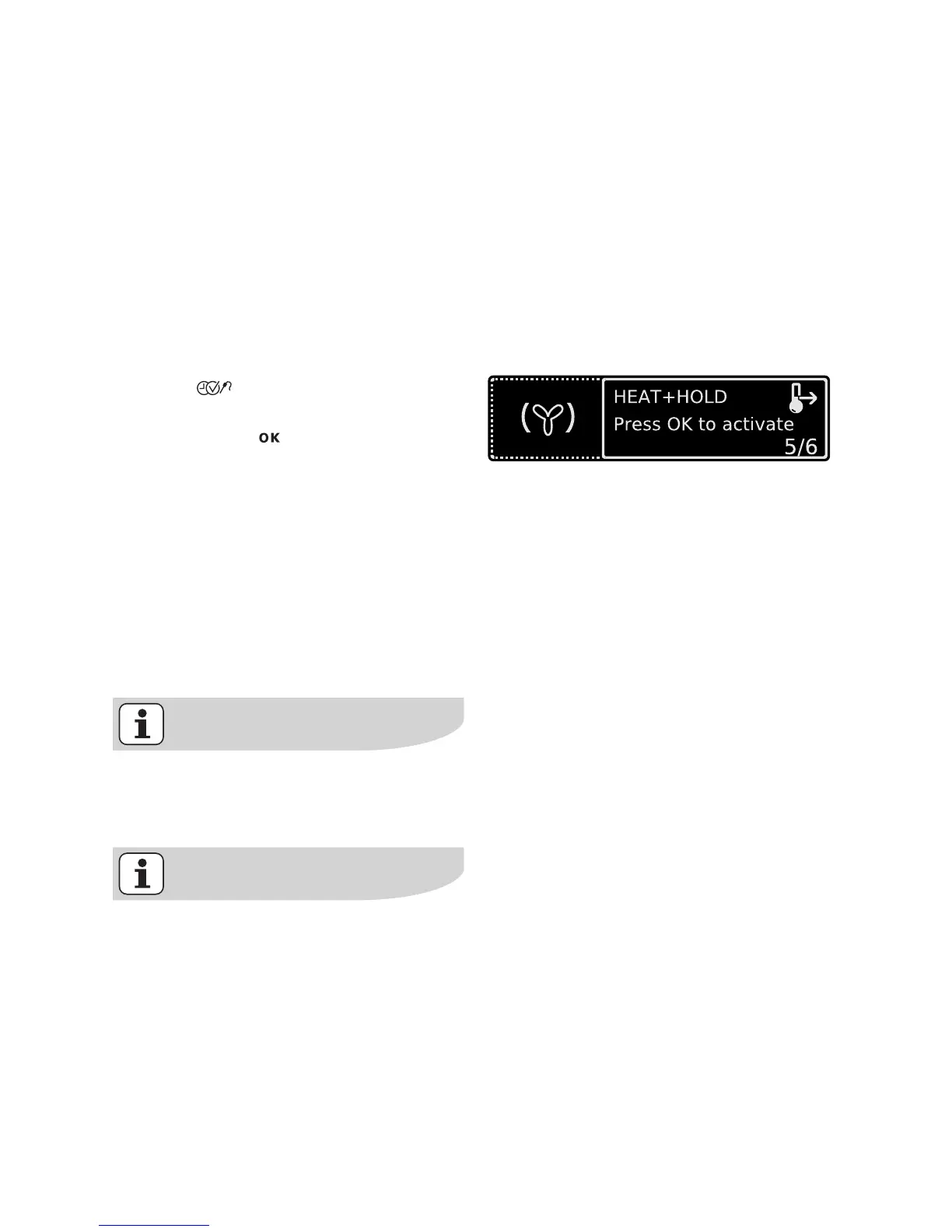
2. Press key repeatedly until the
”Heat+Hold” window appears.
3. Confirm with .
The function Heat+Hold is now
switched on.
4. As soon as the oven function is com-
pleted, a signal sounds and
Heat+Hold starts.
The oven function runs at 80°C for 30
minutes.
As soon as the 30 minutes with
Heat+Hold are over, the oven switches
itself off.
Irrespective of the oven function set
Heat+Hold remains active. You can
move between the oven functions.
Heat+Hold can be activated or de-
activated in the Basic Settings
menu.






 To Next Page