operating the oven electrolux 33
Set+Go
The function Set+Go means you can set
all settings for an oven function and then
start it later.
Example application:
You prepare a dish in the morning and
enter all necessary settings in the oven.
Your child comes home at lunchtime,
puts the dish in the oven, presses any
key and the oven starts with your set-
tings.
Condition:
• Fixed switch-Duration
To switch on Set+Go
1. Select oven function with desired
settings.
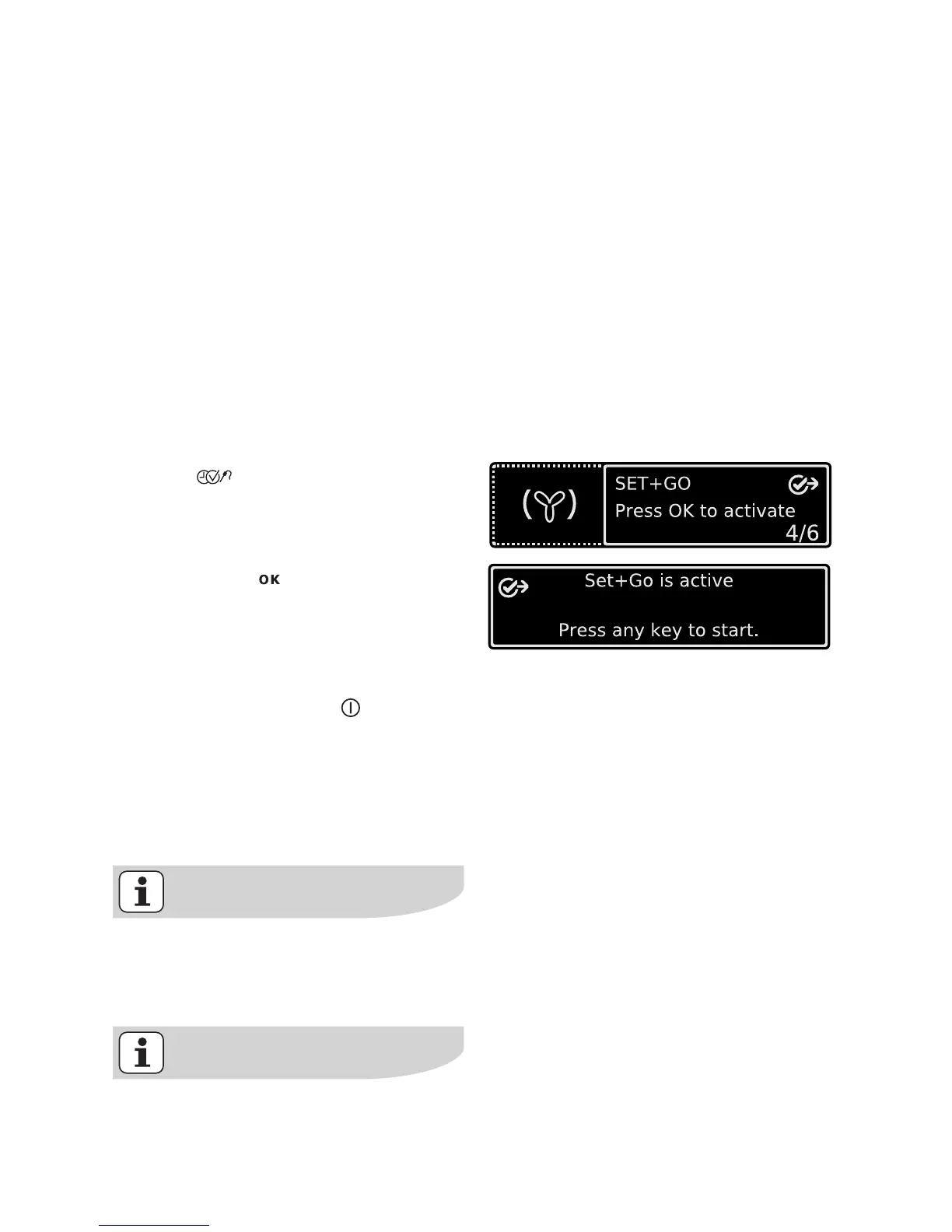
2. Press key repeatedly until the
”Set+Go” window appears.
3. Confirm with .
The function Set+Go is now
switched on.
To start Set+Go
1. Press any key (except ).
Selected oven function starts.
As soon as the oven function is com-
pleted, a signal sounds.
2. Press any key to switch off the sig-
nal.
While the selected oven function
with is operating Set+Go, the Key
Lock is active (see section Key
Lock).
Set+Go can be activated or deacti-
vated in the Basic Settings menu.






 To Next Page