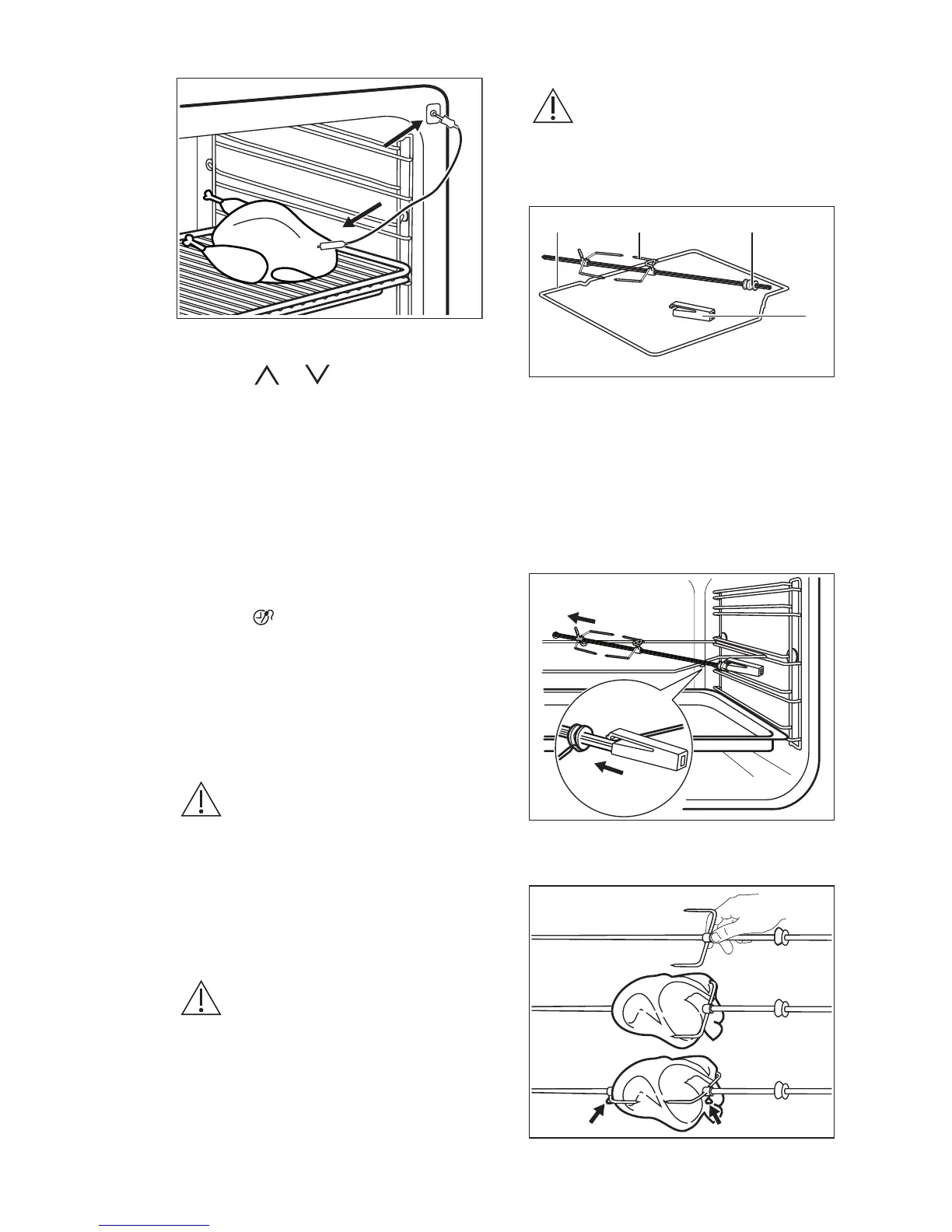
The display shows the core temperature
sensor symbol.
4. Press or in less than 5
seconds to set the core temperature.
5. Set the heating function and, if
necessary, the oven temperature.
The appliance calculates an approximate
end time. The end time is different for the
different quantities of the food, the set
oven temperatures (minimum 120 °C) and
the operating modes. The appliance
calculates the end time in approximately
30 minutes.
6. To change the core temperature,
press .
When the meat is at the set core
temperature, an acoustic signal sounds.
The appliance deactivates automatically.
7. Touch any symbol to stop the signal.
8. Remove the core temperature sensor
plug from the socket and remove the
meat from the oven.
WARNING!
The core temperature sensor
is hot. There is a risk of
burns. Be careful when you
remove the tip and the plug
of the core temperature
sensor.
9.2 Using the turnspit
WARNING!
Be careful when you use the
turnspit. The forks and the
spit are sharp. There is a risk
of injury.
WARNING!
Use oven gloves when you
remove the turnspit. The
turnspit and the grill are hot.
There is a risk of burns.
A. Turnspit frame
B. Forks
C. Spit
D. Handle
1. Put the turnspit handle into the spit.
2. Put the deep pan on the lowest shelf
position.
3. Put the spit frame on the third shelf
position from the bottom.
4. Install the first fork on the spit, then
put the meat on the turnspit and install
the second fork.
5.
Use the screws to tighten the forks.
ENGLISH
17







 To Next Page