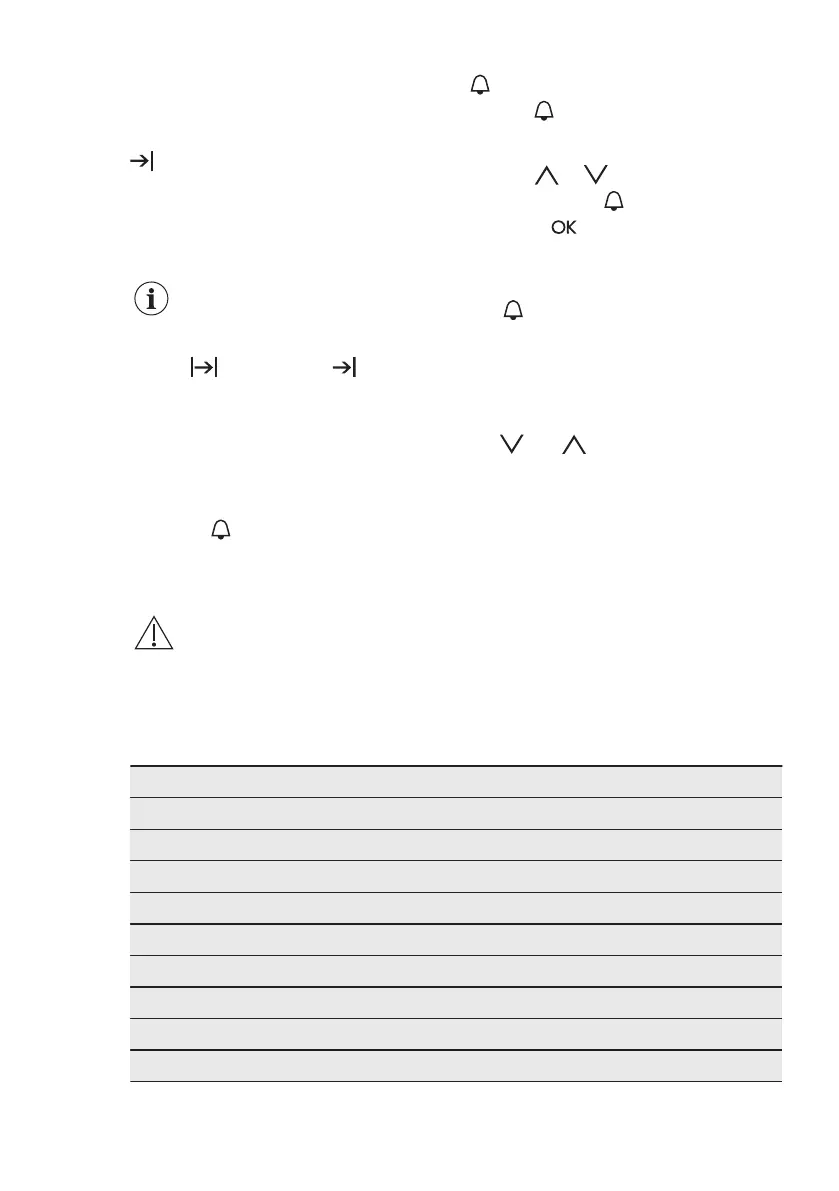
Appliance turns on automatically later on,
works for the set DURATION time and
stops at the set END time. At the set time
an acoustic signal sounds for 2 minutes.
and the time setting flash in the
display. The appliance deactivates
automatically.
8. Touch a sensor field to stop the
acoustic signal.
9. Turn off the appliance.
When the Time delay
function is activated, the
display shows a static
symbol of the oven function,
with a dot and . The
dot shows which clock
function is on in the Clock /
residual heat display.
7.6 Setting the MINUTE
MINDER
1. Touch .
and "00" flash in the display.
2. Use to switch between options.
First you set the seconds, then the
minutes and the hours.
3. Use or to set the MINUTE
MINDER and
to confirm.
4. Touch or the MINUTE MINDER
starts automatically after 5 seconds.
When the set time ends, an acoustic
signal sounds for 2 minutes and 00:00
and flash in the display.
5. Touch a sensor field to stop the
acoustic signal.
7.7 COUNT UP TIMER
1. To reset the Count Up Timer press:
and at the same time .
2. When the display shows "00:00" the
Count Up Timer starts to count up
again.
8. AUTOMATIC PROGRAMMES
WARNING!
Refer to Safety chapters.
There are 9 automatic programmes. Use
an automatic programme or recipe when
you do not have the knowledge or
experience on how to prepare a dish.
The display shows the default cooking
times for all automatic programmes.
8.1 Automatic programmes
Programme number Programme name
1 ROAST BEEF
2 ROAST PORK
3 CHICKEN, WHOLE
4 PIZZA
5 MUFFINS
6 QUICHE LORRAINE
7 WHITE BREAD
8 POTATO GRATIN
9 LASAGNE
ENGLISH 13





 To Next Page