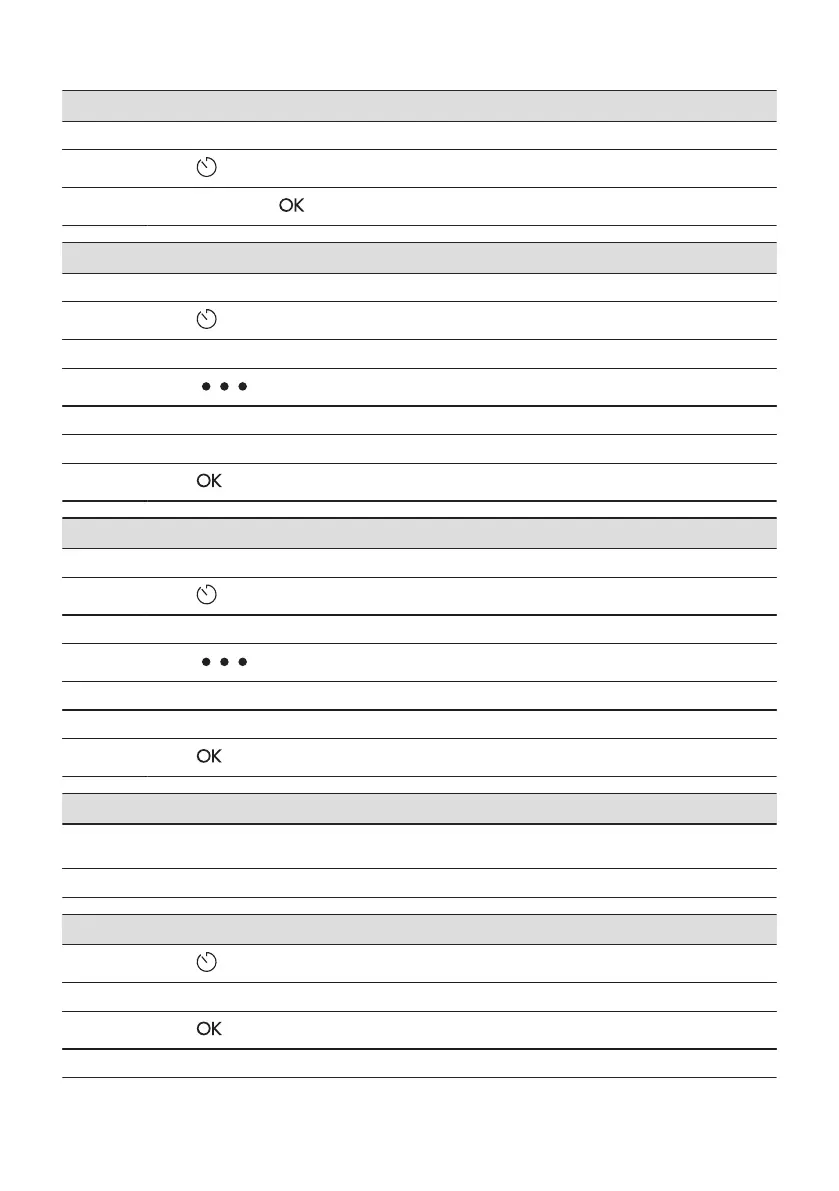
How to set cooking time
Step 1 Choose the heating function and set the temperature.
Step 2
Press: .
Step 3
Set the time. Press: .
How to choose end option
Step 1 Choose the heating function and set the temperature.
Step 2
Press: .
Step 3 Set the cooking time.
Step 4
Press: .
Step 5 Press: End Action.
Step 6 Choose the preferred: End Action.
Step 7
Press: . Repeat the action until the display shows the main screen.
How to delay start of cooking
Step 1 Set the heating function and the temperature.
Step 2
Press: .
Step 3 Set the cooking time.
Step 4
Press: .
Step 5 Press: Delayed start.
Step 6 Choose the value.
Step 7
Press: . Repeat the action until the display shows the main screen.
How to extend cooking time
When 10% of cooking time is left and the food seems not to be ready, you can extend cooking time. You can also
change the heating function.
Press +1min to extend the cooking time.
How to change timer settings
Step 1
Press: .
Step 2 Set the timer value.
Step 3
Press: .
You can change the set time during cooking at any time.
ENGLISH 15





 To Next Page