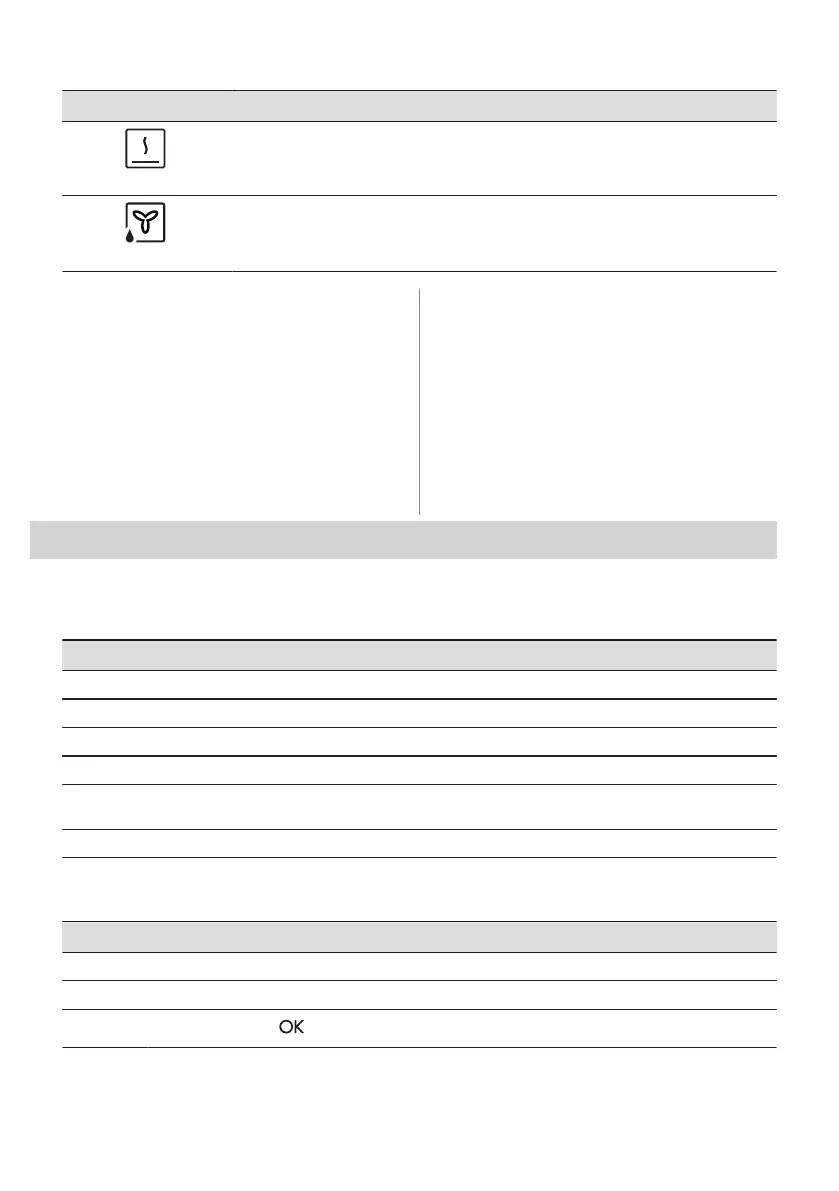
Heating function Application
Keep Warm
To keep food warm. Please note that some dishes may continue to cook and dry out
while being kept warm. Cover the dishes if necessary
Moist Fan Baking
This function is designed to save energy during cooking. When you use this function,
the temperature inside the appliance may differ from the set temperature. The residu‐
al heat is used. The heating power may be reduced. For more information refer to
"Daily Use" chapter, Notes on: Moist Fan Baking.
7.4 Notes on: Moist Fan Baking
This function was used to comply with the
energy efficiency class and ecodesign
requirements (according to EU 65/2014 and
EU 66/2014). Tests according to: IEC/EN
60350-1.
The oven door should be closed during
cooking so that the function is not interrupted
and the oven operates with the highest
energy efficiency possible.
When you use this function the lamp
automatically turns off after 30 sec.
For the cooking instructions refer to "Hints
and tips" chapter, Moist Fan Baking. For
general energy saving recommendations
refer to "Energy Efficiency" chapter, Energy
Saving.
8. CLOCK FUNCTIONS
8.1 Clock functions description
Clock function Application
Cooking time To set the length of cooking. Maximum is 23 h 59 min.
End Action To set what happens when the timer ends counting.
Delayed start To postpone the start and / or end of cooking.
Time Extension To extend cooking time.
Reminder To set a countdown. Maximum is 23 h 59 min. This function has no effect on the
operation of the appliance.
Uptimer Monitors how long the function operates. Uptimer - you can turn it on and off.
8.2 How to set: Clock functions
How to set the clock
Step 1 Turn on the oven.
Step 2 Press: Time of Day.
Step 3
Set the time. Press: .
14 ENGLISH





 To Next Page