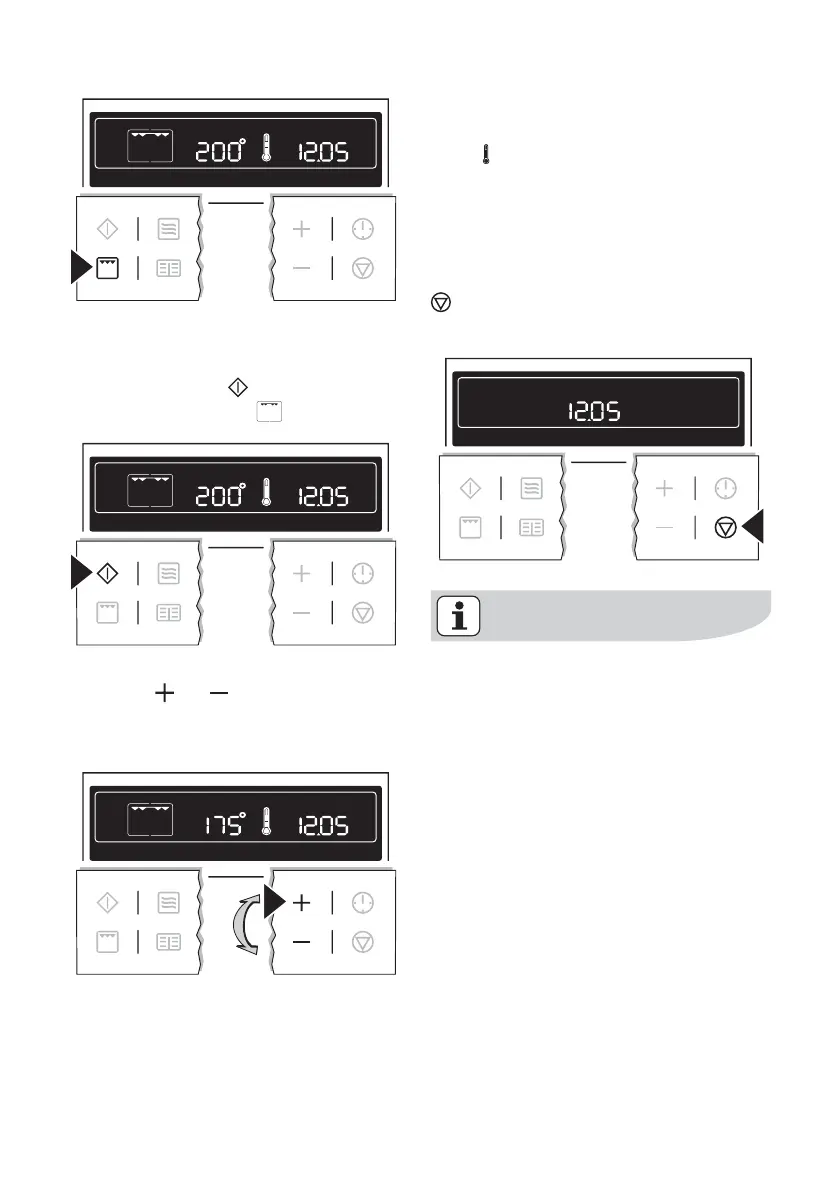
A suggested temperature appears in
the temperature display.
2. Press the Start
button to start the
oven function Grill
.
Changing the core temperature
Press the
or button to raise or
lower the temperature.
The setting changes in steps of 5°C.
Thermometer symbol
• The slowly rising thermometer sym-
bol
indicates how far the oven has
heated up.
• When the selected temperature is
reached, an audible signal sounds.
Switching the oven off
To switch the oven off, press the Stop
button repeatedly until only the time
and any residual heat is displayed.
Cooling fan
The fan switches on automatically in
order to keep the appliance’s surfa-
ces cool. When the oven is switched
off, the fan continues to run to cool
the appliance down, then switches
itself off automatically.
Oven Functions
The oven has the following functions:
using the oven electrolux 15



 To Next Page