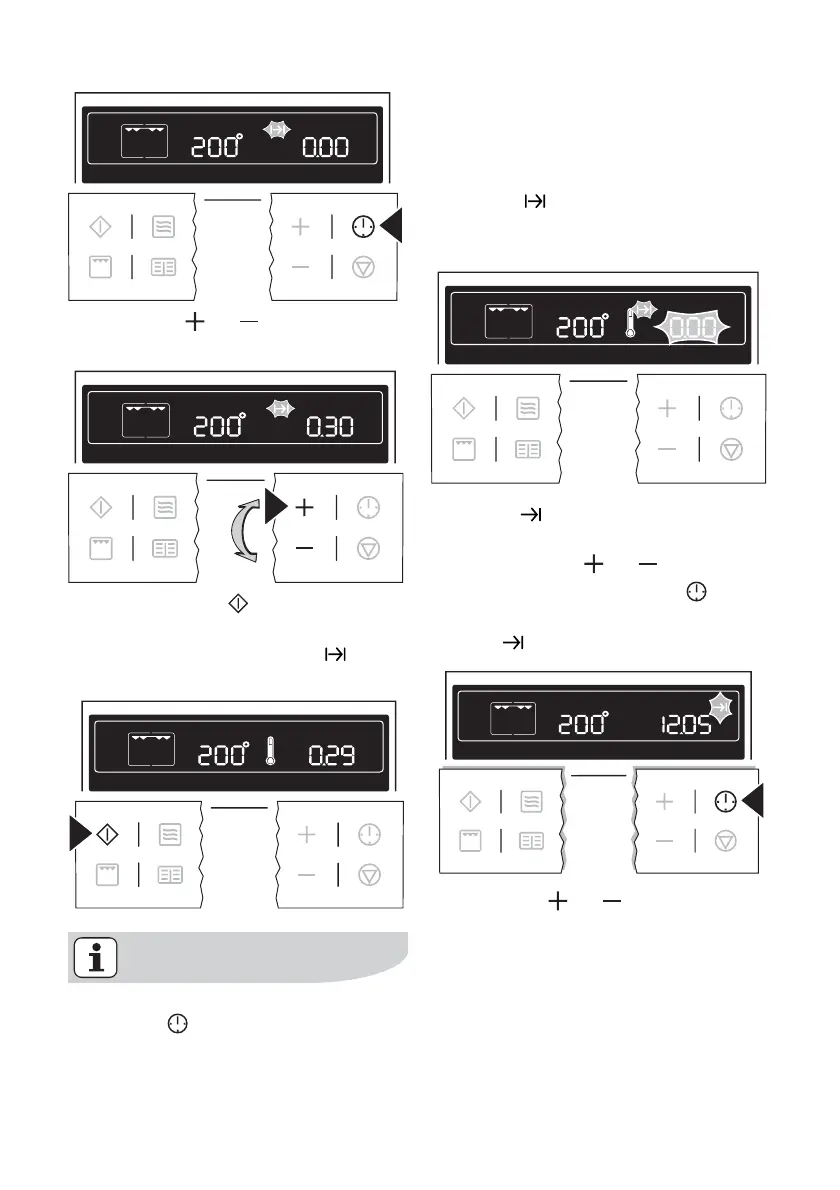
3. Using the or button, set the
desired cooking time.
4. When the Start button is pressed,
the time set begins to count down.
The symbol for Cook time
lights
up.
By repeatedly pressing the Clock
Functions
button, the current
time can be called up.
When the time has elapsed, an acoustic
signal sounds for 2 minutes. The oven
switches itself off.
“0.00” is displayed and the symbol for
Cook time
flashes.
To turn off the acoustic signal: Press any
button.
End time
1. Select oven function and tempera-
ture using the
or button.
2. Press the Clock Functions
button
repeatedly until the symbol for End
time
flashes.
3. Using the or button, set the
desired switch-off time.
26 electrolux using the oven



 To Next Page