9
B TO SET THE TIMER TO SWITCH OFF
ONLY
i)
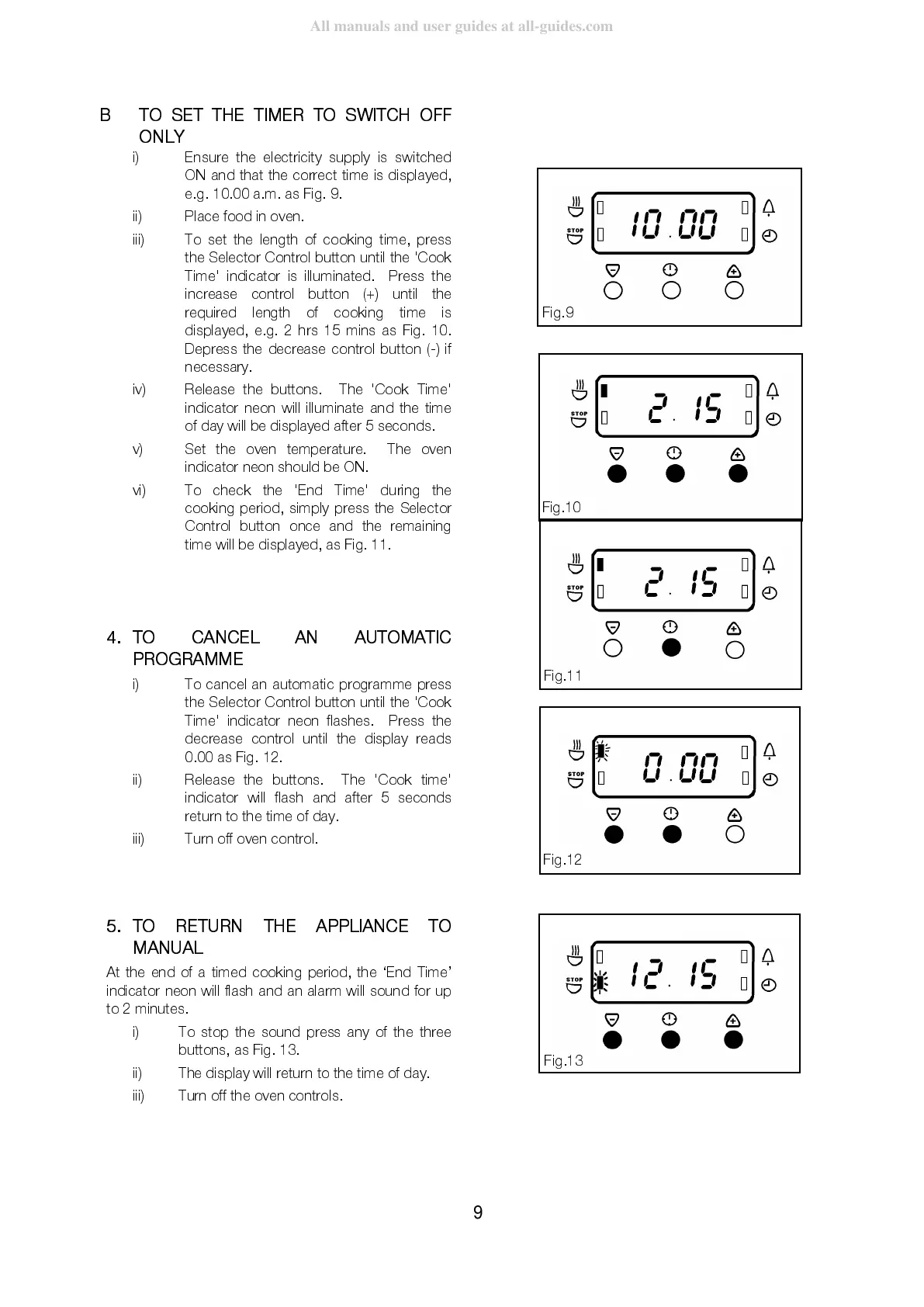
Ensure the electricity supply is switched
ON and that the correct time is displayed,
e.g. 10.00 a.m. as Fig. 9.
ii) Place food in oven.
iii) To set the length of cooking time, press
the Selector Control button until the 'Cook
Time' indicator is illuminated. Press the
increase control button (+) until the
required length of cooking time is
displayed, e.g. 2 hrs 15 mins as Fig. 10.
Depress the decrease control button (-) if
necessary.
iv) Release the buttons. The 'Cook Time'
indicator neon will illuminate and the time
of day will be displayed after 5 seconds.
v) Set the oven temperature. The oven
indicator neon should be ON.
vi)
To check the 'End Time' during the
cooking period, simply press the Selector
Control button once and the remaining
time will be disp layed, as Fig. 11.
4.
TO CANCEL AN AUTOMATIC
PROGRAMME
i)
To cancel an automatic programme press
the Selector Control button until the 'Cook
Time' indicator neon flashes. Press the
decrease control until the display reads
0.00 as Fig. 12.
ii)
Release the buttons. The 'Cook time'
indicator will flash and after 5 seconds
return to the time of day.
iii)
Turn off oven control.
5.
TO RETURN THE APPLIANCE TO
MANUAL
At the end of a timed cooking period, the ‘End Time’
indicator neon will flash and an alarm will sound for up
to 2 minutes.
i)
To stop the sound press any of the three
buttons, as Fig. 13.
ii)
The display will return to the time of day.
iii)
Turn off the oven controls.
Fi



 To Next Page