Water hardness
Adjusting the water
hardness setting
Use of salt
°dH °TH mmol/l manually electronic
ally
< 4 < 7 < 0,7 1 level 1 no
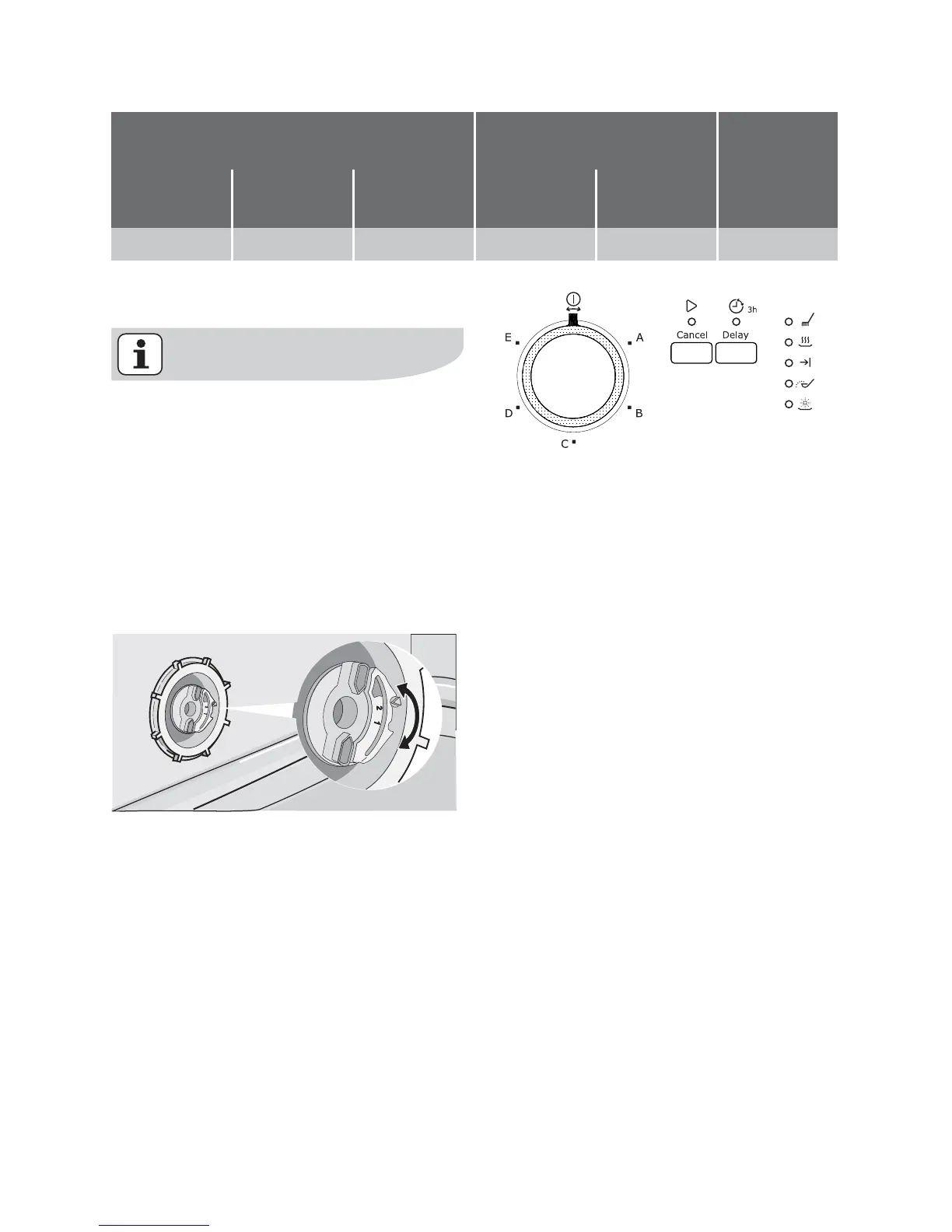
Setting manually
The dishwasher is factory set at po-
sition 2.
1. Open the dishwasher door.
2. Remove the lower basket from the
dishwasher.
3. Turn the water hardness dial to po-
sition 1 or 2 (see table).
4. Replace the lower basket.
Setting electronically
The dishwasher is factory set at
level 5.
1. The dishwasher must be switched
off.
Keep the start/cancel button
pressed and turn the programme
knob clockwise until the programme
marker corresponds with the first
washing programme.
2. Release the start/cancel button, the
On/Off and start/cancel indicator
lights start to flash indicating that you
have activated the water softener
setting function.
3. At the same time, the end of pro-
gramme indicator light starts to flash.
The current level is indicated by the
number of flashes of the indicator
light end of programme and a pause
of about 3 seconds.
Examples:
5 flashes, pause, 5 flashes, pause,
etc... = level 5
6 flashes, pause, 6 flashes, pause,
etc... = level 6
4.
To change the level, press the start/
cancel button. Each time the button
is pressed the level changes.
Examples:
if the current level is 5, by pressing
start/cancel button once, level 6 is
selected.
set the water softener electrolux 11



 To Next Page