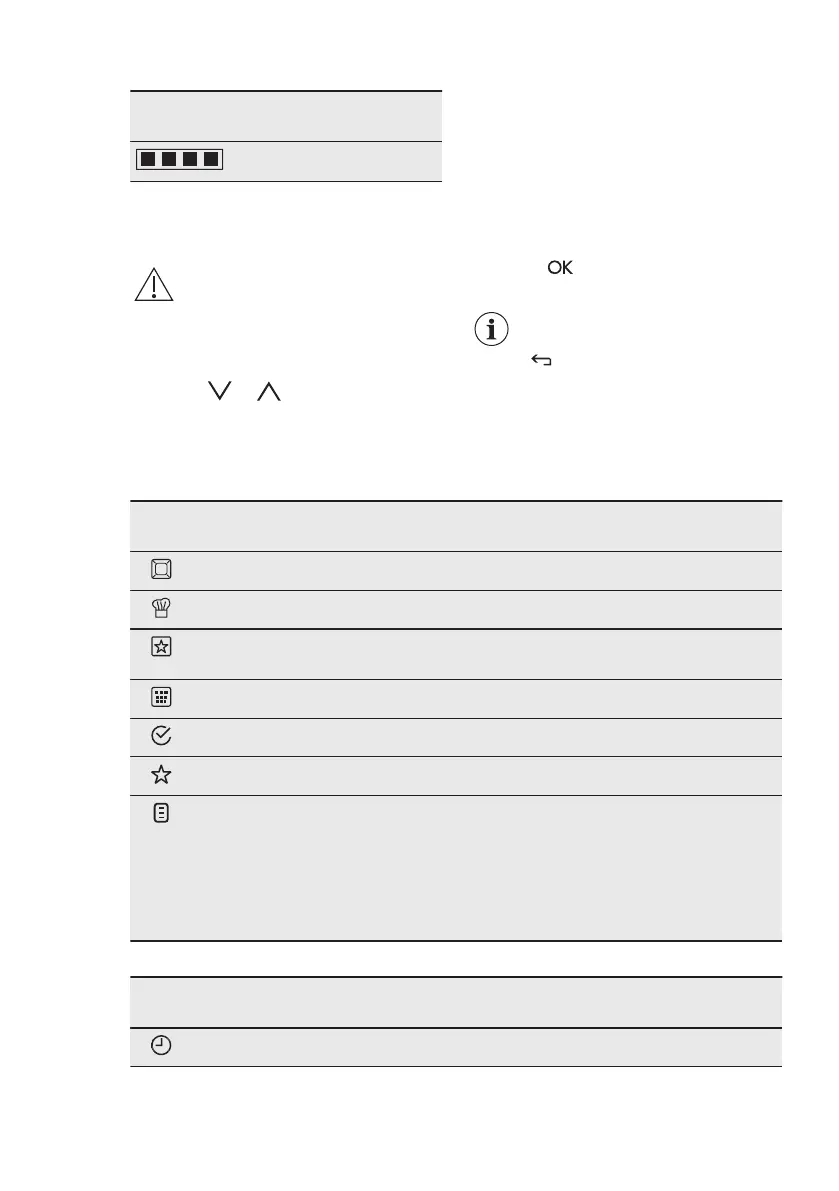
Test strip Hardness of the
water
4
The black squares in the table
correspond to red squares on the test
strip.
You can change the hardness level of
the water in the menu: Basic Settings /
Water hardness.
6. DAILY USE
WARNING!
Refer to Safety chapters.
6.1 Navigating the menus
1. Activate the appliance.
2. Press or to select the menu
option.
3. Press to move to the submenu or
accept the setting.
At each point you can go
back to the main menu with
.
6.2 The menus in overview
Main menu
Sym‐
bol
Menu item Application
Heating Functions Contains a list of heating functions.
Recipes Contains a list of automatic programmes.
Favourites Contains a list of favourite cooking pro‐
grammes created by the user.
Cleaning Contains a list of cleaning programmes.
Basic Settings Used to set the appliance configuration.
Specials Contains a list of additional heating functions.
VarioGuide Contains recommended oven settings for a
wide choice of dishes. Select a dish and start
the cooking process. The temperature and
time are only guidelines for a better result and
can be adjusted. They depend on the recipes
and the quality and quantity of the used ingre‐
dients.
Submenu for: Basic Settings
Sym‐
bol
Submenu Description
Set Time of Day Sets the current time on the clock.
ENGLISH 11




 To Next Page