EasyManua.ls Logo

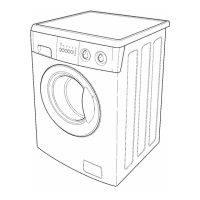
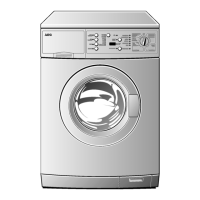
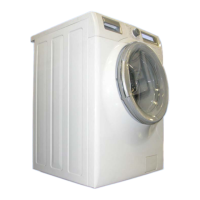
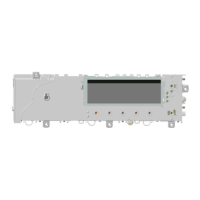
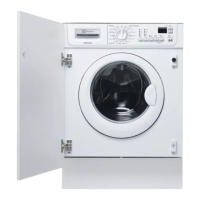
Electrolux EWM10931 - User Manual

Electrolux EWM10931
79 pages
Print Icon
To Next Page IconTo Next Page
Loading...
SERVICE MANUAL
WASHING
Washing machines
guide to diagnostics of
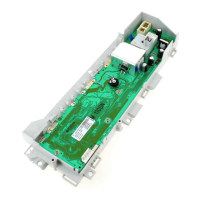
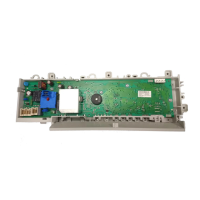
electronic controls
EWM10931
© ELECTROLUX HOME PRODUCTS
Customer Care - EMEA
Training and Operations Support
Technical Support
Publication
number
599 74 02-06
Edition: 02/2011 - Rev. 00
EN
Question and Answer IconNeed help?

Do you have a question about the Electrolux EWM10931 and is the answer not in the manual?

Summary

Introduction

Purpose of Manual

Explains technician steps for alarm codes on appliances.

General Safety Warnings

Safety precautions for qualified technicians working on appliances.

Troubleshooting Procedure

Steps for diagnostics, alarm reading, and component checks.

Appliance Control Panels

Diagnostic System

Accessing Diagnostics

Guide to entering the appliance's diagnostic mode.

Quitting Diagnostics

Instructions to exit the diagnostic cycle.

Diagnostic Test Phases

Details on different test phases for component operation checks.

Alarms

Displaying Alarms to User

How alarm codes appear on the appliance display.

Reading Stored Alarms

Method to view the last three stored alarms from PCB memory.

Rapid Alarm Reading

Quick method to check the last alarm without full diagnostics.

Deleting Stored Alarms

Steps to clear alarms after reading or repair.

Operating Time Counter

Reading Appliance Operating Time

Procedure to display the total operating hours of the appliance.

Total Operating Time Display Format

Explanation of how total operating time is shown in digits.

Notes on Alarm Behavior

Specific notes on how certain alarms behave during operation.

Cannot Access Diagnostics

No LEDs on Circuit Board

Troubleshooting when no circuit board LEDs are lit.

Some LEDs on Display Board

Steps if display board LEDs are lit but diagnostics are inaccessible.

Troubleshooting by Alarm Code

E11: Water Fill Difficulty

Troubleshooting steps for alarm E11, water fill issues.

E21: Drain Difficulty

Troubleshooting steps for alarm E21, drain system problems.

E52: Motor Tachometric Generator Signal Loss

Troubleshooting for E52, no signal from motor tachometric generator.

E62: Overheating During Washing

Troubleshooting for E62, overheating during the washing cycle.

E91: Display-Main Board Communication Error

Troubleshooting for E91, communication error between boards.

How to Check Three-Phase Motors

WM Operating Circuit Diagram

Key to Diagram

Explanation of component labels and numbering in the circuit diagram.

Main Circuit Board Connectors

Details connector pin assignments on the main circuit board.

Main Circuit Board Burn Areas

Identifies areas on the main board prone to burns and their causes.

Summary

Introduction

Purpose of Manual

Explains technician steps for alarm codes on appliances.

General Safety Warnings

Safety precautions for qualified technicians working on appliances.

Troubleshooting Procedure

Steps for diagnostics, alarm reading, and component checks.

Appliance Control Panels

Diagnostic System

Accessing Diagnostics

Guide to entering the appliance's diagnostic mode.

Quitting Diagnostics

Instructions to exit the diagnostic cycle.

Diagnostic Test Phases

Details on different test phases for component operation checks.

Alarms

Displaying Alarms to User

How alarm codes appear on the appliance display.

Reading Stored Alarms

Method to view the last three stored alarms from PCB memory.

Rapid Alarm Reading

Quick method to check the last alarm without full diagnostics.

Deleting Stored Alarms

Steps to clear alarms after reading or repair.

Operating Time Counter

Reading Appliance Operating Time

Procedure to display the total operating hours of the appliance.

Total Operating Time Display Format

Explanation of how total operating time is shown in digits.

Notes on Alarm Behavior

Specific notes on how certain alarms behave during operation.

Cannot Access Diagnostics

No LEDs on Circuit Board

Troubleshooting when no circuit board LEDs are lit.

Some LEDs on Display Board

Steps if display board LEDs are lit but diagnostics are inaccessible.

Troubleshooting by Alarm Code

E11: Water Fill Difficulty

Troubleshooting steps for alarm E11, water fill issues.

E21: Drain Difficulty

Troubleshooting steps for alarm E21, drain system problems.

E52: Motor Tachometric Generator Signal Loss

Troubleshooting for E52, no signal from motor tachometric generator.

E62: Overheating During Washing

Troubleshooting for E62, overheating during the washing cycle.

E91: Display-Main Board Communication Error

Troubleshooting for E91, communication error between boards.

How to Check Three-Phase Motors

WM Operating Circuit Diagram

Key to Diagram

Explanation of component labels and numbering in the circuit diagram.

Main Circuit Board Connectors

Details connector pin assignments on the main circuit board.

Main Circuit Board Burn Areas

Identifies areas on the main board prone to burns and their causes.

Electrolux EWM10931 Specifications

General IconGeneral
Energy efficiency classA
Width60 cm
Delay StartYes
Child LockYes
Loading typeFront loading

Related product manuals