15
Reversing Door
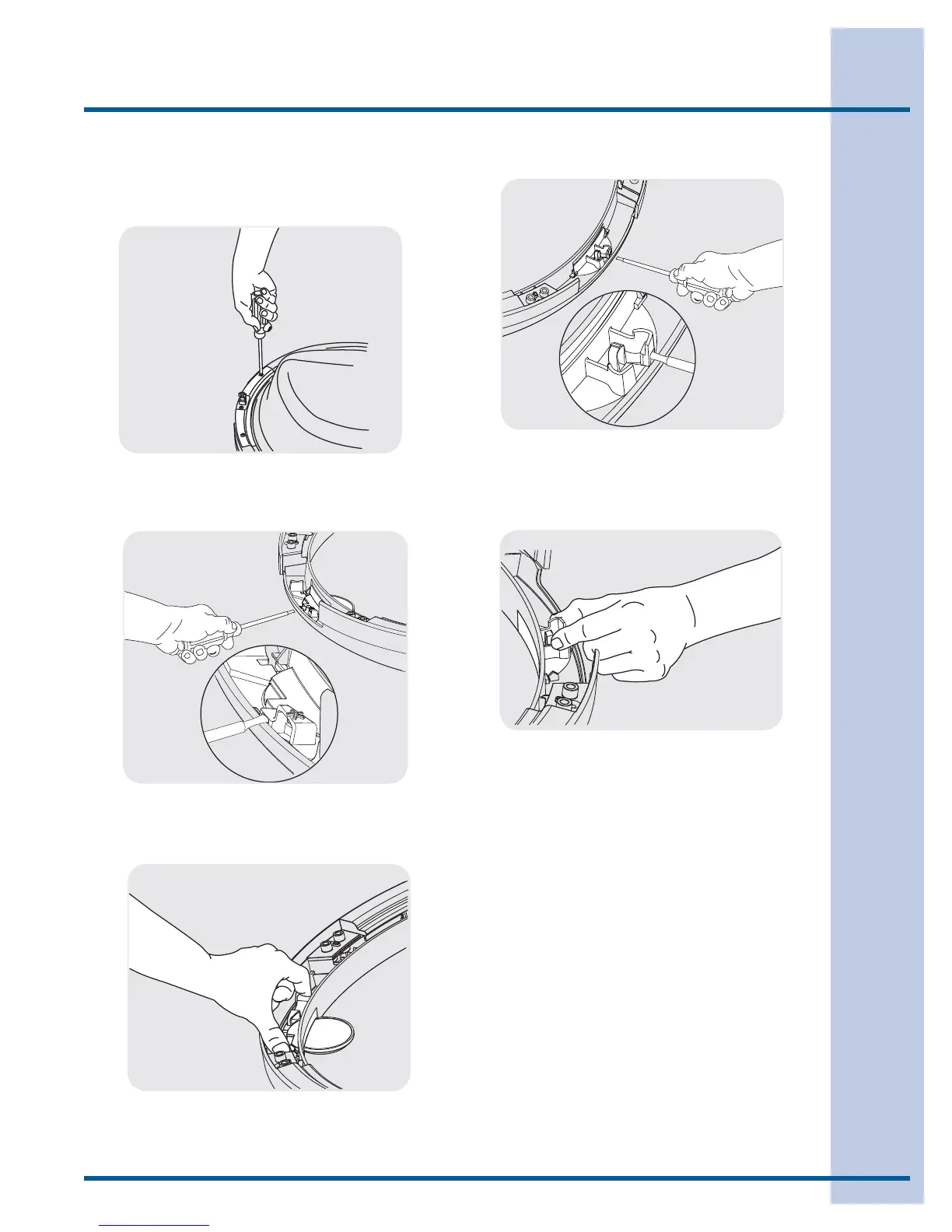
H) Removing Latch Indicator
1 Insert fl at blade screwdriver into open slot of
latch indicator.
2 Gently pry upward to release tab.
3 Pull the indicator out and set it aside.
3 Pull the hole plug out and set it aside.
G) Removing Striker Plate
1 Remove 2 long, course-thread, counter-sunk
screws and striker plate.
2 Set the striker plate to the side for later.
I) Removing Hole Plug
1 Insert fl at blade screwdriver into open slot of
hole plug.
2 Gently pry upward to release tab.




 To Next Page