2
17
BP4
Service
Manual
Control display
04106016/GB
43-09
Control display :
See operating handbook, Chapter 3 page 2
Menu / display :
See operating handbook, Chapter 3 page 7
Service program :
Switching to «Service Option» Mode»
The machine has been set in the factory to specic values of heating, folding, temperature,
ironing speed, operating language, etc. These values and specications can be set in the
«Service Option» mode menus».
The parameters must always correspond to the specic type of machine.
• Remove the left-hand side cover.
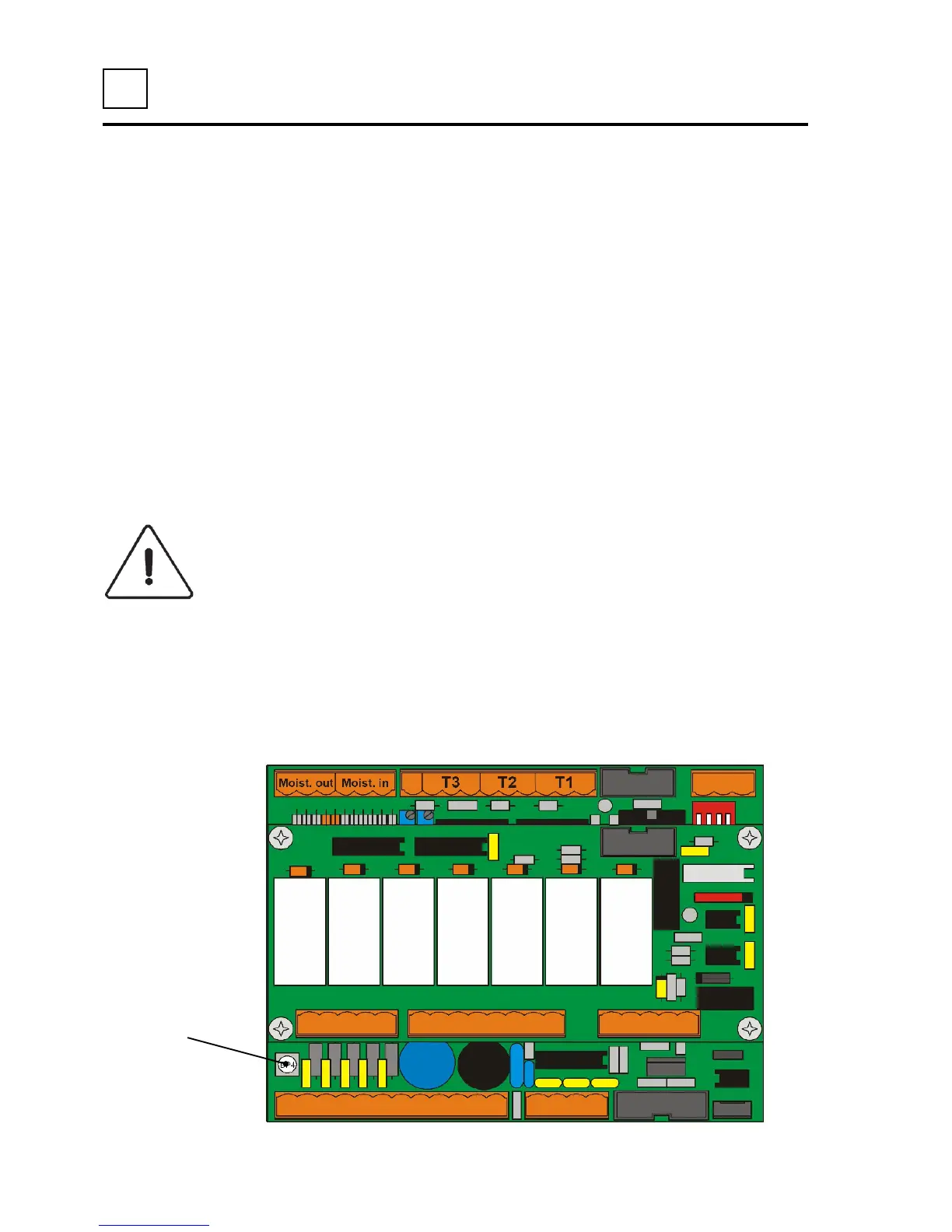
• Press on the printed circuit push-button «BP4» using an insulated tool.
• After completing the adjustments, put back the left-hand side cover.
CAUTION
The printed circuit control board carries very high voltages.
Maintenance should be carried



 To Next Page