Care and Cleaning
Re£[acin9 Light Bulbs
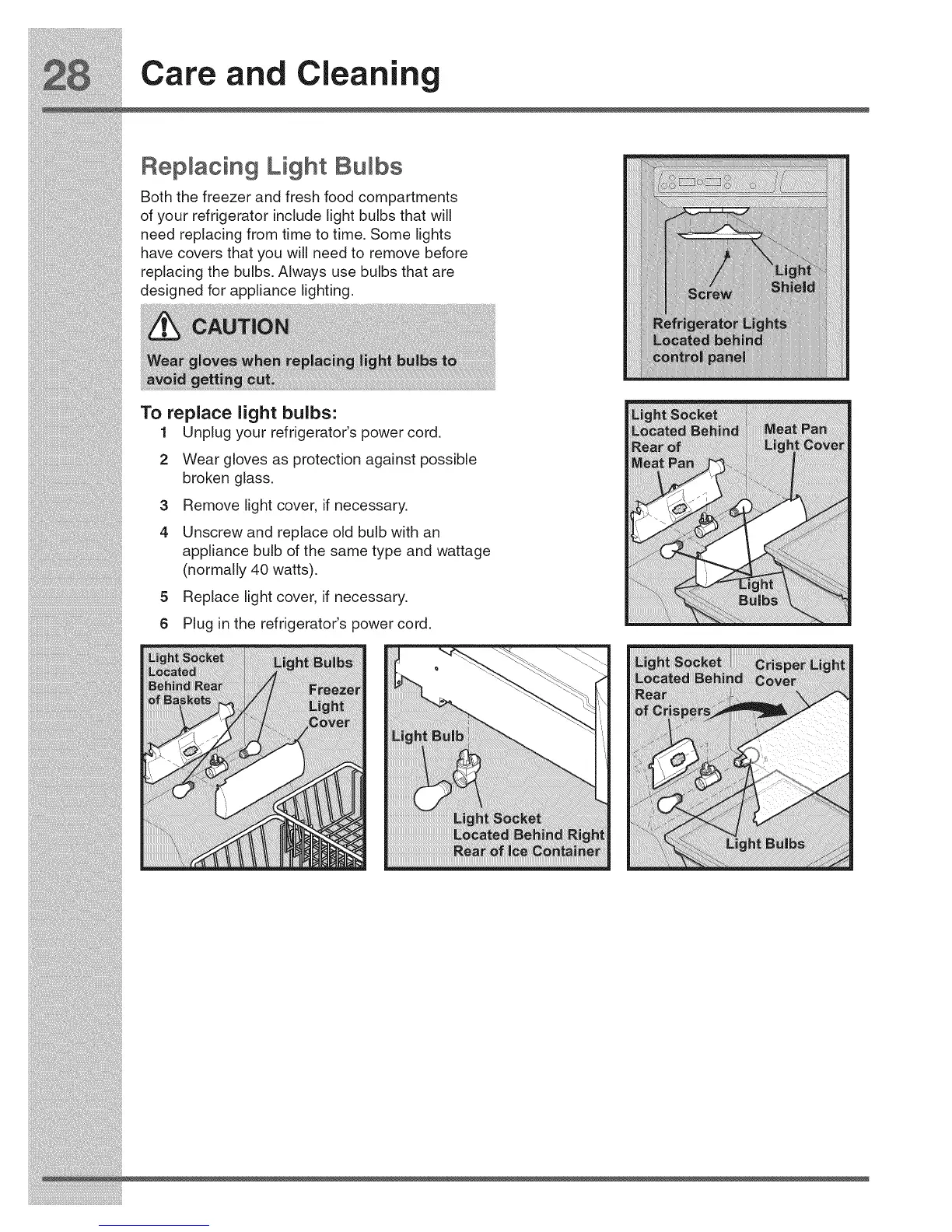
Both the freezer and fresh food compartments
of your refrigerator include light bulbs that will
need replacing from time to time. Some lights
have covers that you will need to remove before
replacing the bulbs. Always use bulbs that are
designed for appliance lighting.
To replace light bulbs:
1 Unplug your refrigerator's power cord.
2 Wear gloves as protection against possible
broken glass.
3 Remove light cover, if necessary.
4 Unscrew and replace old bulb with an
appliance bulb of the same type and wattage
(normally 40 watts).
5 Replace light cover, if necessary.
6 Plug in the refrigerator's power cord.



 To Next Page